How to add an AI chatbot to WebSim.ai
You want to embed your custom trained AI support agent in your Websim AI website page. Here’s how to add an AI support agent to Websim AI with AI Chatbot.
Websim AI allows you to create entire websites, games, or even marketplaces using simple AI prompts. It brings your creative ideas to life, whether it’s a neon-colored marketing toolbox or a real-time AI news website. The platform’s ability to generate dynamic websites with fresh content makes it perfect for educators or marketers looking to increase user engagement.
Websim AI allows you to create entire websites, games, or even marketplaces using simple AI prompts. It brings your creative ideas to life, whether it’s a neon-colored marketing toolbox or a real-time AI news website. The platform’s ability to generate dynamic websites with fresh content makes it perfect for educators or marketers looking to increase user engagement.
Note: We have used gpt-5.1 to set up the website for this tutorial.
Website URL: Websim AI
Add your AI support agent to your Websim AI website
In AI Chatbot
Select your chatbot from the dropdown menu at the top, click on the Install Agent section in the sidebar, then click on the Copy Code button to copy your code snippet.
In Websim AI
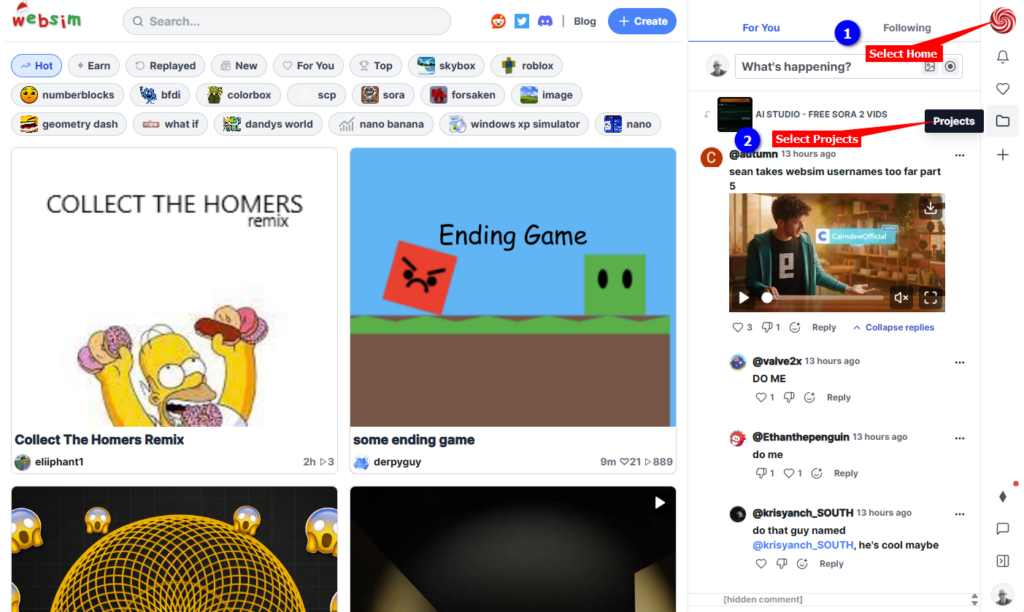
- Log into your Websim AI account, select Home and then in the right-hand sidebar, select Projects (ignore any other projects in the left side of the Home page – these are all Public projects)
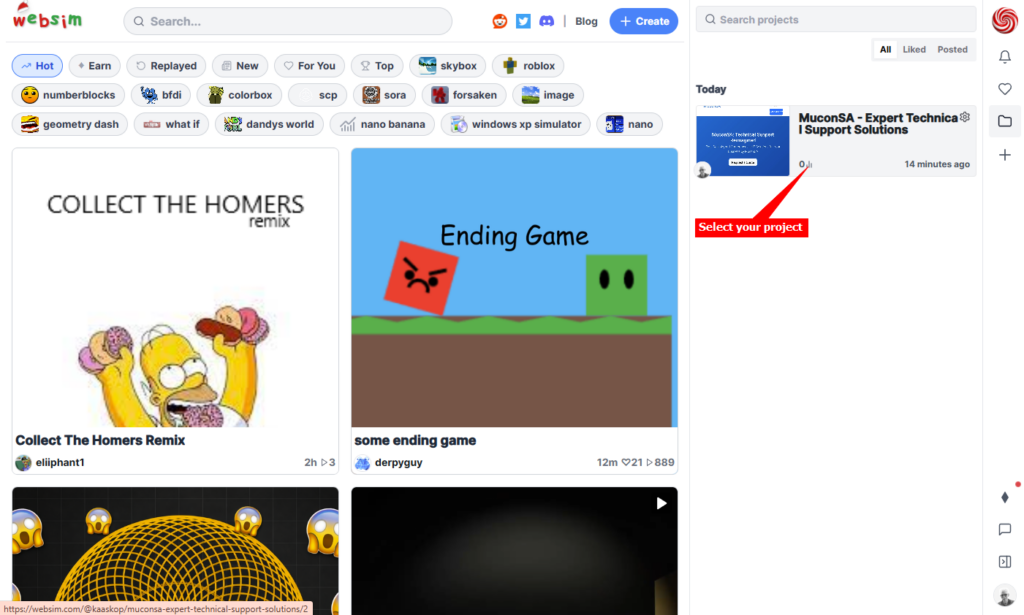
- Select your project that you want to add your AI support agent to
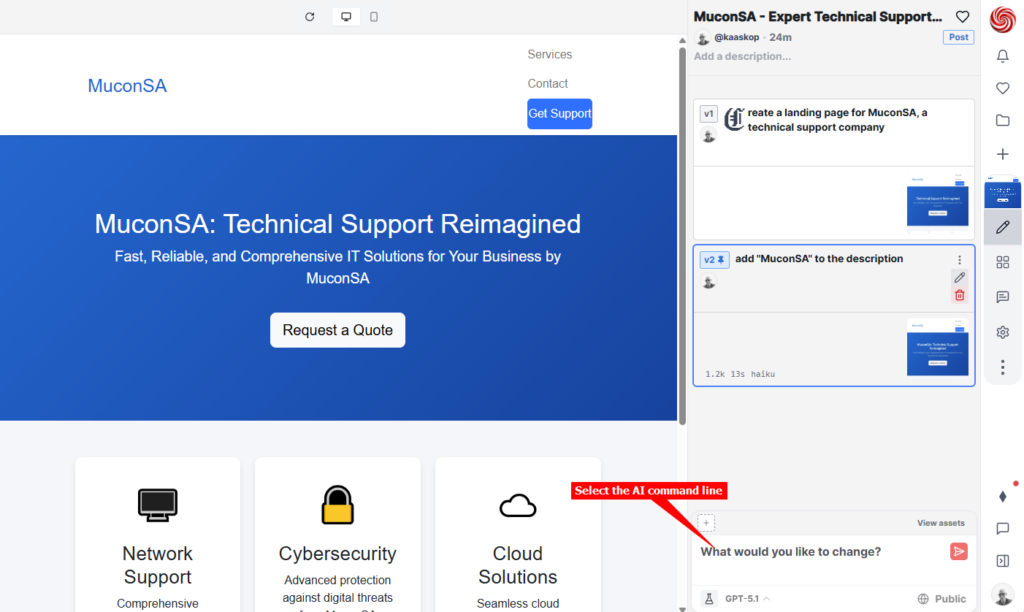
- Click in the command line containing “What would you like to change?”
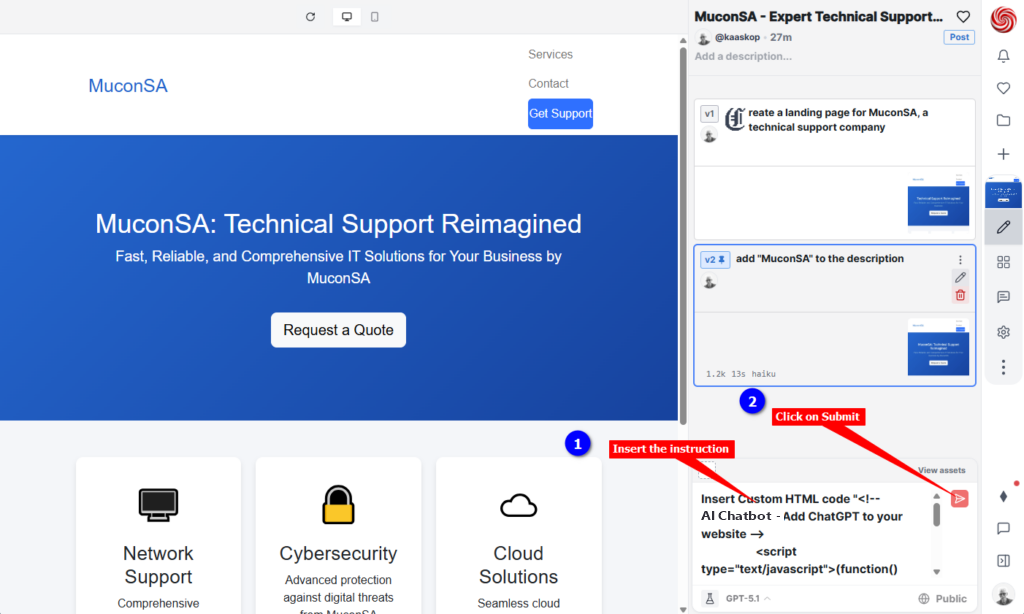
- Enter the following instruction in the command line:
Insert Custom HTML code ”— insert the AI support agent js code copied at the beginnng of the tutorial —”
and click on the Submit button
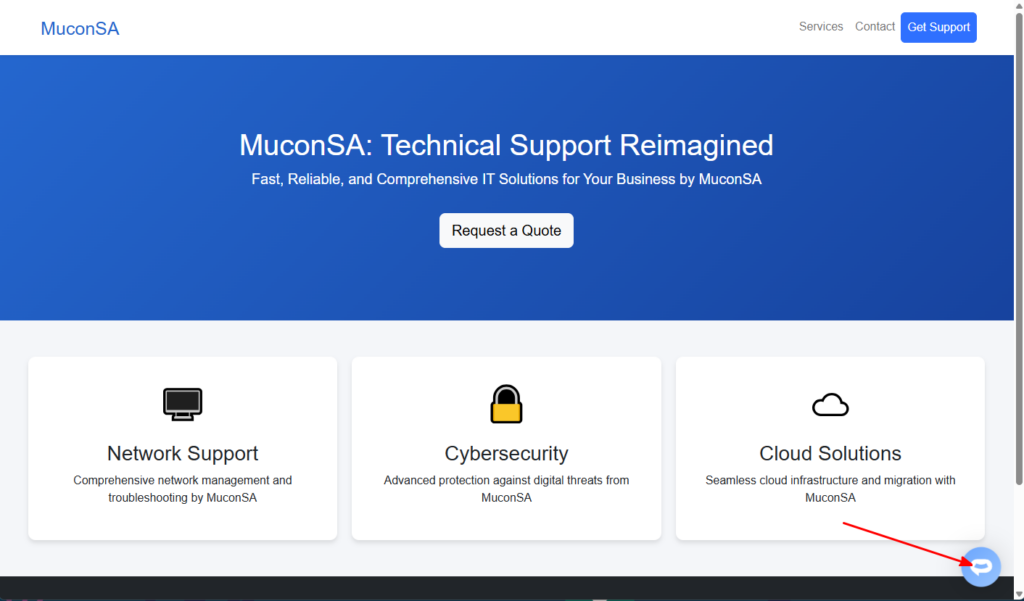
- Your AI support agent button will now be displayed on your Websim AI website page
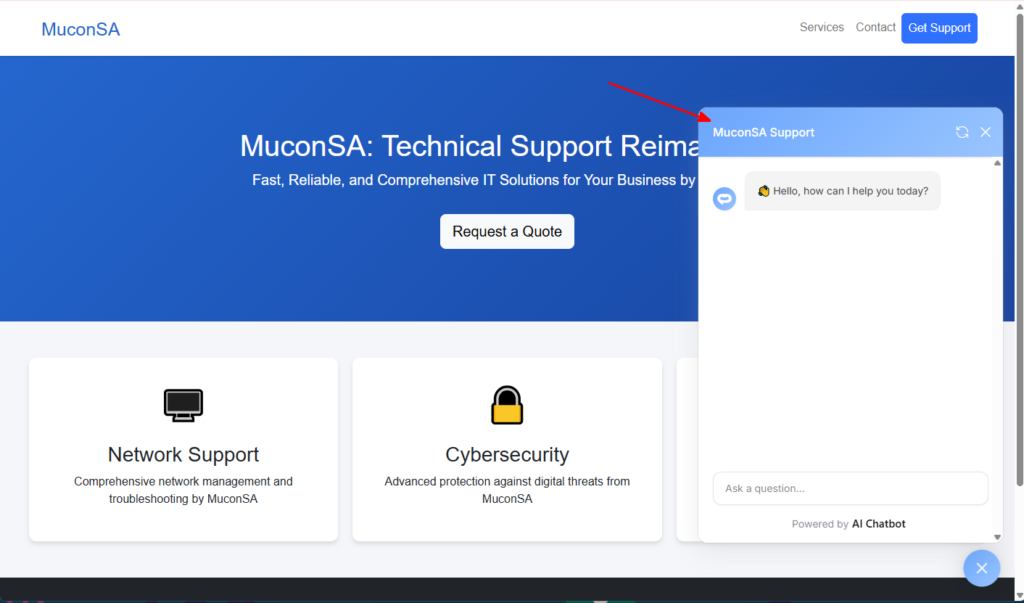
- If you click on the button it will display the AI support agent dialogue
Your AI support agent has now been added to your Websim AI website and your visitors/customers can start interacting with it!
Join over 1000+ businesses, websites and startups automating their customer service and other tasks with a custom trained AI agent.