How to add an AI chatbot to Silex
You want to embed your custom trained AI support agent in your Silex website page. Here’s how to add an AI support agent to Silex with AI Chatbot.
Silex is a platform for hosting and deploying static websites and applications. It offers a simple and streamlined way to get your content online. Silex is a free/libre website builder designed to provide a seamless experience, whether you’re a beginner just starting out or an experienced developer looking for advanced customization.
Website URL: Silex. The following documentation aims to guide users and developers through the features and configuration of Silex.
Add your AI support agent to your Silex website
In AI Chatbot
Select your chatbot from the dropdown menu at the top, click on the Install Agent section in the sidebar, then click on the Copy Code button to copy your code snippet.
In Silex
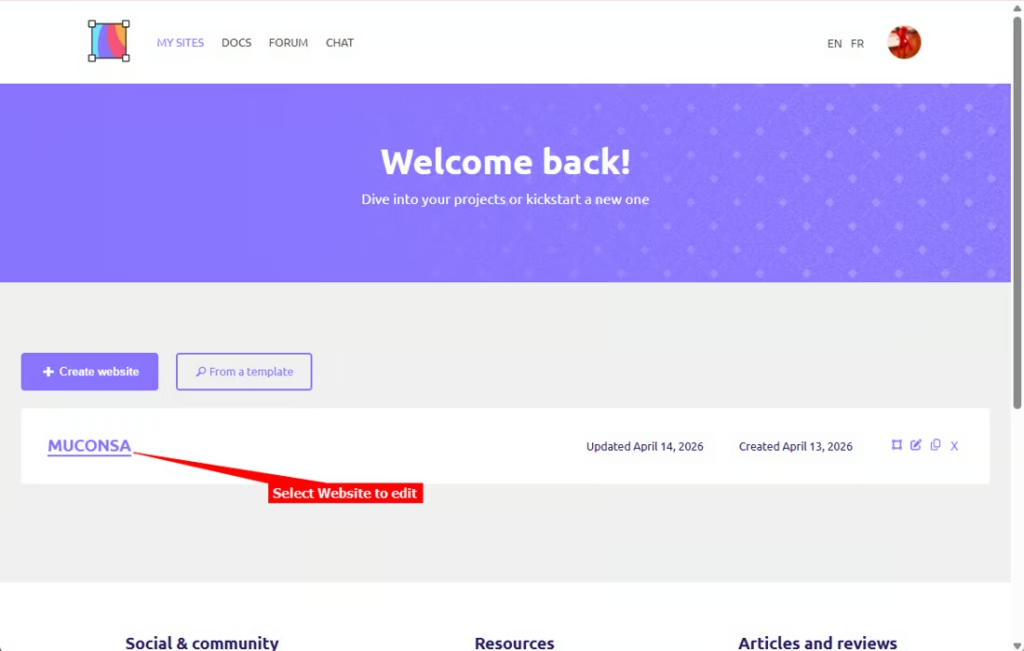
- Log into your Silex account and open the website you want to add your AI support agent to
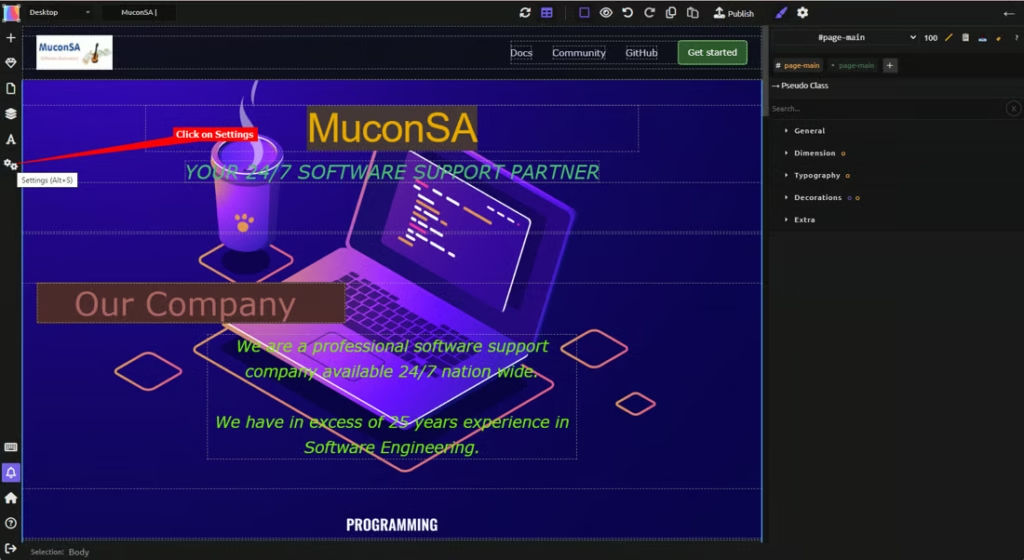
- Click on Settings on the left side toolbar
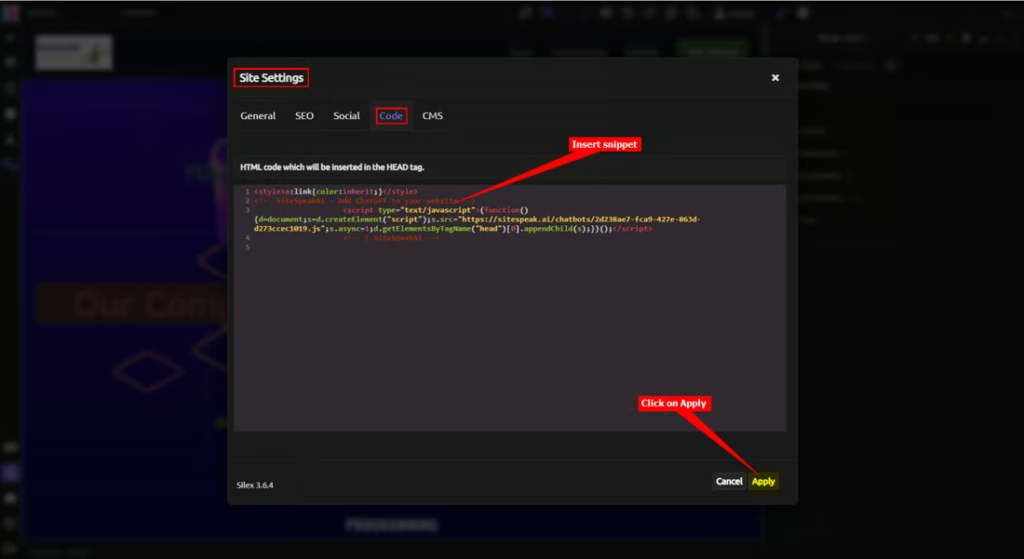
- Select the Code tab under Site Settings, insert your snippet in the editor text box and click on Apply
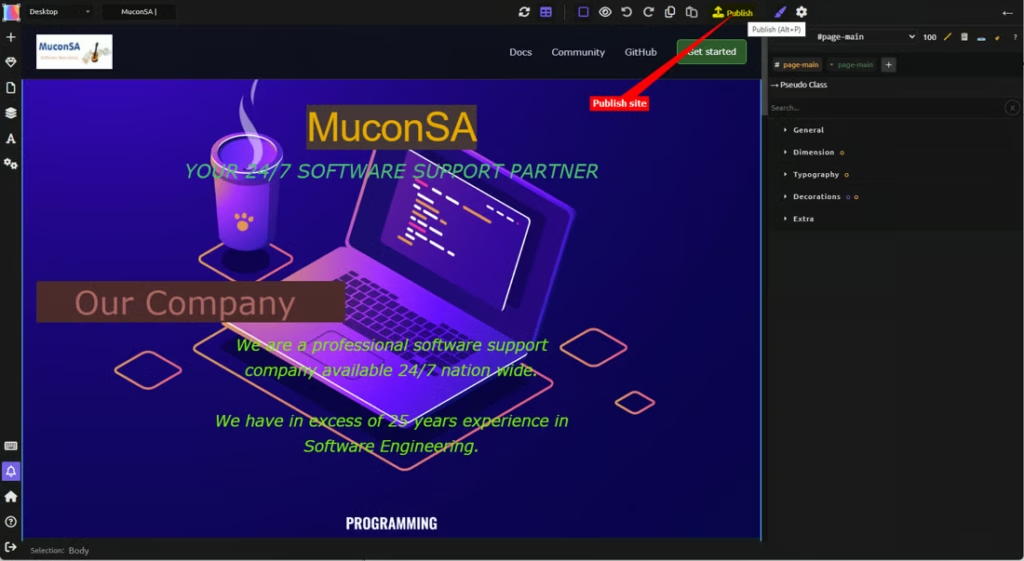
- Click on Publish to publish the changes to your live website
- Your AI support agent button will now be displayed on your Silex website page
- If you click on the button it will display the AI support agent dialogue
That’s it! You have successfully added your AI Chatbot no-code AI support agent to your Silex website. Your customers/visitors can now start interacting with it, asking all the questions they have.
Join over 1000+ businesses, websites and startups automating their customer service and other tasks with a custom trained AI agent.