Brave: Web Search Action
Enable your AI chatbot to search and retrieve information from your BookStack wiki in real-time.
The Brave: Web Search action enables your AI support agent to search the web for information and use the results to answer questions. This is useful as a fallback when your chatbot can’t find the answer in its trained knowledge base, or when visitors ask about current events that require up-to-date information.
How it Works
When a user asks a question that might be answered by your BookStack wiki, the chatbot will search your wiki in real-time, retrieve relevant content, and use it to formulate an accurate response.
Add a Brave: Web Search Action
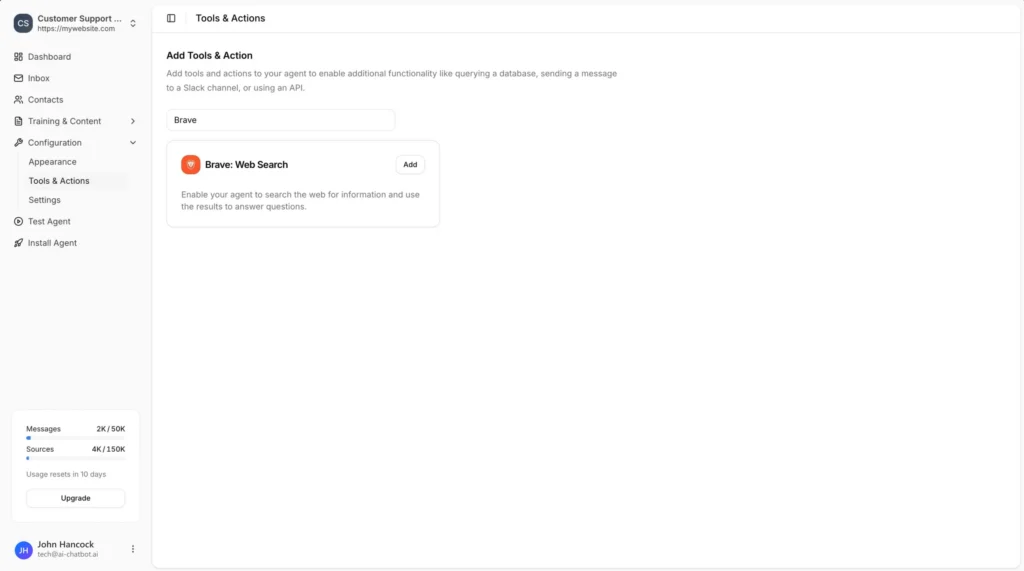
In your chatbot dashboard, click Configuration in the sidebar, then select Tools & Actions.
Click the + Add Action button.
Type “Bookstack” in the search field to filter the available actions.
4
Select BookStack: Search Wiki
Click Add next to BookStack: Search Wiki.
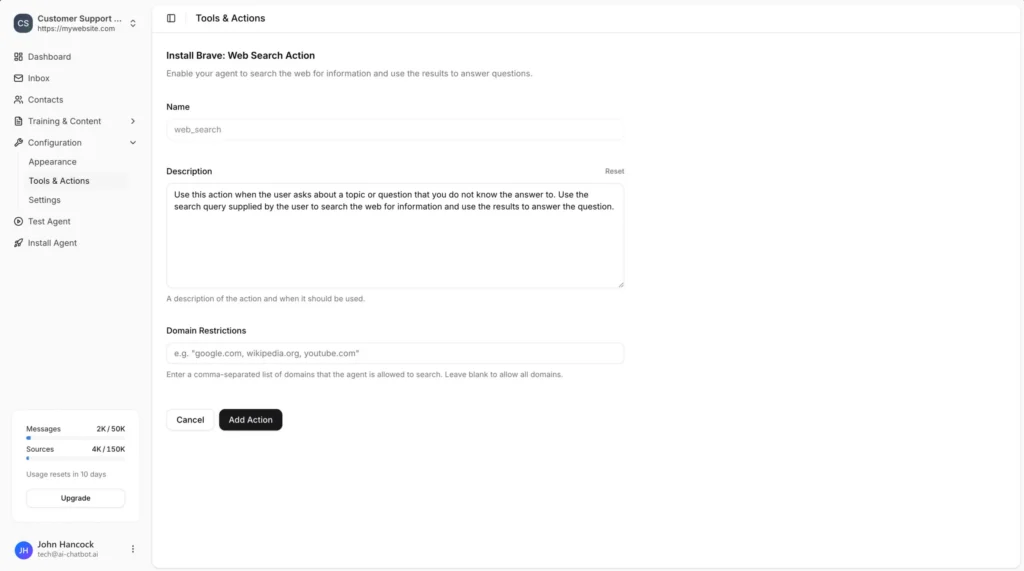
Configure the Action
2
Set Domain Restrictions (Optional)
Enter the base URL of your BookStack installation (e.g., https://wiki.mywebsite.com).
Enter the base URL of your BookStack installation (e.g., https://wiki.mywebsite.com).
Click the Add Action button to save and enable the action.
Example Use Cases
- Current events: Answer questions about recent news or events not in your training data
- General knowledge fallback: Provide answers when the chatbot’s knowledge base doesn’t cover a topic
- Price lookups: Find current pricing information from specific websites
- Research assistance: Help visitors find information from trusted sources
Join over 1000+ businesses, websites and startups automating their customer service and other tasks with a custom trained AI agent.