How to add an AI chatbot to ZOHO Sites
You want to embed your custom trained AI support agent in your ZOHO Sites website. Here’s how to add ChatGPT to ZOHO Sites with AI Chatbot.
Zoho Sites is a no-code Website Builder that lets you create and launch responsive websites using simple drag-and-drop tools and pre-designed templates. It is built for beginners and businesses who want a professional web presence without writing code.
Website URL: Zoho Sites
Add your AI support agent to your Zoho Sites website
In AI Chatbot
Select your chatbot from the dropdown menu at the top, click on the Install Agent section in the sidebar, then click on the Copy Code button to copy your code snippet.
In ZOHO Sites
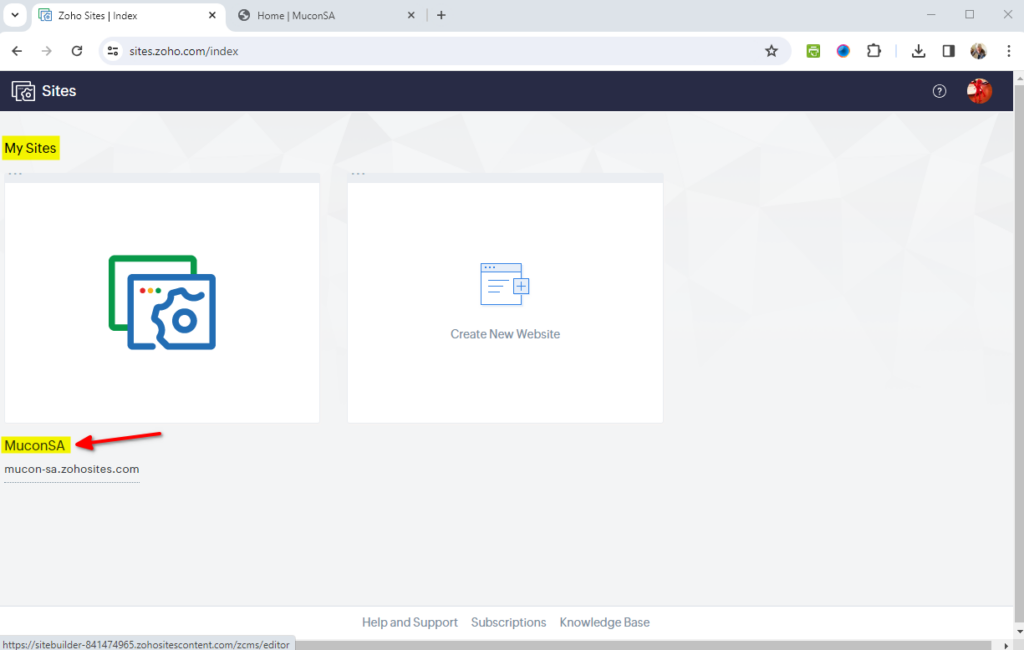
On your dashboard select the website to edit under My Sites
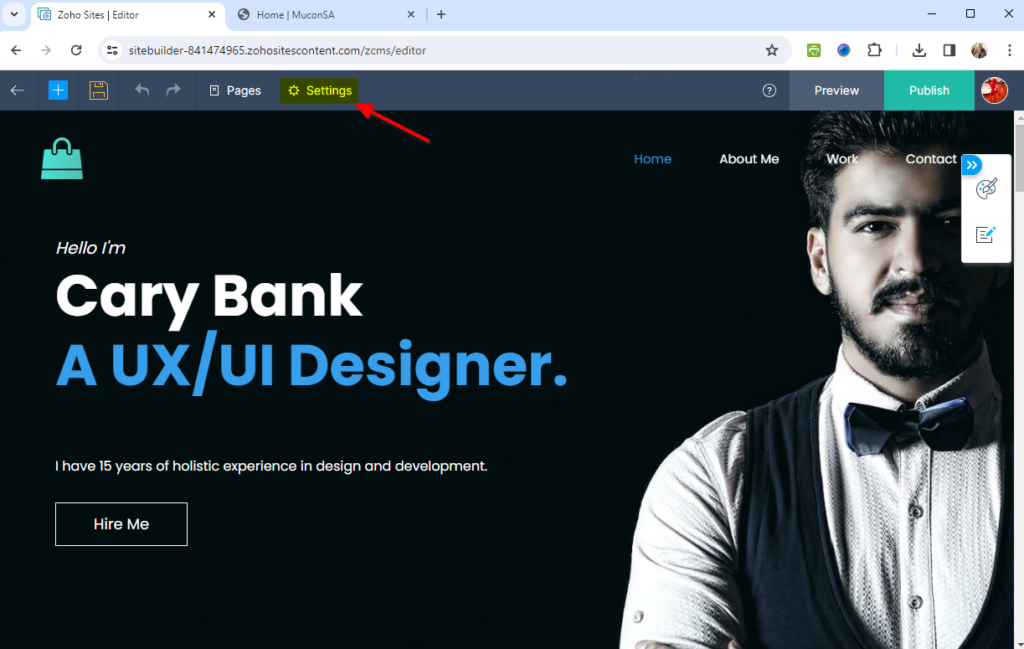
- Select Settings in the website editor
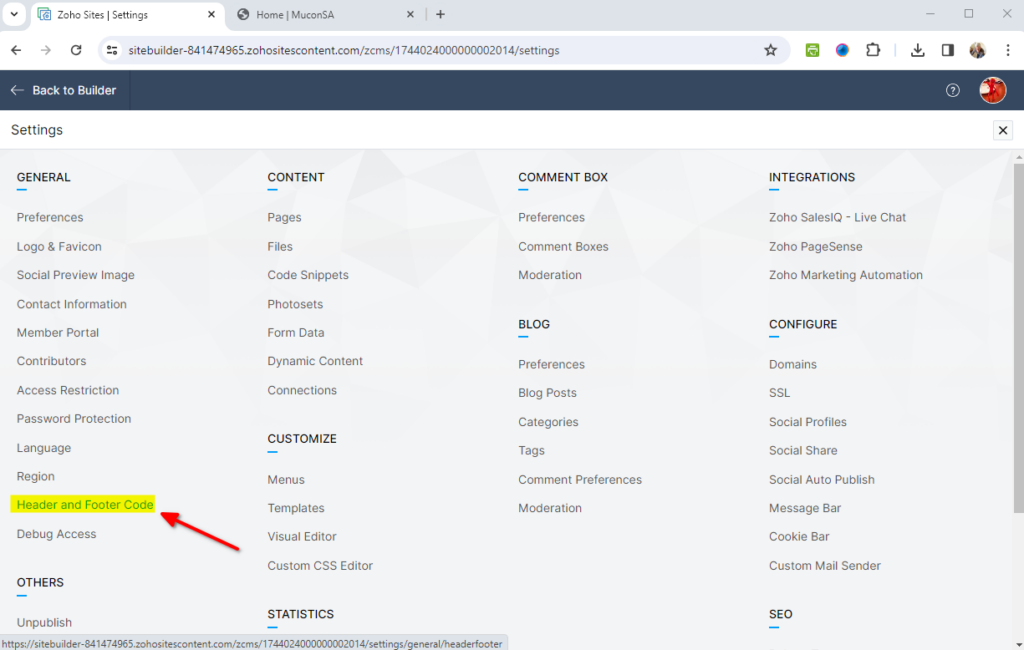
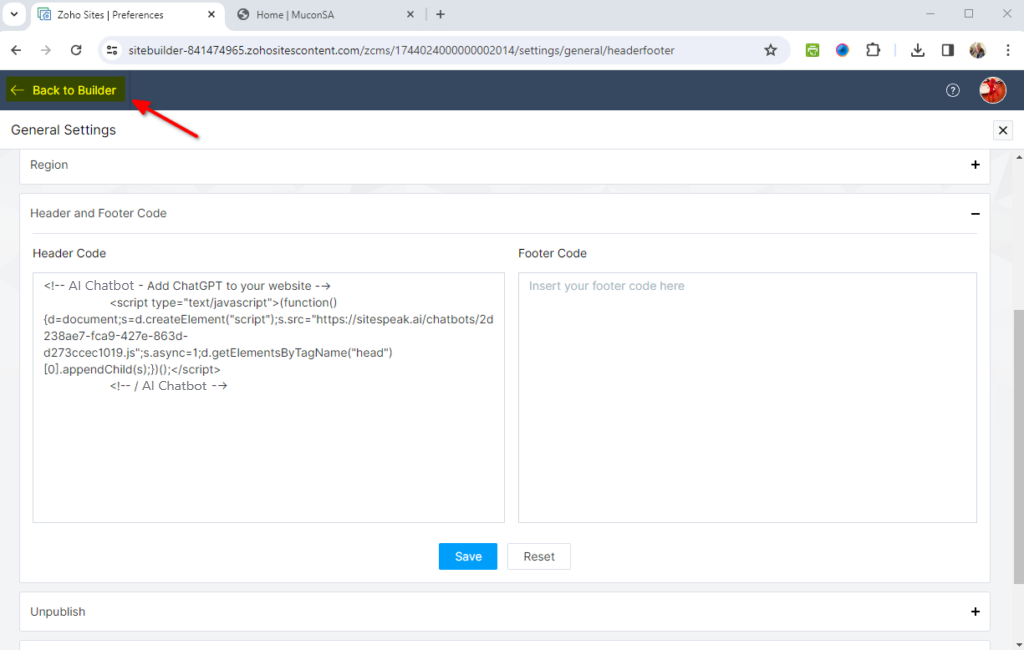
- Under GENERAL select Header and Footer Code
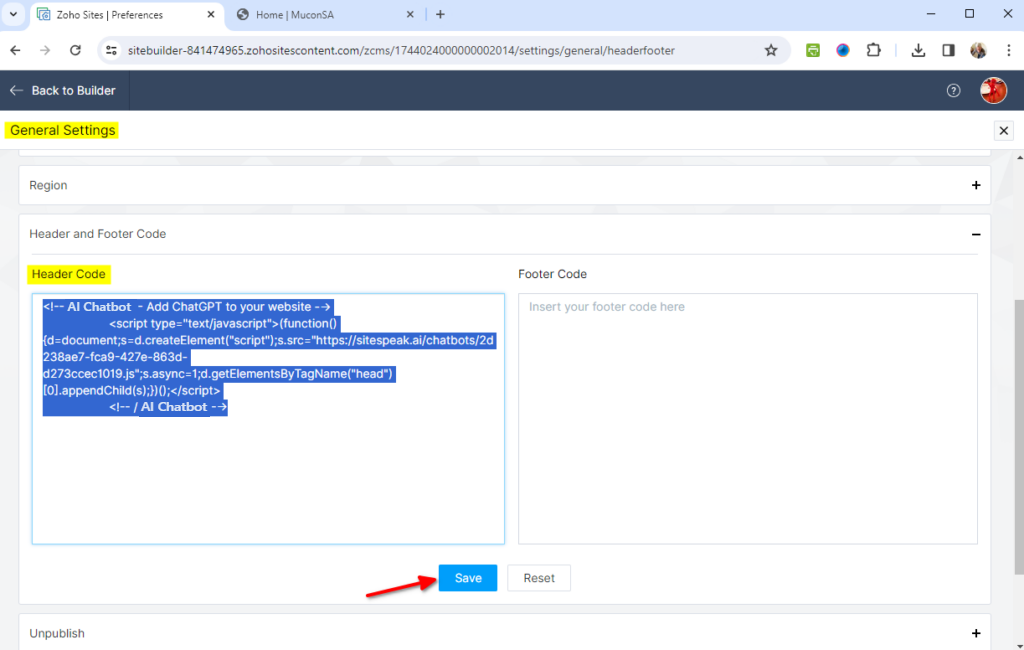
- Insert your snippet in the Header Code part under General Settings and click on Save to save your code
- Click on Back to Builder to return to the website editor
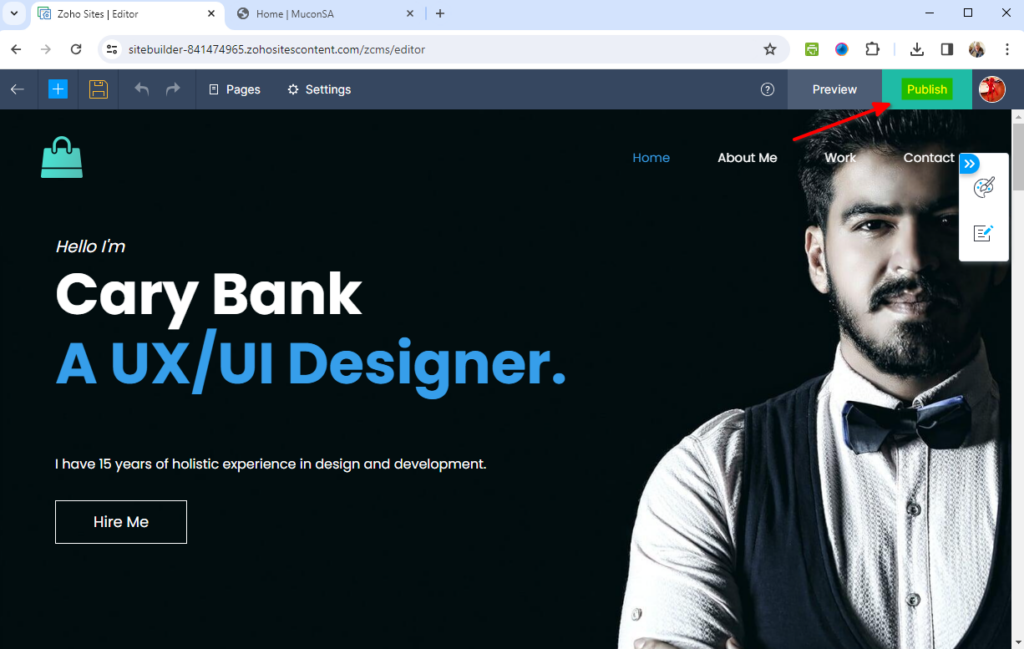
- Select Publish to publish your website to view your AI support agent. Note! Preview does not display your AI support agent.
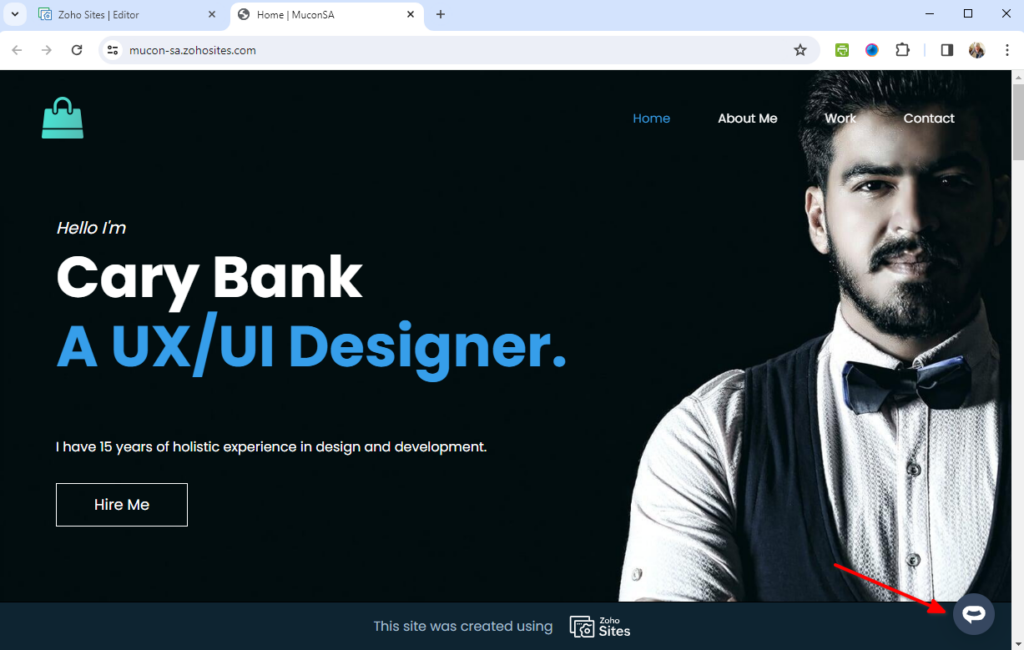
- Your AI support agent button will now be displayed on your website page
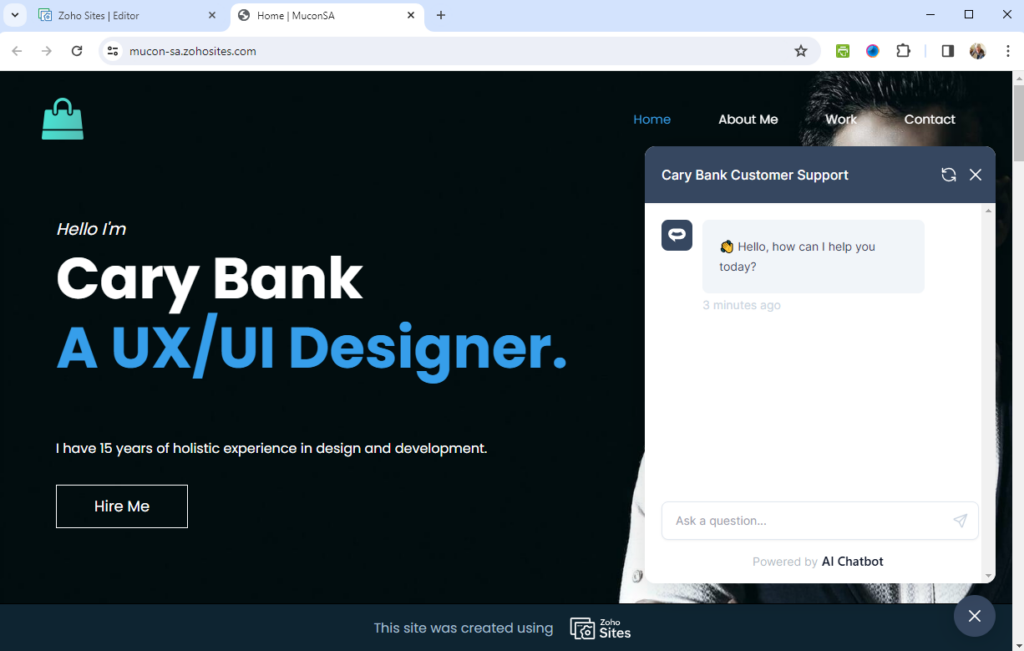
- If you click on the button it will display the AI support agent dialogue
Your AI support agent is now added to your ZOHO Sites website and your customers can start interacting with it.
Join over 1000+ businesses, websites and startups automating their customer service and other tasks with a custom trained AI agent.