How to add an AI chatbot to Kirki
You want to embed your custom trained AI support agent in your Kirki built WordPress website page. Here’s how to add an AI support agent to Kirki with AI Chatbot.
Droip was rebranded into Kirki. If you have a current Droip subscription, read the following info page Migrating from Droip to Kirki for a proper set of instructions on how to migrate to Kirki.
Please note: Installing Kirki as a plugin on WordPress is not part of this tutorial but you can follow the installation on Installation & Update.
Kirki is a freeform visual builder plugin for WordPress and an advanced theme customizer that lets you design and build complete websites visually — without coding.
Website URL: Kirki
Add your AI support agent to your Kirki built WordPress website
In AI Chatbot
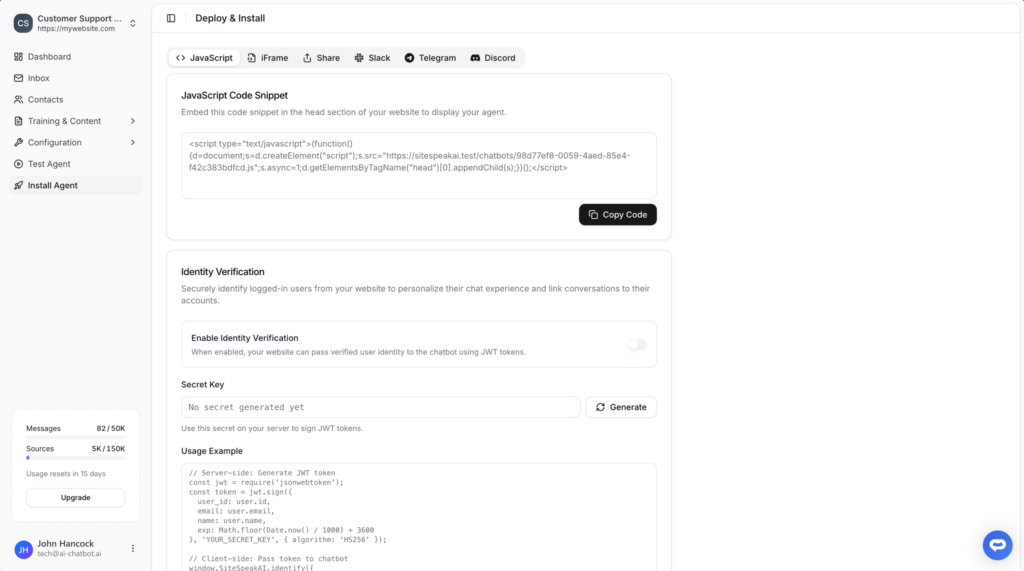
Select your chatbot from the dropdown menu at the top, click on the Install Agent section in the sidebar, then click on the Copy Code button to copy your code snippet.
In Kirki
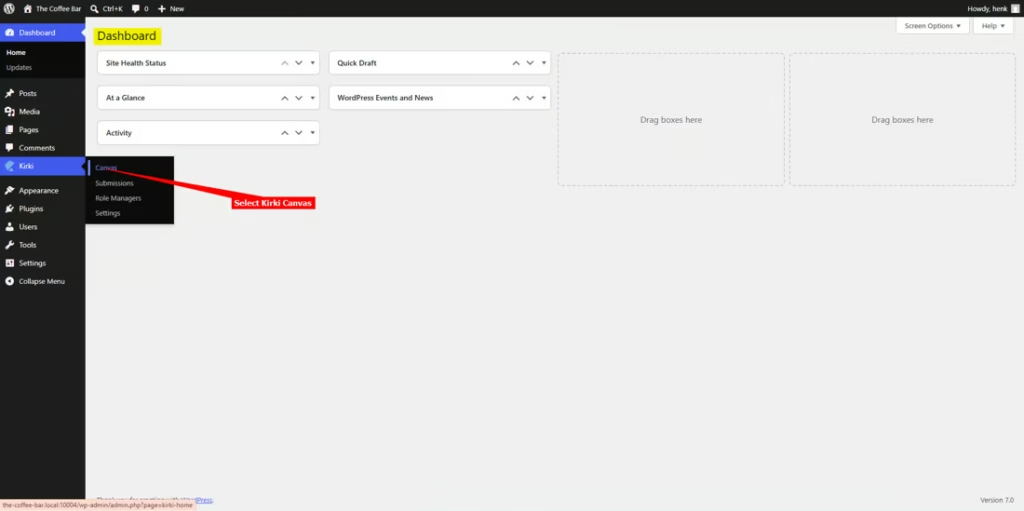
- Log into your WordPress account and on your dashboard select Kirki -> Canvas on the left side-bar
Note! Embedding your support agent in Kirki is done per page, thus you have to add the snippet to each page you want to add your support agent to.
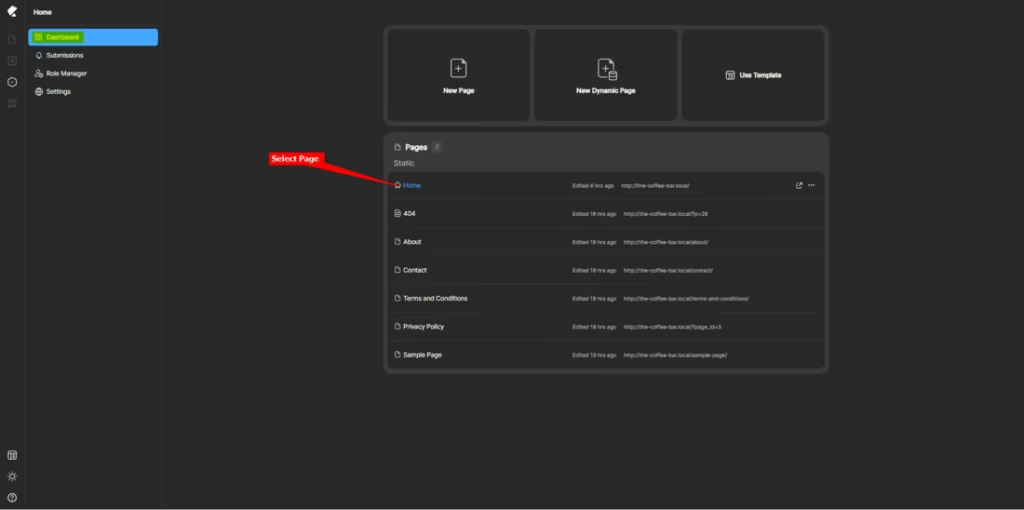
- On the Kirki dashboard, select the page you want to add your support agent to
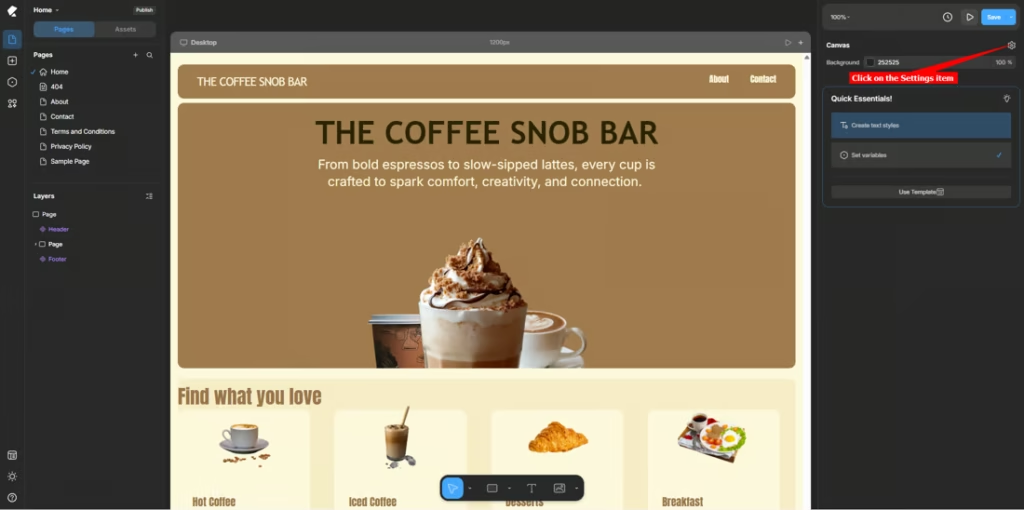
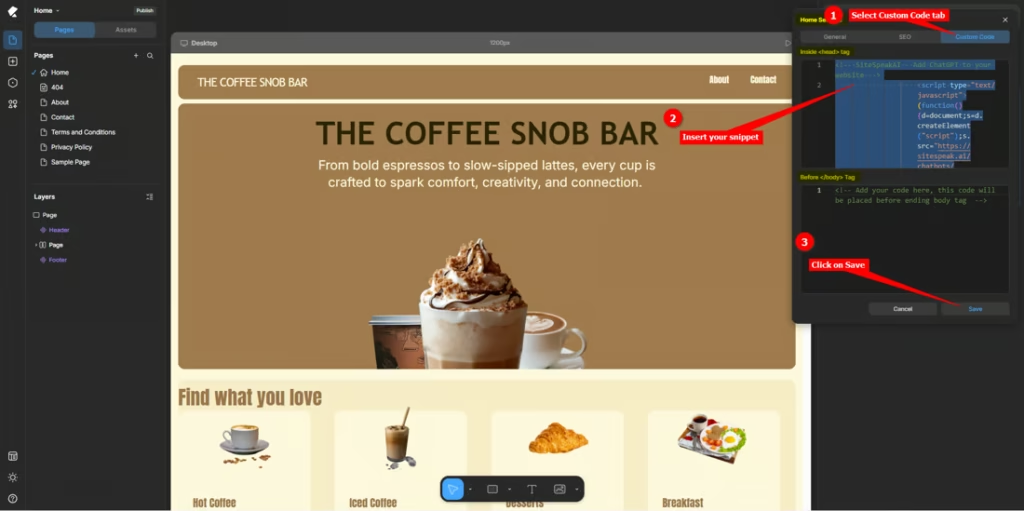
- On the Kirki Canvas displaying your page, select Settings
- Click on the Custom Code tab, insert your snippet in one of the two possible areas, i.e. Inside head tag or Before /body Tag and click on Save
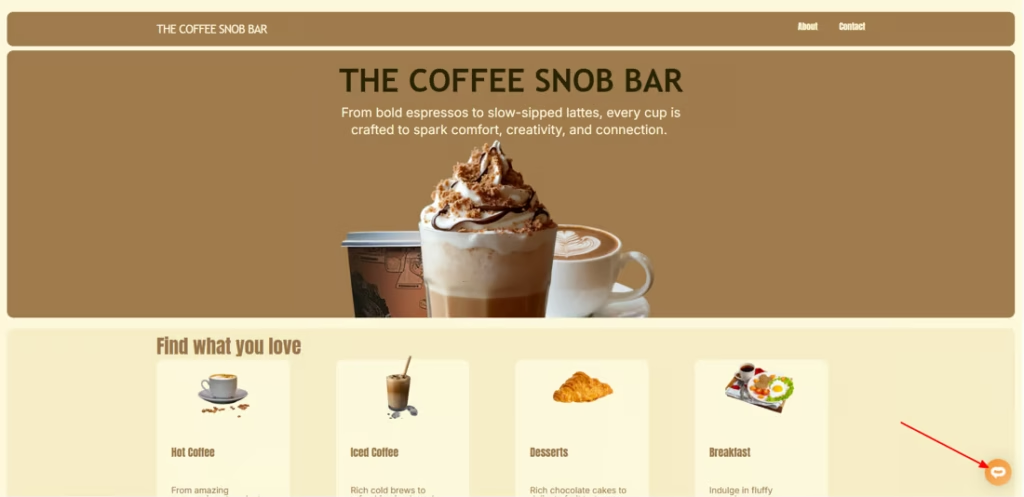
- Your AI support agent button will now be displayed on your Kirki website page
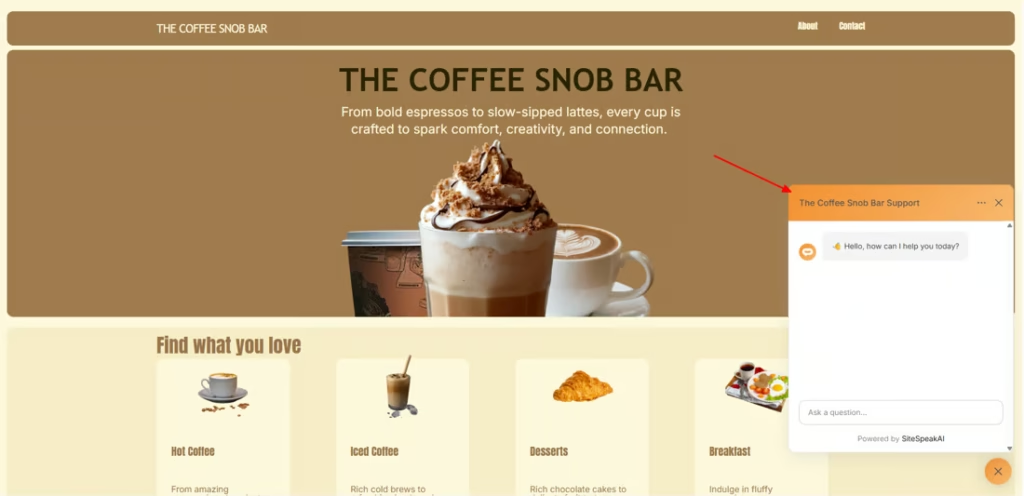
- If you click on the button it will display the AI support agent dialogue
Your AI support agent has now been added to your Kirki built WordPress website and your visitors/customers can start interacting with it!
Join over 1000+ businesses, websites and startups automating their customer service and other tasks with a custom trained AI agent.