Connect AI Chatbot to HubSpot
Connect HubSpot
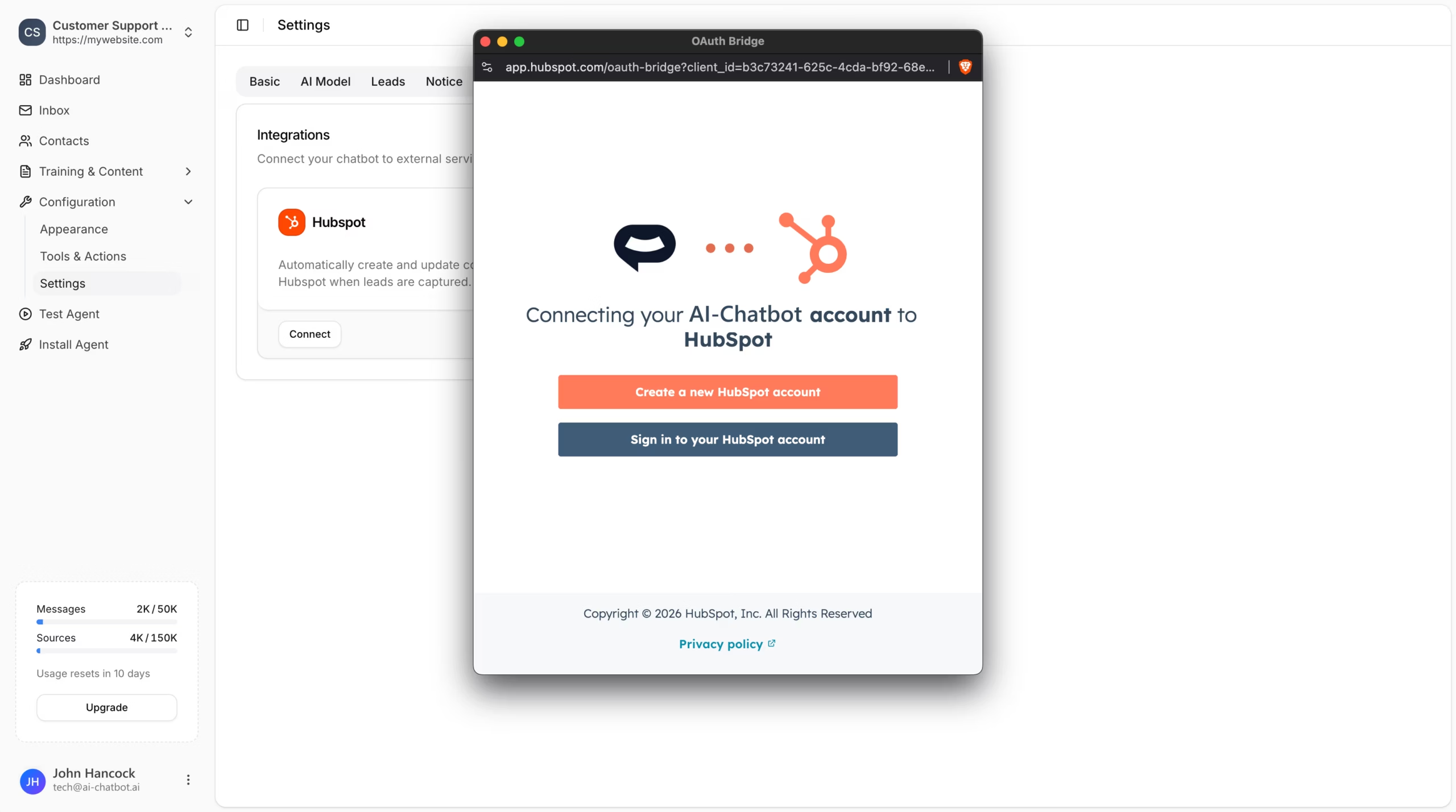
In your chatbot dashboard, go to Configuration > Settings and click the Integrations tab.
Locate the HubSpot integration card.
Click the Connect button.
A popup will appear asking you to connect your AI Chatbot account to HubSpot. You can either:
- Create a new HubSpot account if you don’t have one
- Sign in to your HubSpot account if you already have one
Taking over a conversation
- A green Connected badge
- Your HubSpot Account email
- Your HubSpot Portal ID
All newly captured leads will now automatically be added to your HubSpot contacts with a note containing the context of their conversation.
Enable Automatic Support Tickets
In the connected HubSpot card, locate the Create Tickets section.
Enable the toggle to automatically create a support ticket in HubSpot when a lead is captured.
Disconnect HubSpot
Join over 1000+ businesses, websites and startups automating their customer service and other tasks with a custom trained AI agent.