
App Builders
How to add your custom trained AI chatbot to your Replit website or app.
You want to embed your custom trained AI support agent in your Replit website page or app. Here’s how to add an AI support agent to Replit with AI Chatbot.
Replit is a cloud-based development platform and AI-powered app builder that lets you write code, collaborate in real time, and build fully functional software straight from your web browser. The Replit Agent is an AI tool that lets you build complete websites, apps, and tools just by describing what you want in plain English.
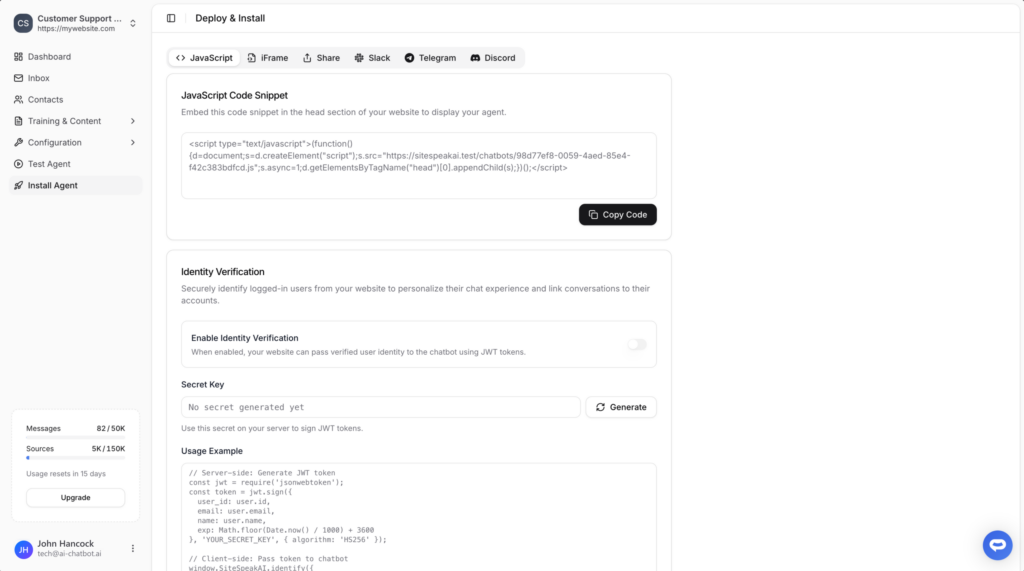
Select your chatbot from the dropdown menu at the top, click on the Install Agent section in the sidebar, then click on the Copy Code button to copy your code snippet.
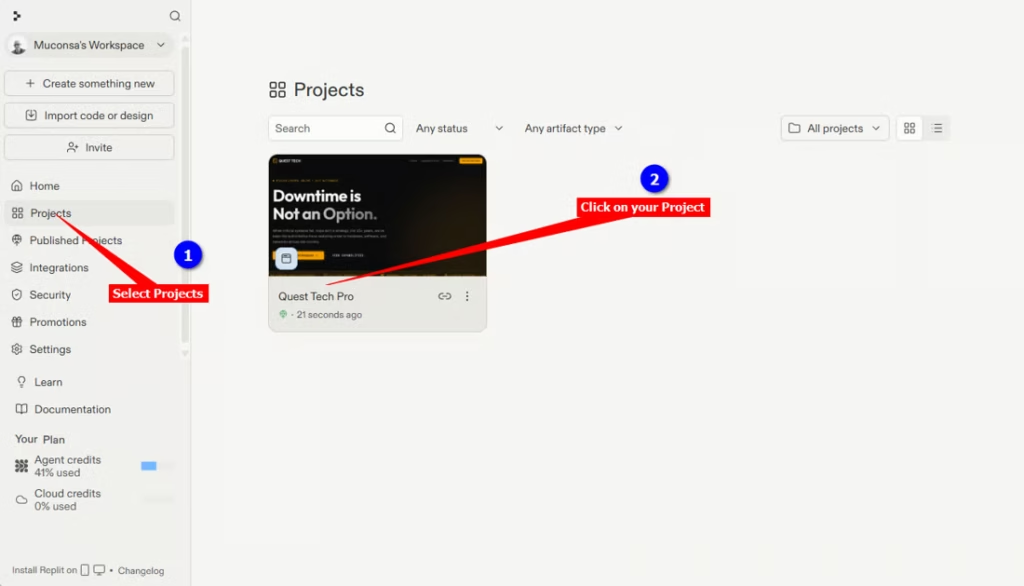
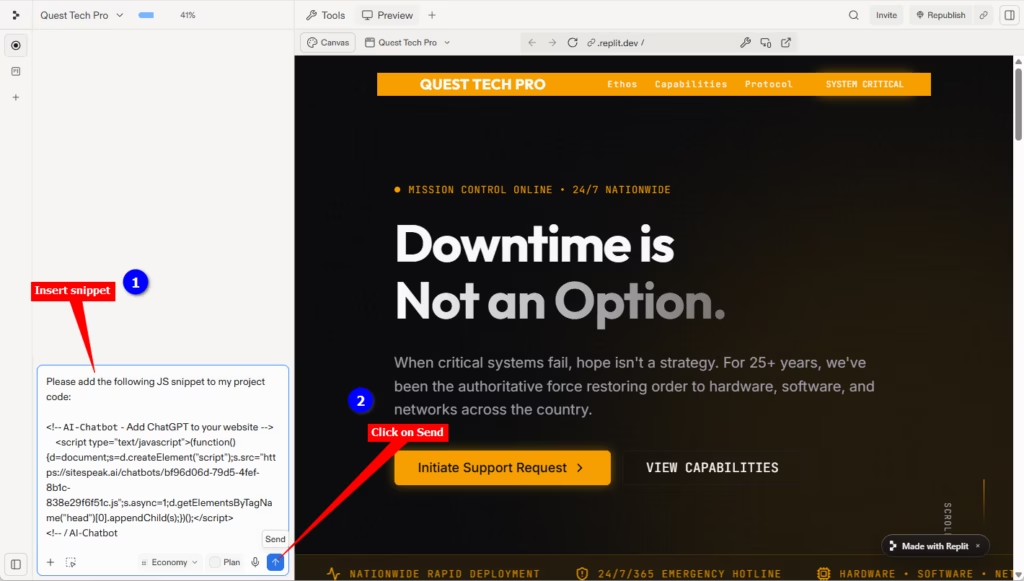
We are going to use a prompt to instruct the Replit Agent to insert the snippet for us.
The prompt consists of an instruction, e.g. “Please add the following JS snippet to my project code:” followed by the snippet code as copied at the beginning of this tutorial.
					Please add the following JS snippet to my project code:

<!-- AI Chatbot - Add ChatGPT to your website -->
	<script type="text/javascript">(function()	{d=document;s=d.createElement("script");
	s.src="https://sitespeak.ai/chatbots/########-####-####-####-############.js";
	s.async=1;d.getElementsByTagName("head")[0].appendChild(s);})();</script>
<!-- / AI Chatbot -->
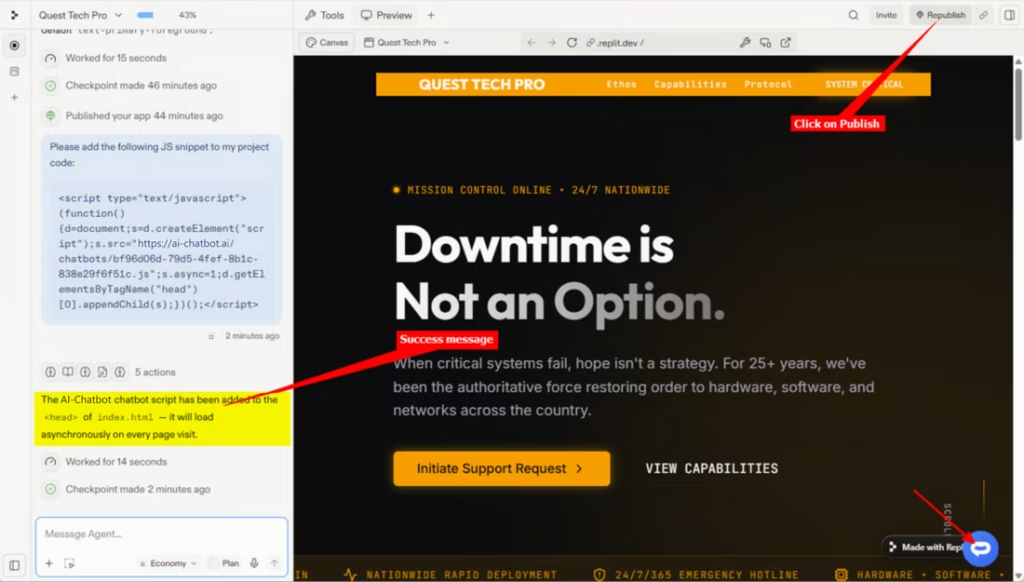

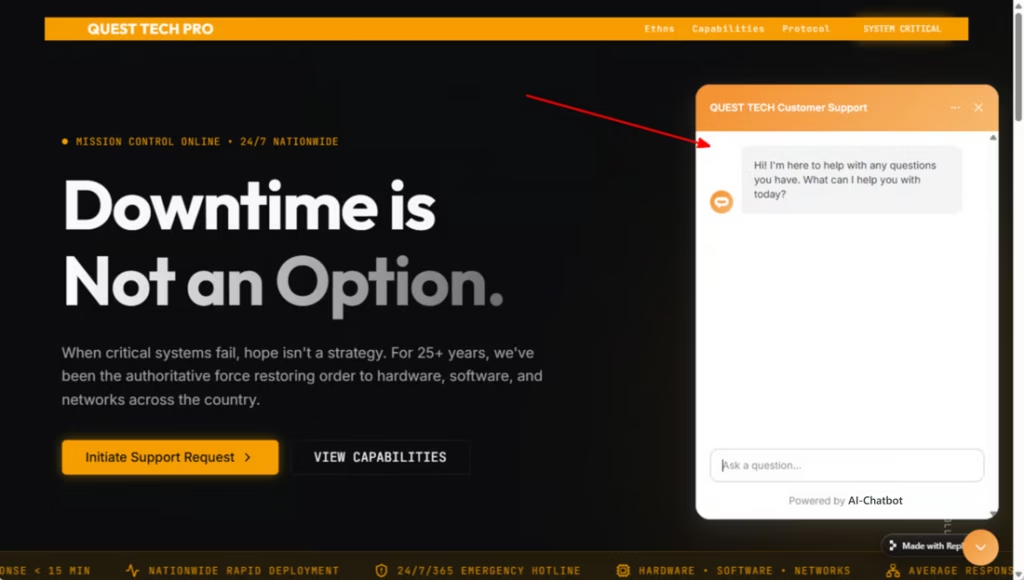
Your AI support agent has now been added to your Replit website or app and your visitors/customers can start interacting with it!
Ready to automate your customer service with AI?
Join over 1000+ businesses, websites and startups automating their customer service and other tasks with a custom trained AI agent.