
Website Builders
How to add your custom trained AI chatbot to your WeWeb website.
You want to embed your custom trained AI support agent in your WeWeb website page. Here’s how to add an AI support agent to WeWeb with AI Chatbot.
WeWeb is a no-code frontend builder that allows users to create well constructed web applications by connecting to any backend or data source.
Website URL: WeWeb
Select your chatbot from the dropdown menu at the top, click on the Install Agent section in the sidebar, then click on the Copy Code button to copy your code snippet.

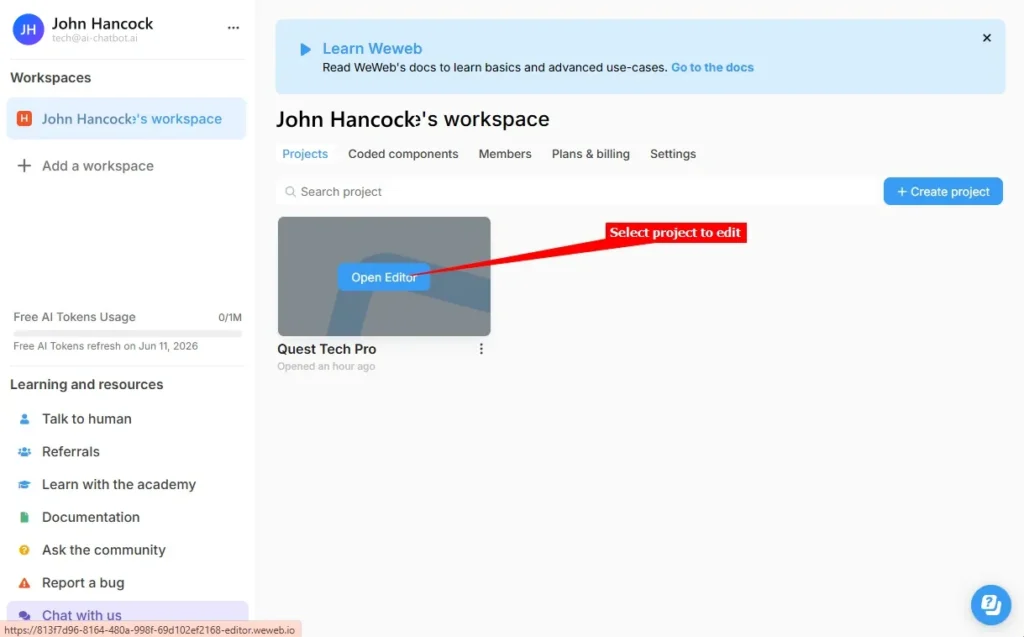
We are going to go through both options (for both options you will have to Deploy your website to see the AI support agent dialogue on your live website):
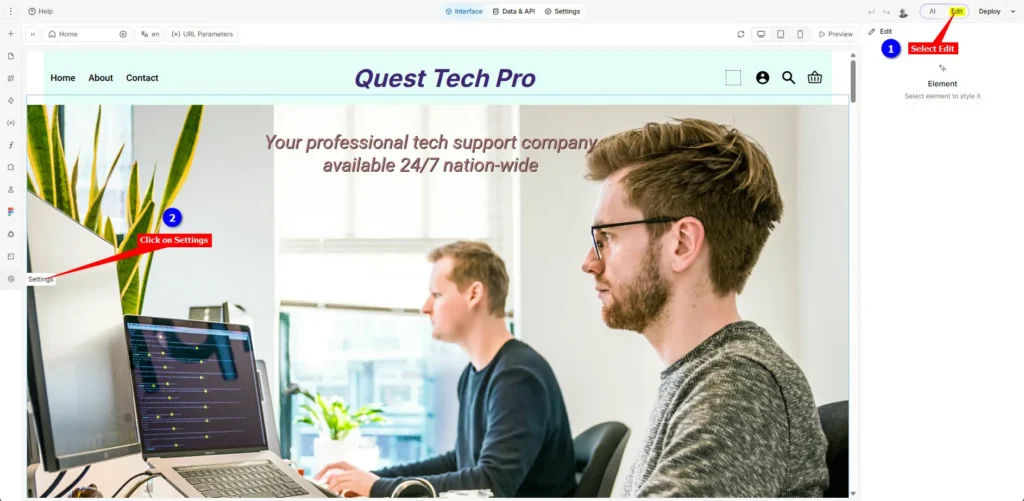
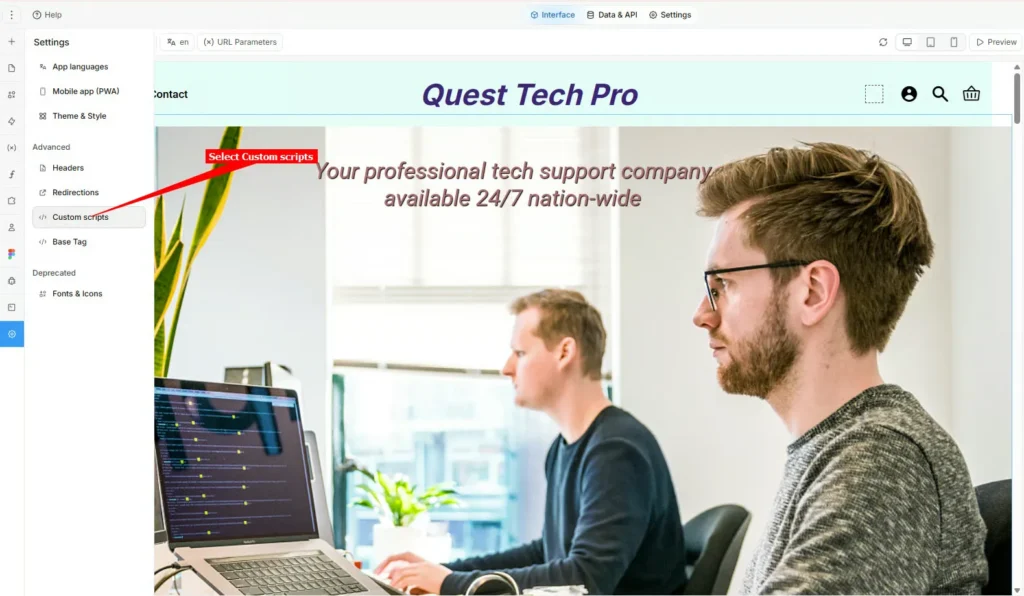
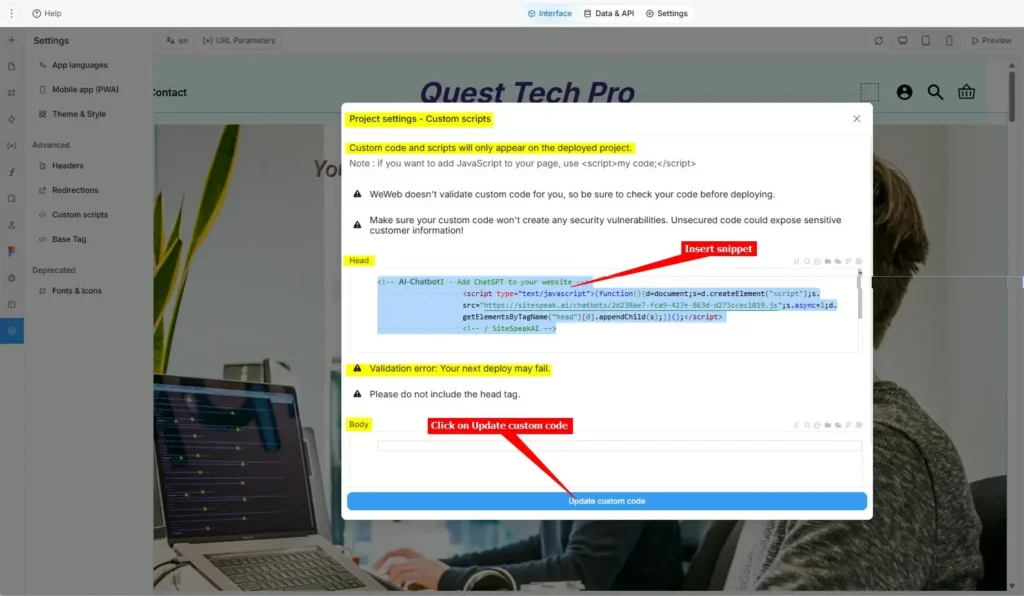
Note that the Project settings – Custom scripts dialogue box states that ‘Custom code and scripts will only appear on the deployed project’ meaning that you will have to Deploy your project to see your AI support agent dialogue on your live website page, it is not displayed on the Preview page.
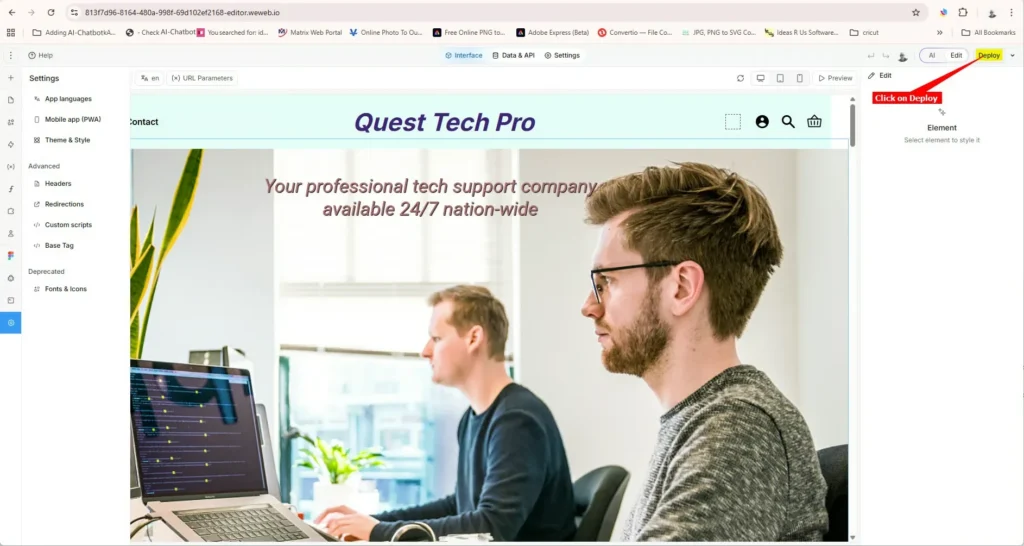
We are going to use WeWeb’s FullStack AI prompt bar to insert your AI Chatbot agent snippet site‑wide for us.
The prompt consists of an instruction, e.g. “Please add the following JS snippet to my app code:” followed by the snippet code as copied at the beginning of this tutorial. Note that the ##### part of the JS file URL will be your specific js script filename (36 characters including the 4 dashes).
Tip: Create the complete prompt in a text editor and then paste this into the AI prompt bar.
					Please add the following JS snippet to my app code:

<!-- AI Chatbot - Add ChatGPT to your website -->
	<script type="text/javascript">(function()	{d=document;s=d.createElement("script");
	s.src="https://sitespeak.ai/chatbots/#########################.js";
	s.async=1;d.getElementsByTagName("head")[0].appendChild(s);})();</script>
<!-- / AI Chatbot -->
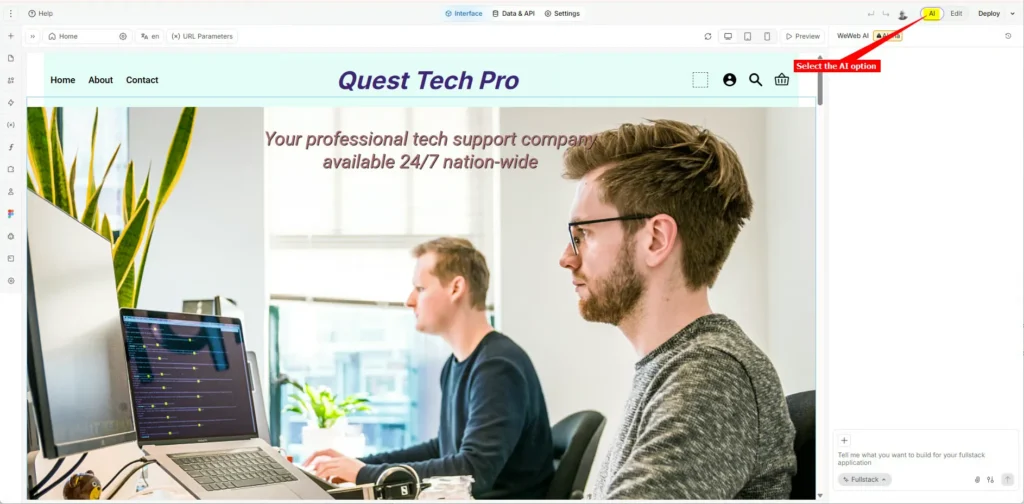
Please note: At the moment the AI part of WeWeb is still in Alpha status, so it could inform you that it could not perform the task and then create a whole set of manual instructions for you to add it yourself. This is then basically the same process as described in first option where we added it manually in the project editor. You can clear the message and retry the process or just refer to Option A.
Fullstack option is selected, insert the prompt into the AI prompt bar and click on Send (or just press Enter)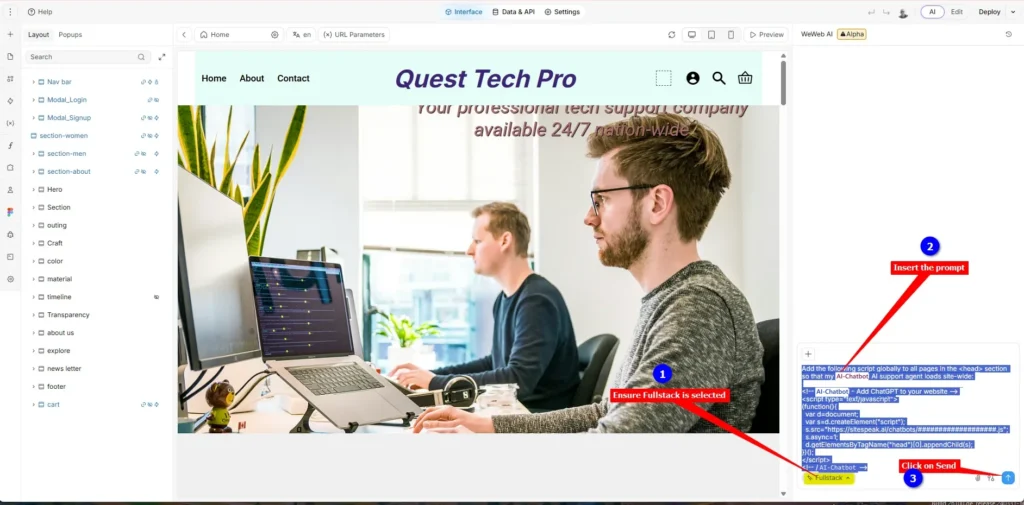
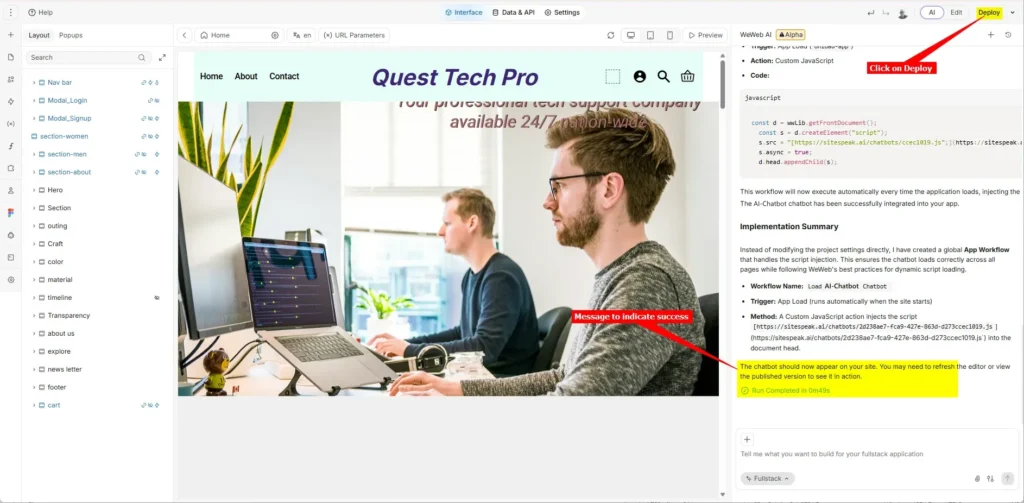

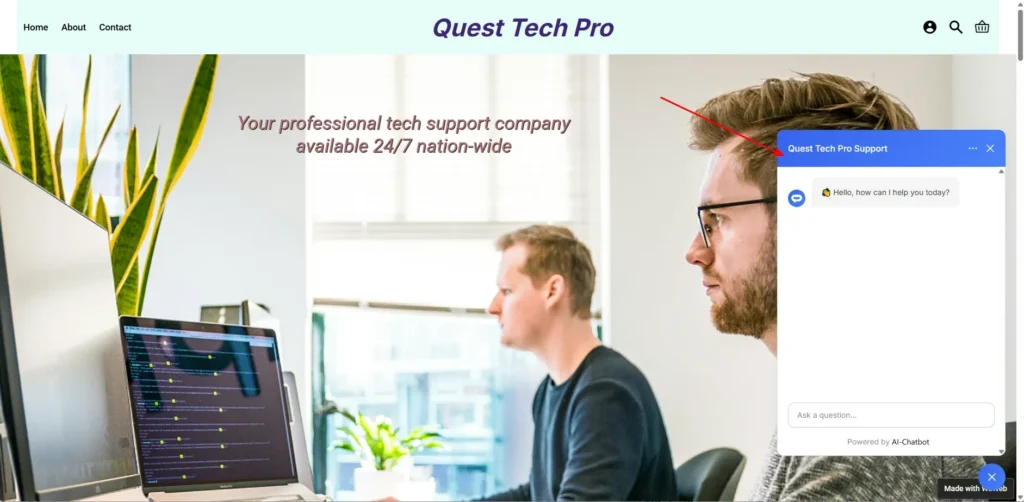
Your AI support agent has now been added to your WeWeb website and your customers/visitors can start interacting with it!
Ready to automate your customer service with AI?
Join over 1000+ businesses, websites and startups automating their customer service and other tasks with a custom trained AI agent.