How to add an AI chatbot to Nicepage
You want to embed your custom trained AI support agent in your Nicepage website page. Here’s how to add an AI support agent to Nicepage with AI Chatbot.
Nicepage is a web design platform that allows you to create websites and landing pages visually, without coding. It offers a drag-and-drop interface and a range of pre-designed templates.
Website URL: Nicepage
Add your AI support agent to your Nicepage website
In AI Chatbot
Select your chatbot from the dropdown menu at the top, click on the Install Agent section in the sidebar, then click on the Copy Code button to copy your code snippet.
In Nicepage
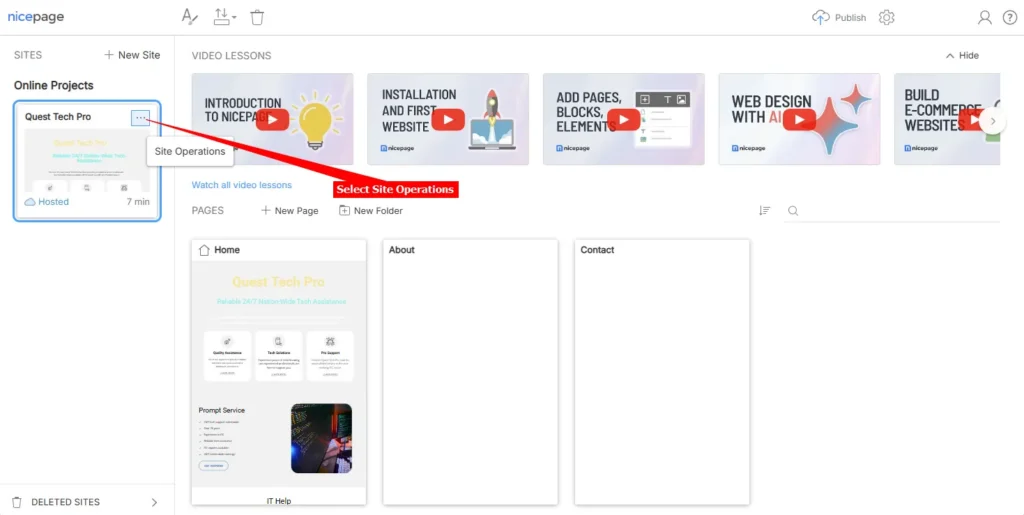
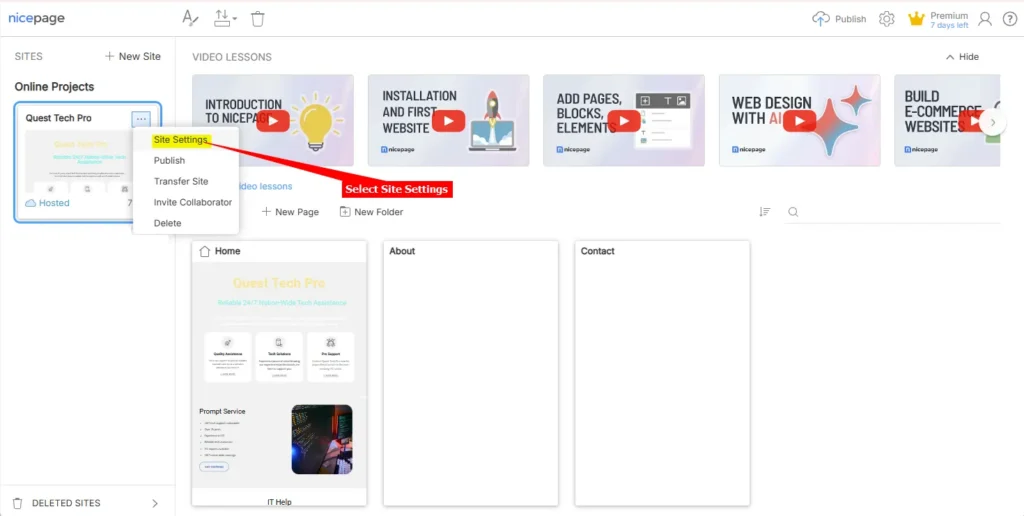
- Log into your Nicepage account and on the dashboard, select Site Operations for the Project you want to add your AI agent to
Please note:
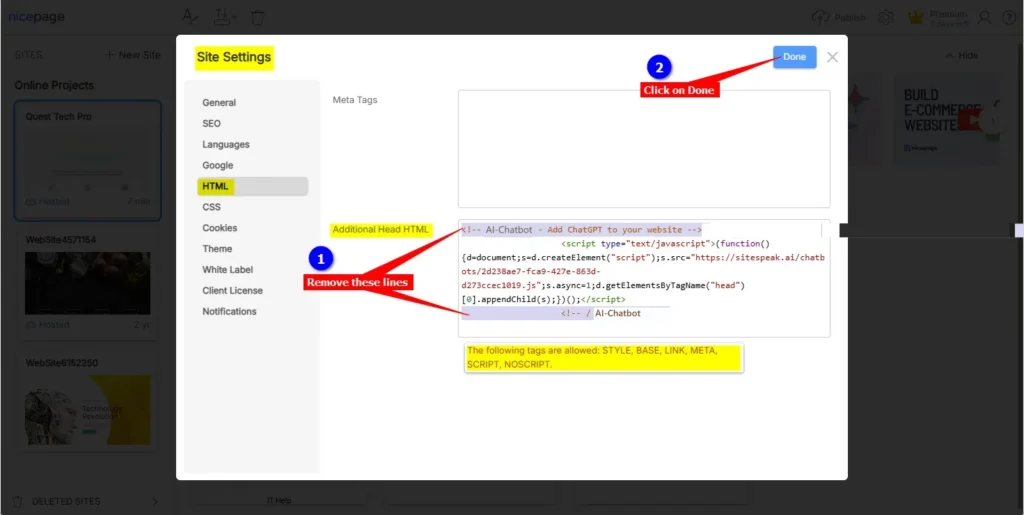
In the next step you will have to edit the snippet you copied earlier in this tutorial. Nicepage doesn’t allow the full standard AI Chatbot snippet to be added to the website, only the JavaScript code snippet. This means you will have to remove the Comment lines that were added by AI Chatbot, i.e. the starting comment line: <!-- AI Chatbot - Add ChatGPT to your website --> as well as the ending comment line: <!-- / AI Chatbot --> leaving you with only the script code part, i.e. the <script type="text/javascript"> … </script> part of the Javascript snippet.
- On the Site Settings page select HTML, insert your AI agent snippet in the Additional Head HTML text box, apply the edits as shown and click on Done
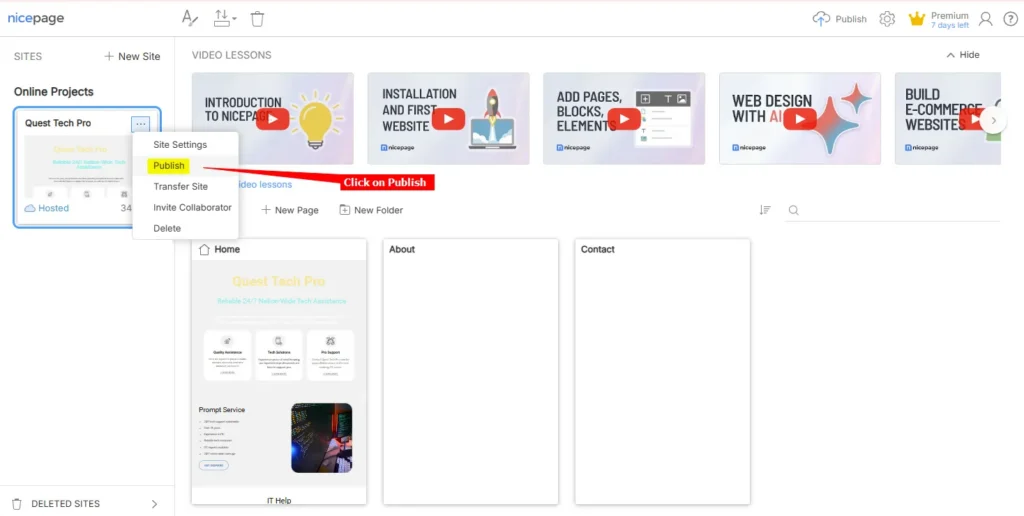
- Go back to Site Operations on your dashboard and click on Publish
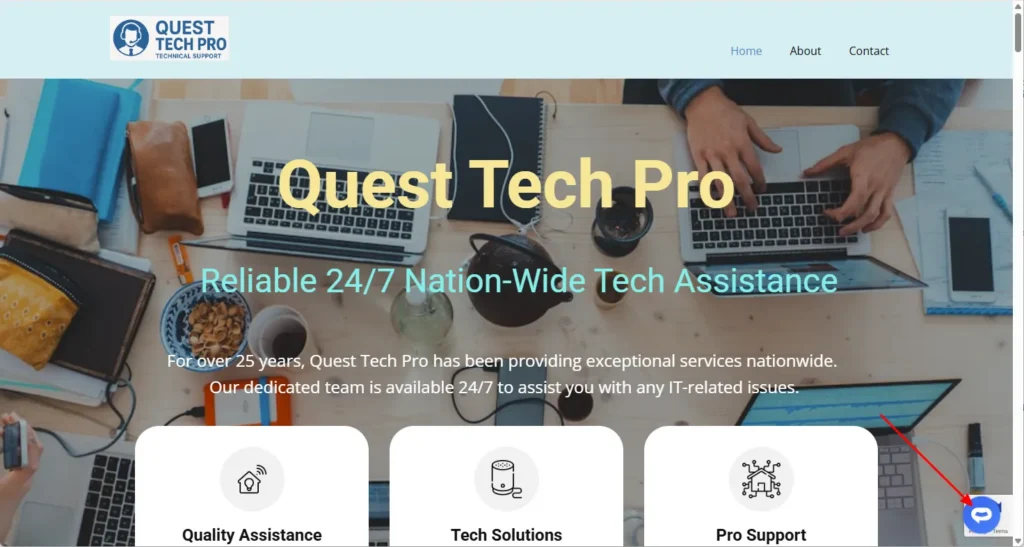
- Your AI support agent button will now be displayed on your Nicepage website page
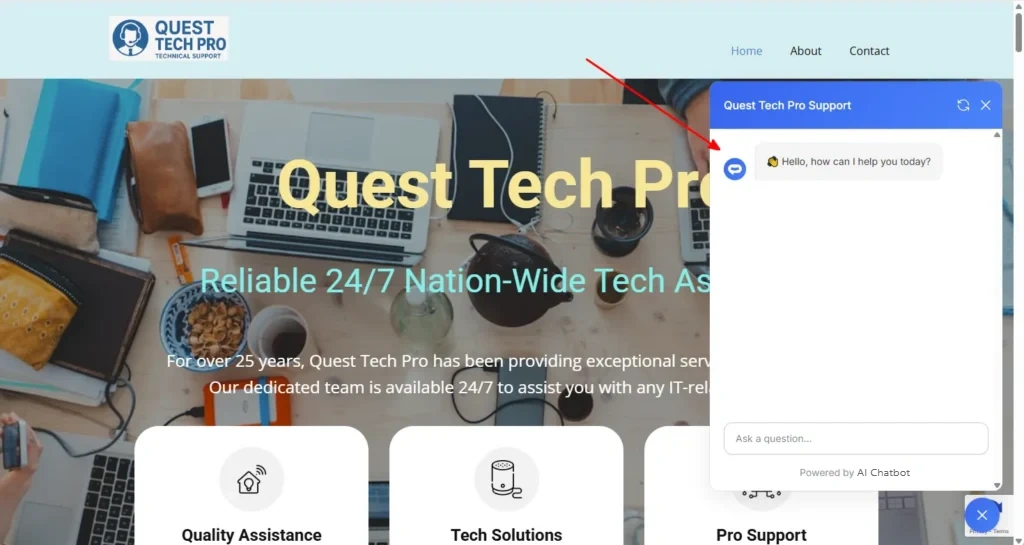
- If you click on the button it will display the AI support agent dialogue
Your AI support agent has now been added to your Nicepage website and your visitors/customers can start interacting with it!
Join over 1000+ businesses, websites and startups automating their customer service and other tasks with a custom trained AI agent.