
Website Builders
How to add your custom trained AI chatbot to your Hostinger Horizons website.
Hostinger Horizons is a drag-and-drop website builder designed for ease of use, particularly for beginners. It focuses on creating visually appealing, mobile-responsive websites quickly, without needing coding knowledge. It offers a range of templates, customizable blocks, and integrated features like SEO tools and a blog. It’s positioned as a simpler alternative to more complex website builders like Wix or Squarespace, and is tightly integrated with Hostinger’s hosting services.
Select your chatbot from the dropdown menu at the top, click on the Install Agent section in the sidebar, then click on the Copy Code button to copy your code snippet.

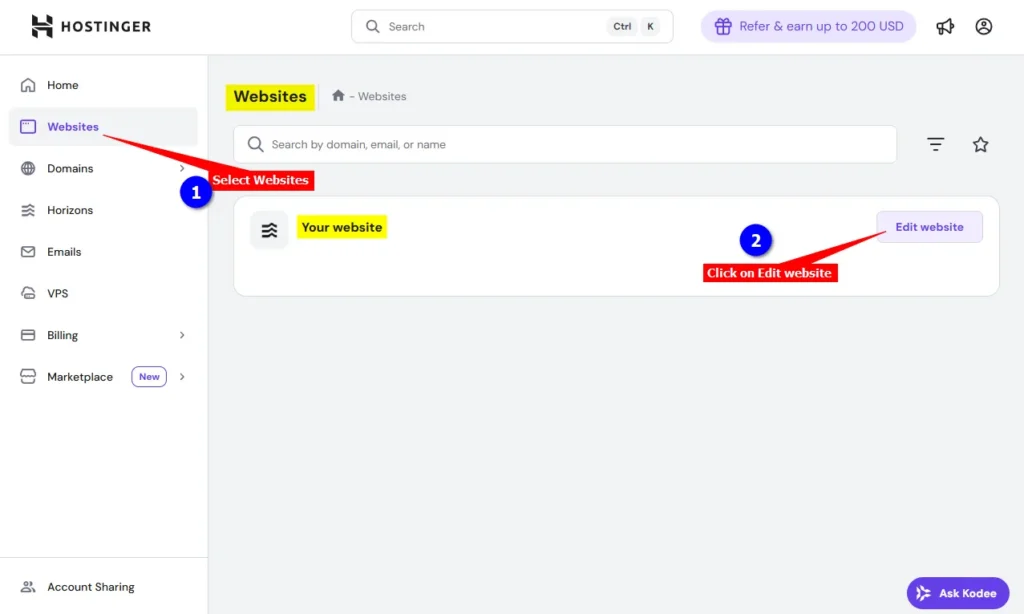
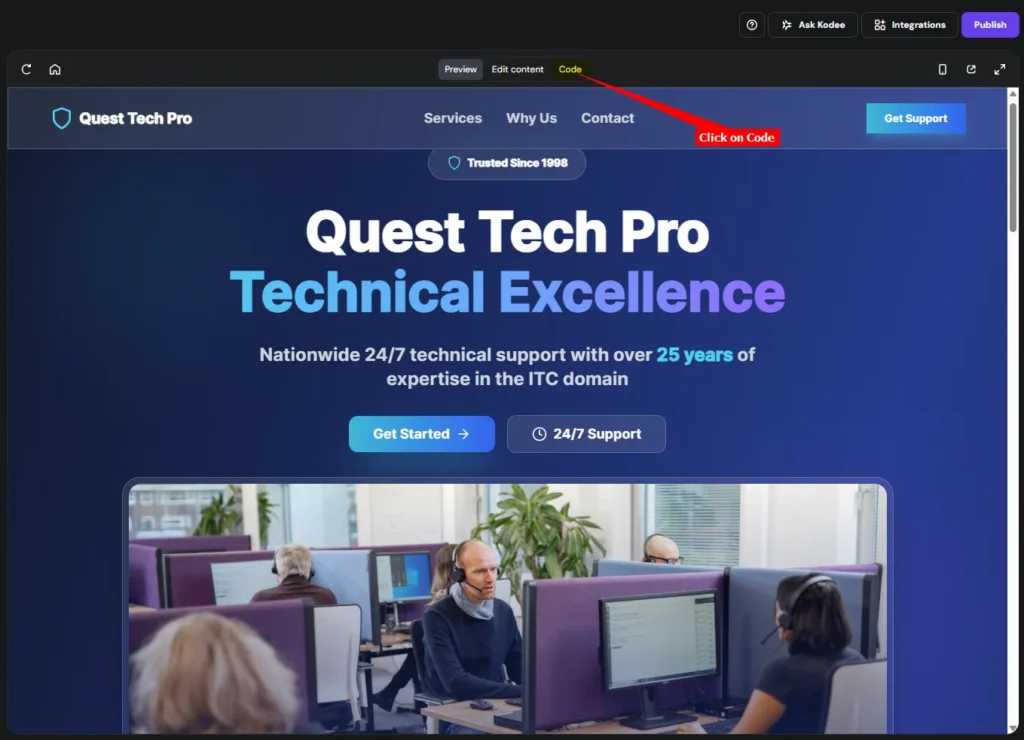
Please note: We are going to add your AI support agent snippet to your website by means of editing one of the code files. The file we are going to edit is the index.html which we all know is quite an important file and could mess up your website if care is no taken properly during editing. This is not for the faint hearted so you will have to be careful when editing these files. In our case we are only going to edit the index.html file and insert the AI support agent snippet just below the closing </body> tag. We suggest you make a backup of the index.html file before you make any changes to the file. You can do this by copying the index.html file contents and saving it to an offline file on your computer. If something goes wrong you can then just replace the messed up contents with the original.
</body> tag and click on Save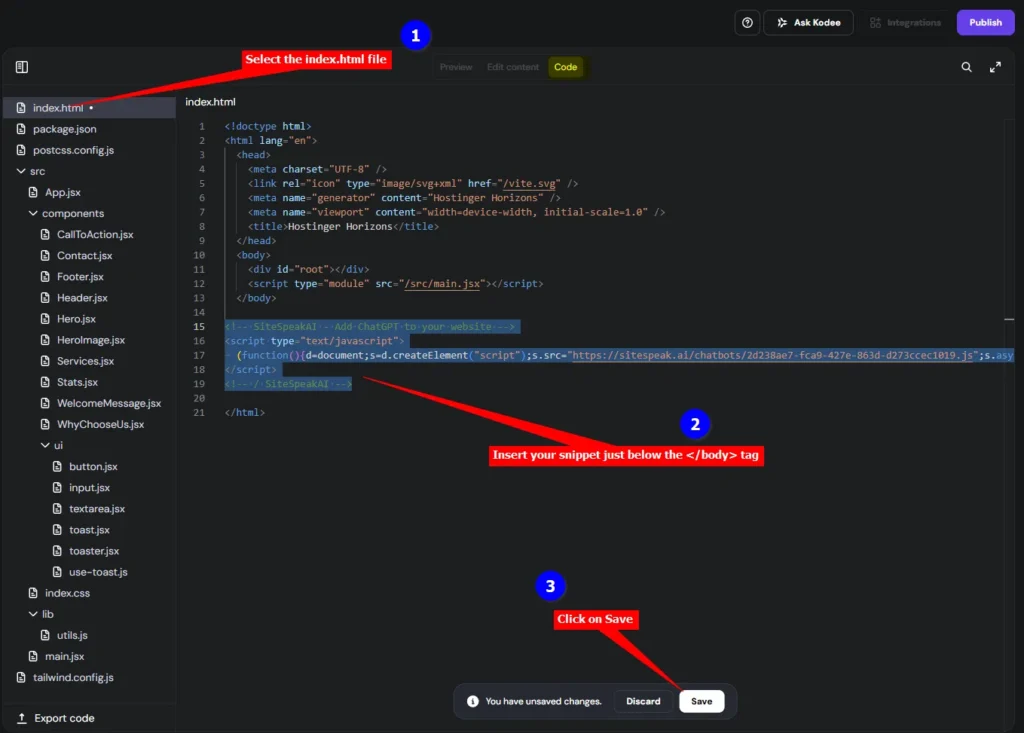
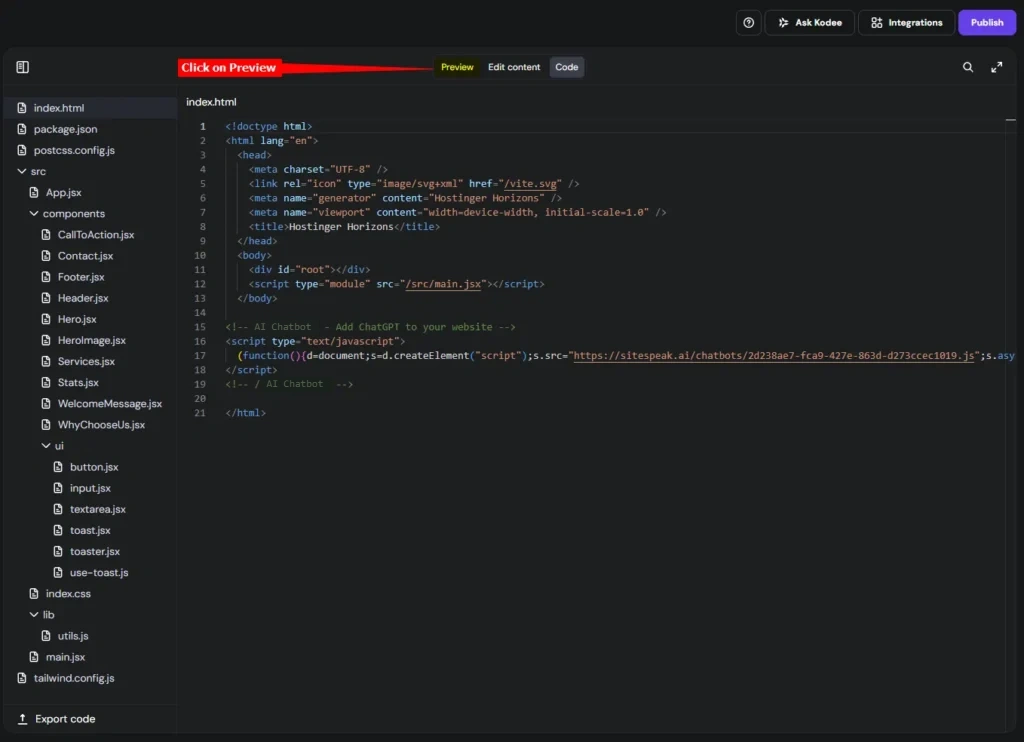
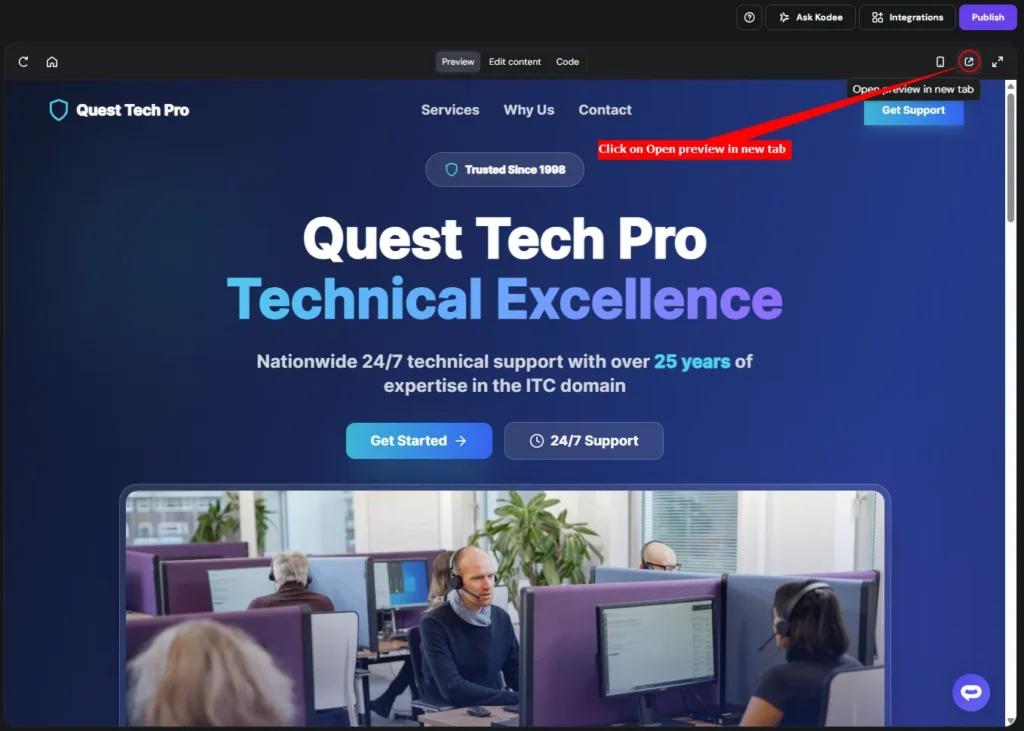

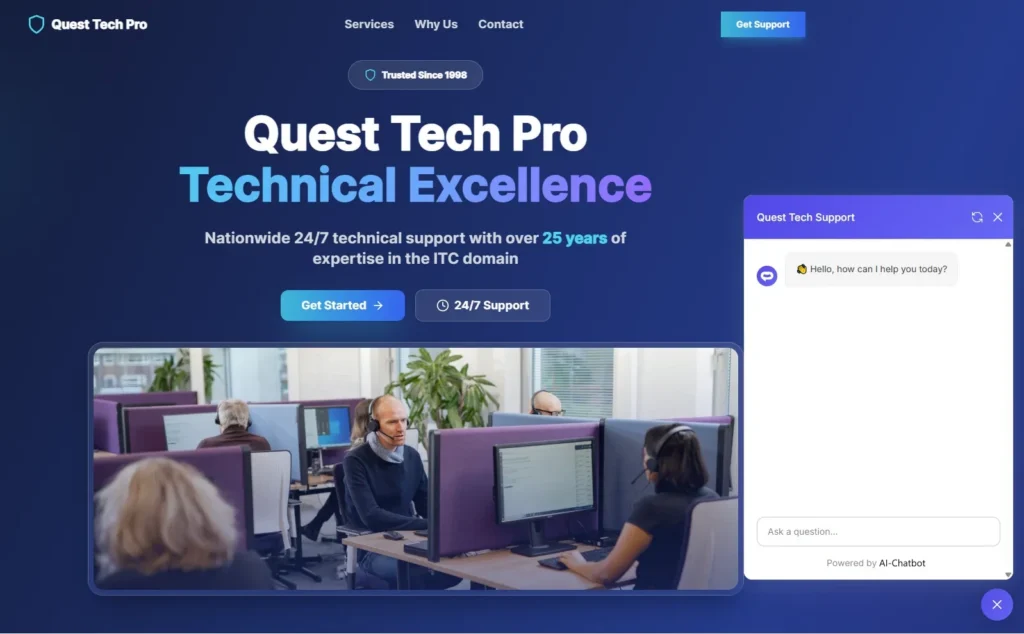
Your AI support agent has now been added to your Hostinger Horizons website and your visitors/customers can start interacting with it!
Ready to automate your customer service with AI?
Join over 1000+ businesses, websites and startups automating their customer service and other tasks with a custom trained AI agent.