How to add an AI chatbot to Pagecloud
You want to embed your custom trained AI support agent in your Pagecloud website page. Here’s how to add an AI support agent to Pagecloud with AI Chatbot.
Pagecloud is a website builder that’s really focused on helping businesses quickly create professional-looking websites, especially those with complex needs like booking systems, membership areas, and online stores. It’s different from typical drag-and-drop builders like Wix or Squarespace because it’s built on top of WordPress, giving you a lot more flexibility and control without needing to be a coding expert. Think of it as a simplified, guided way to use the power of WordPress.
Add your AI support agent to your Pagecloud website
In AI Chatbot
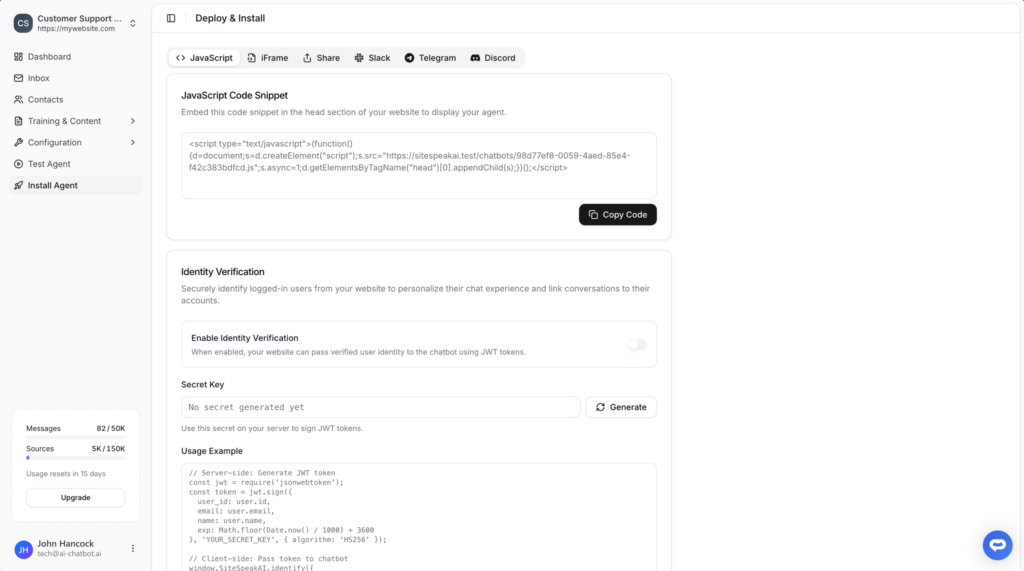
Select your chatbot from the dropdown menu at the top, click on the Install Agent section in the sidebar, then click on the Copy Code button to copy your code snippet.
In Pagecloud
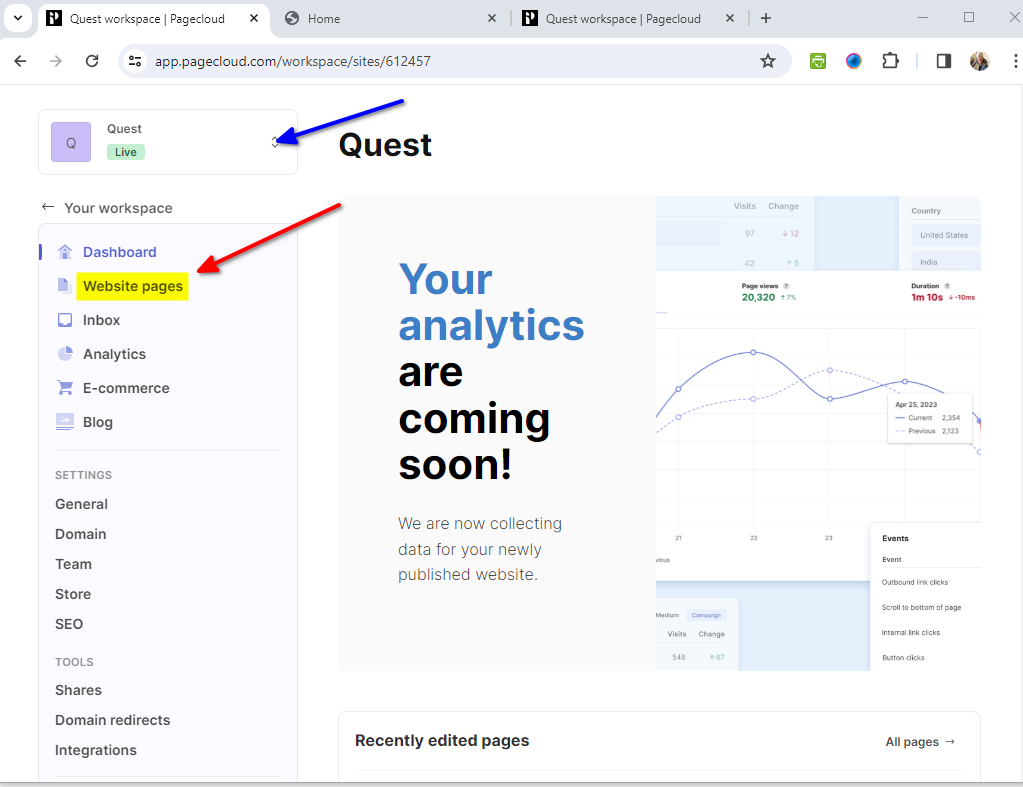
- Log into your Pagecloud account and on your dashboard, select Website pages for your active website
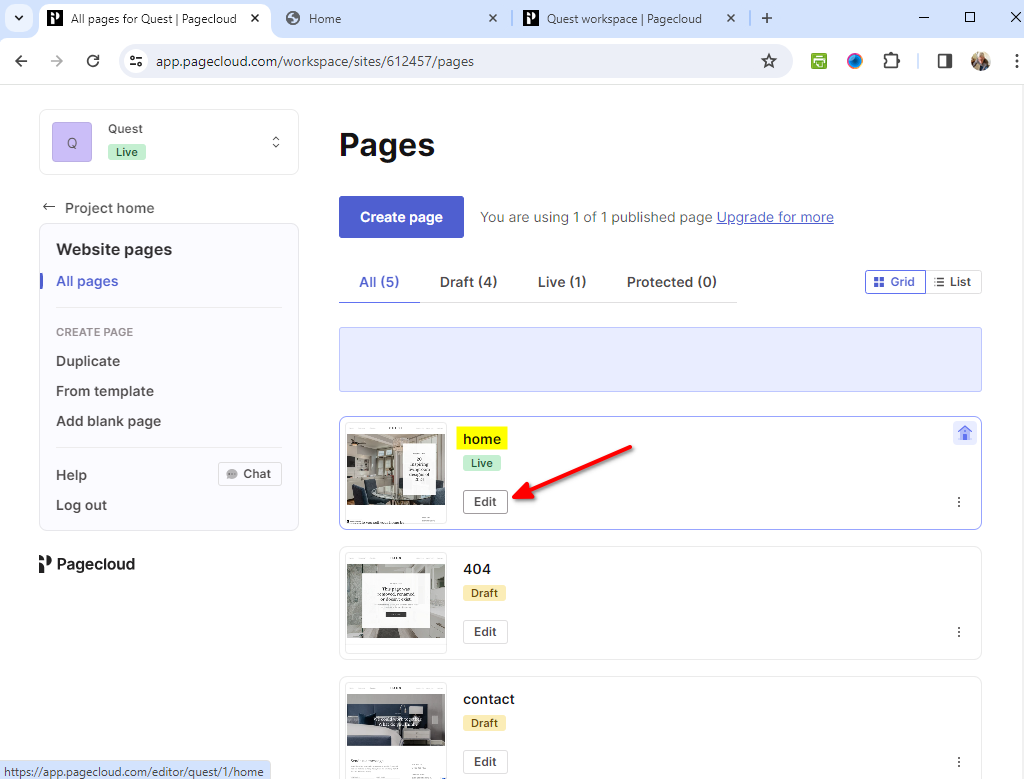
- Click on Edit for the page you want to add your AI support agent snippet to
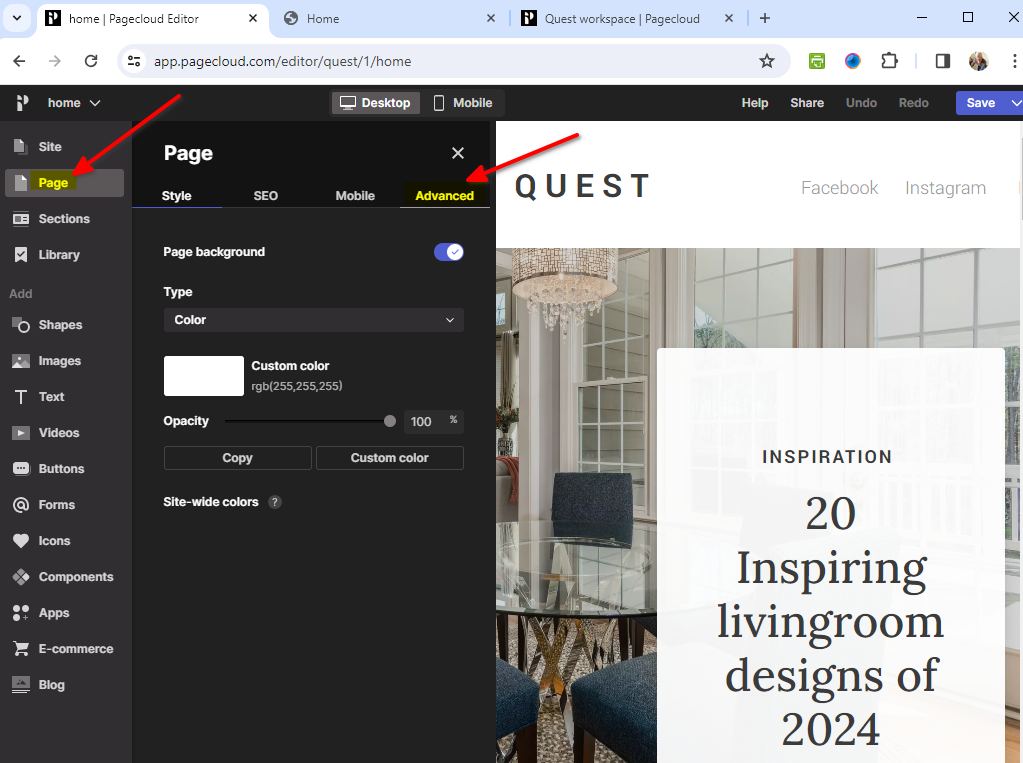
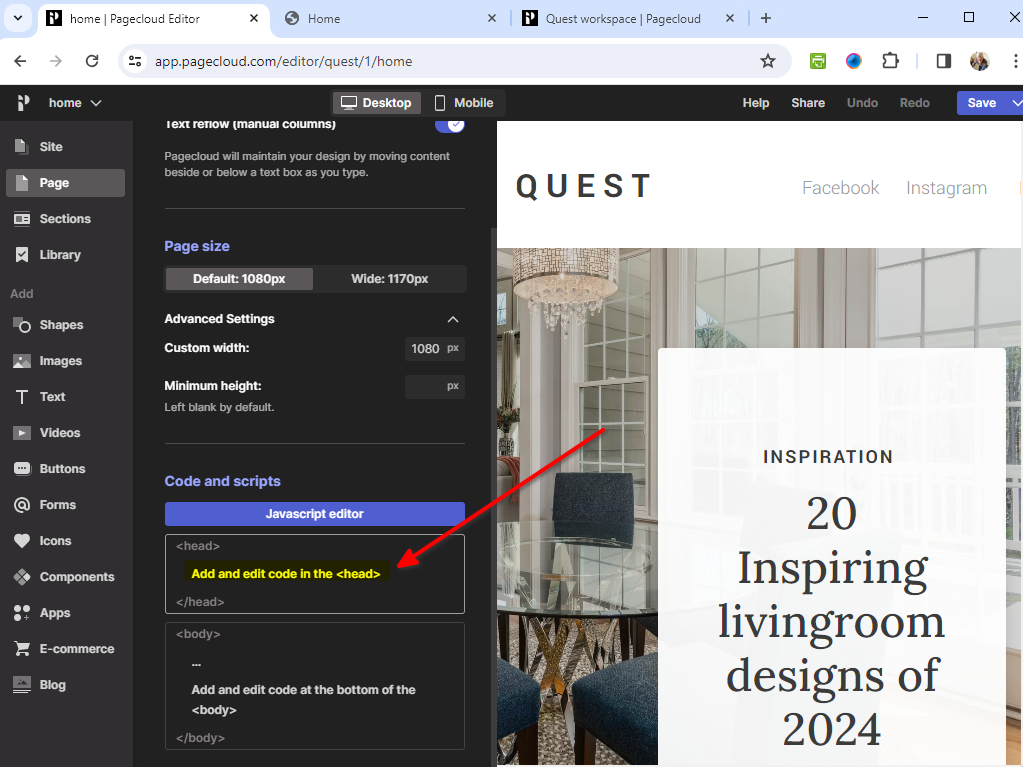
- In the editor, click on Page in the left sidebar and select the Advanced tab
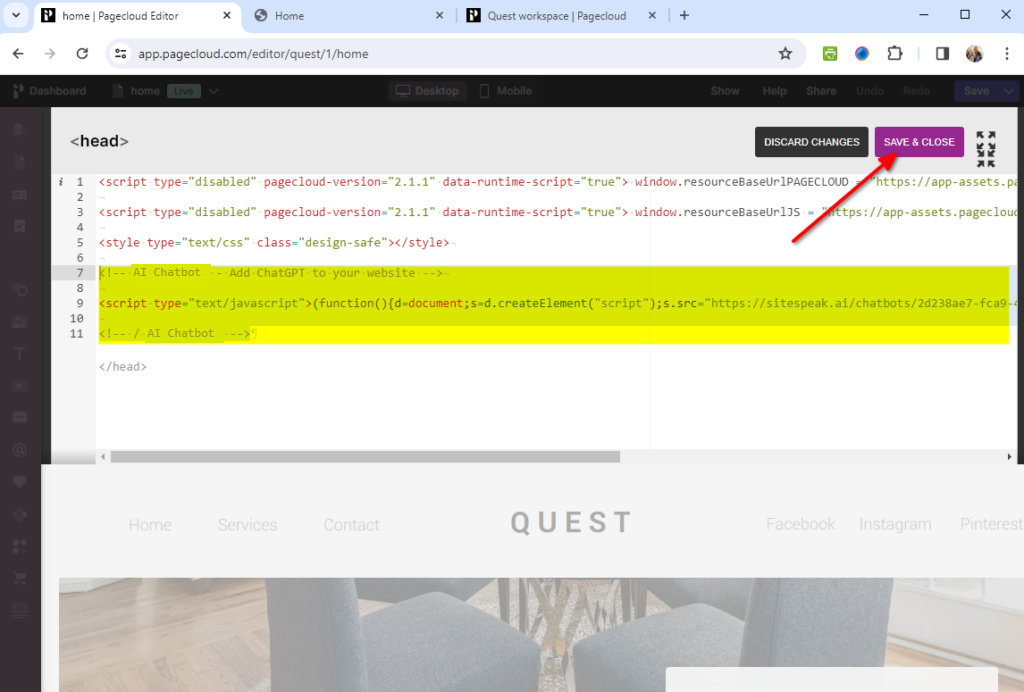
- Select the <head> …. </head> block under Javascript editor
- Insert your AI support agent snippet before the closing tag and click on SAVE & CLOSE
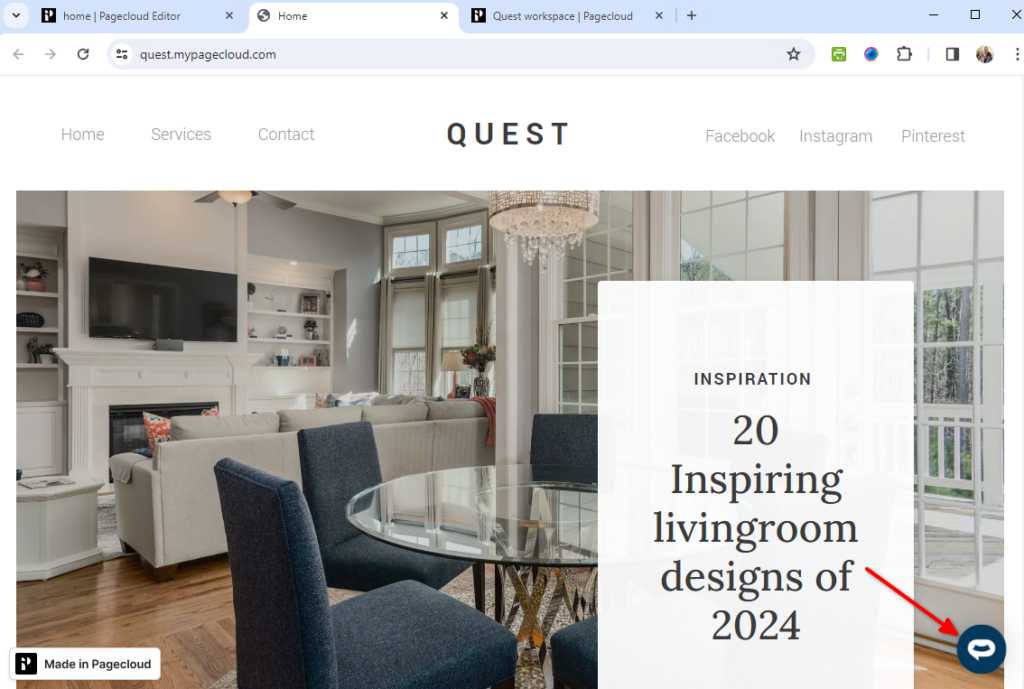
- Your AI support agent button will now be displayed on your Pagecloud website page
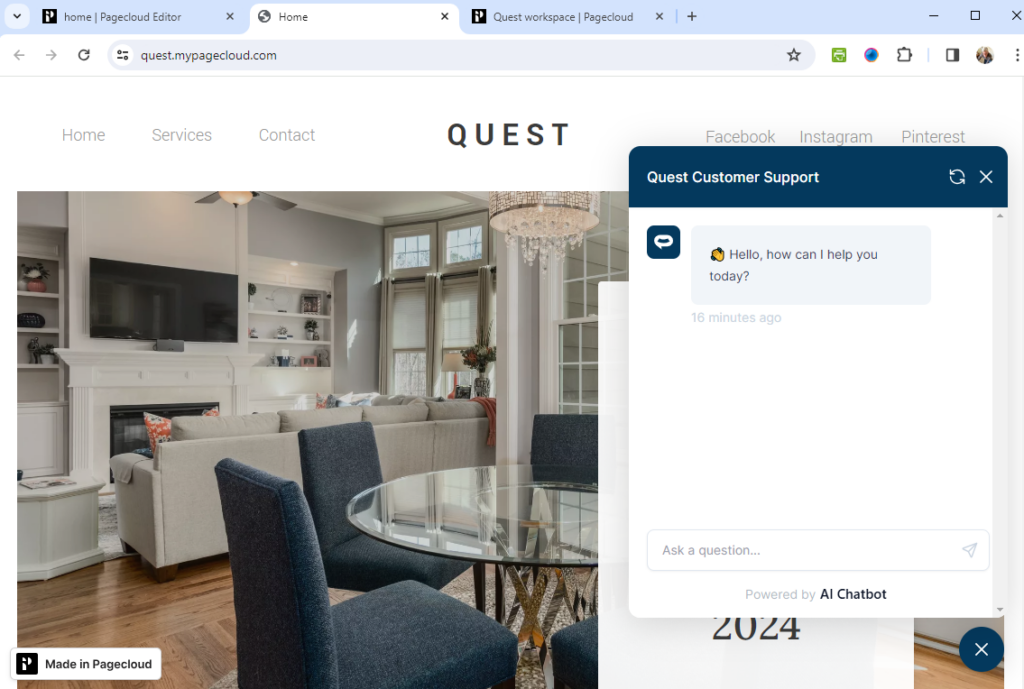
- If you click on the button it will display the AI support agent dialogue
Your AI support agent has now been added to your MotoCMS website and your visitors/customers can start interacting with it!
Join over 1000+ businesses, websites and startups automating their customer service and other tasks with a custom trained AI agent.