How to add an AI chatbot to EZsite AI
You want to embed your custom trained AI support agent in your EZsite AI website page. Here’s how to add an AI support agent to EZsite AI with AI Chatbot.
EZsite AI is praised for its ability to create professional websites and apps without coding, featuring intuitive AI tools for lead capture and automation. Users appreciate its efficiency and ease of use, making it ideal for freelancers and small businesses. However, some users express dissatisfaction with the reduction in free credits and customer service. Overall, it is recommended for those seeking a quick, cost-effective solution to launch high-performing sites.
Website URL: EZsite AI
Add your AI support agent to your EZsite AI website
In AI Chatbot
Select your chatbot from the dropdown menu at the top, click on the Install Agent section in the sidebar, then click on the Copy Code button to copy your code snippet.
In EZsite AI
Please note:
We will look at both options in this tutorial.
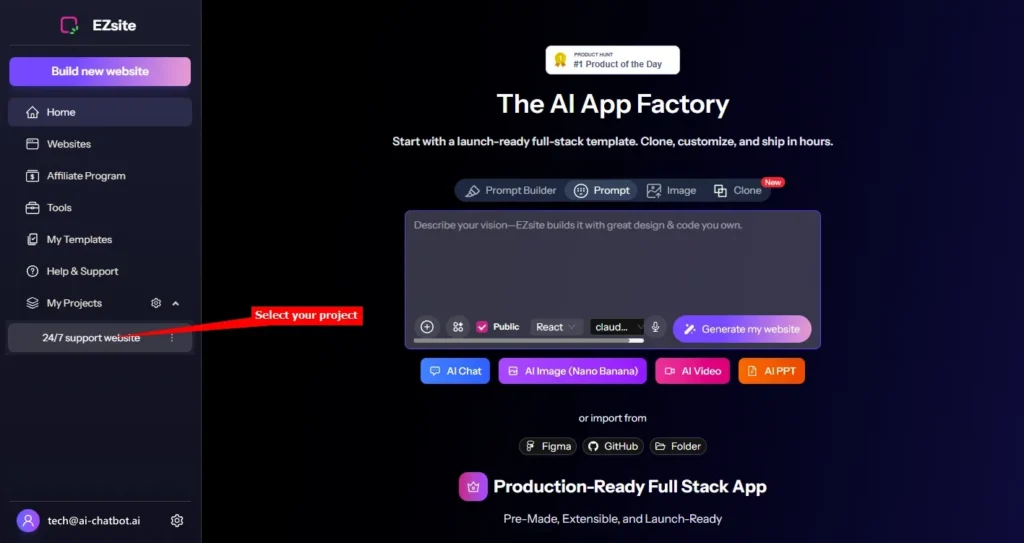
Log into your EZsite AI account and select your project under My Projects on the dashboard
A. Adding your snippet by means of the Code editor
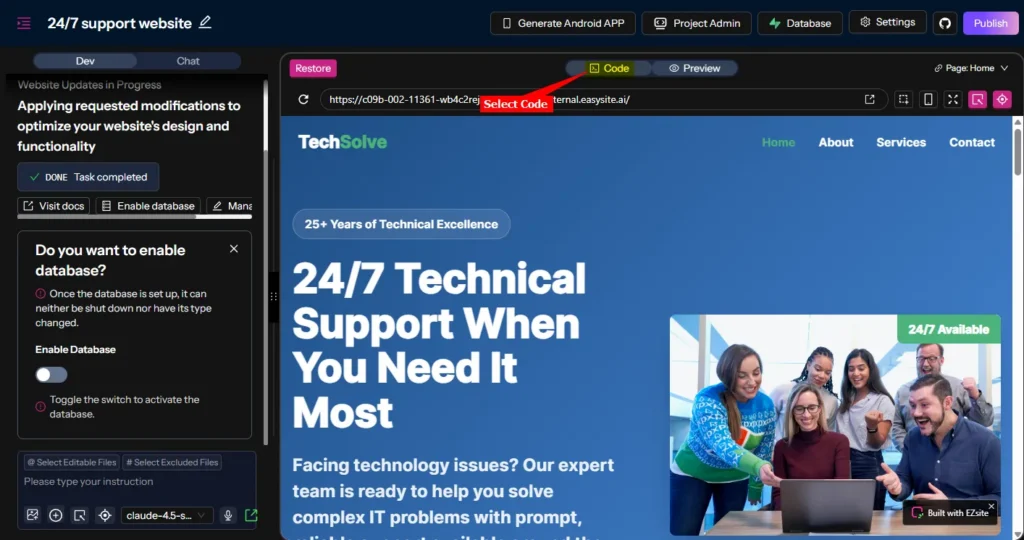
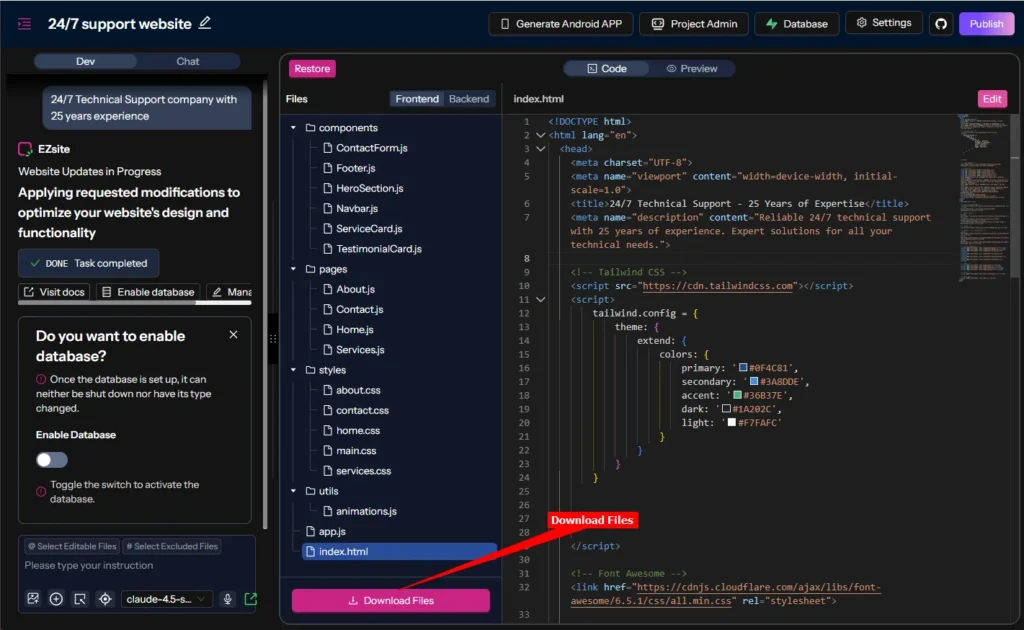
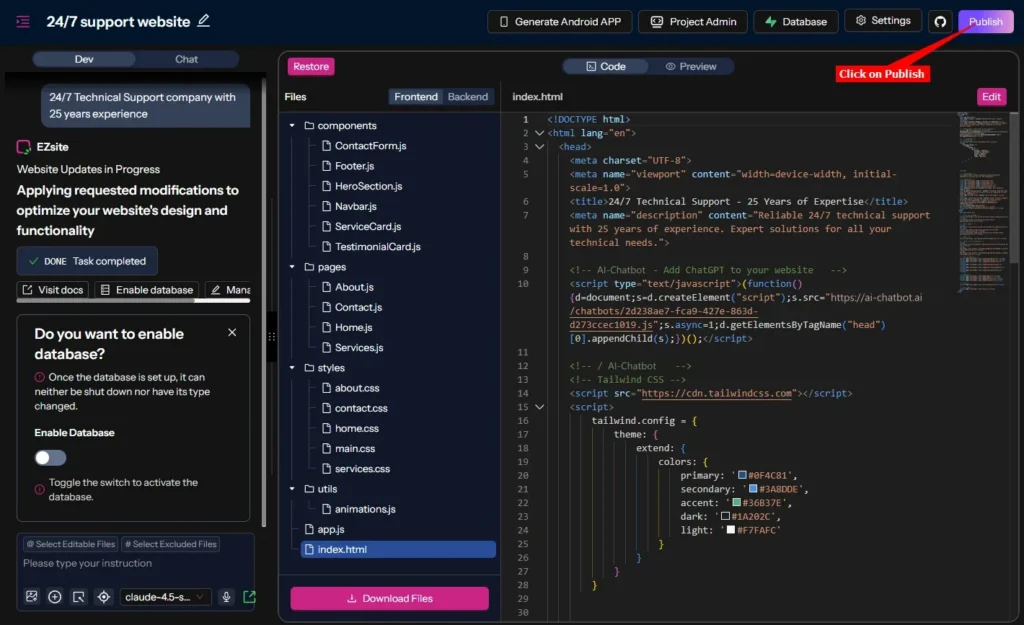
- On the Preview display of your website (the default page will be the Home page), select Code to allow viewing and editing your source files
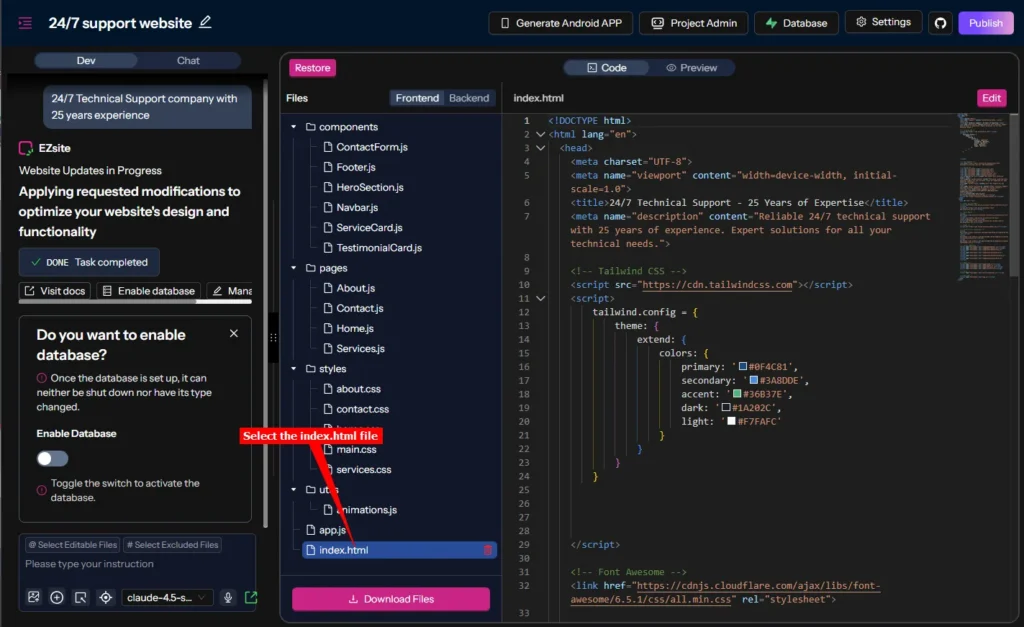
- Select the index.html file. The contents will be displayed in view-only mode in the right pane.
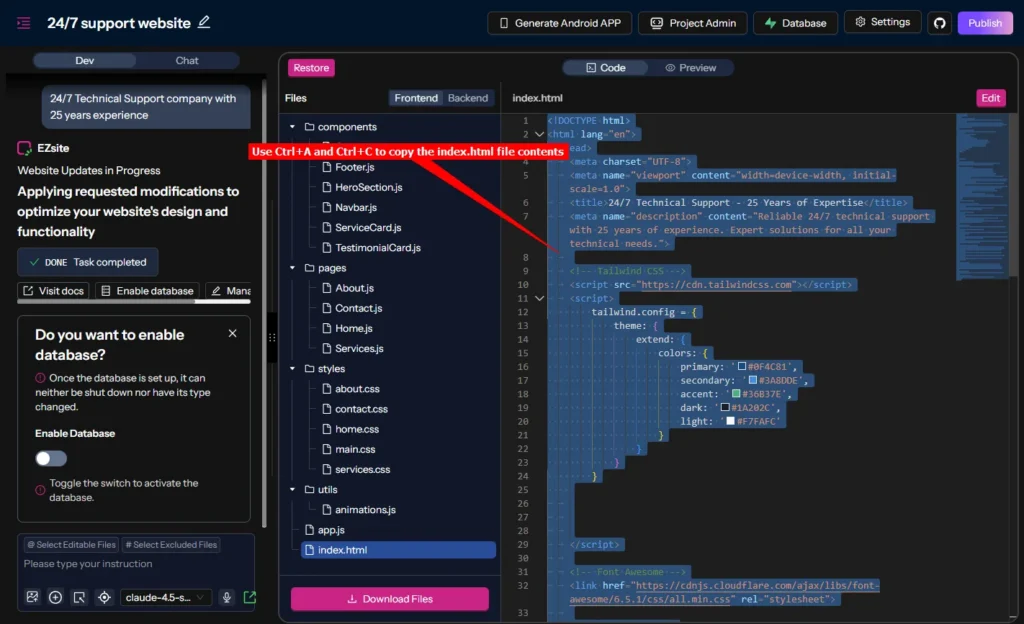
- While still in view-only mode, click in the contents of the index.html file and use Ctrl+A and Ctrl+C to copy the contens of the file. Save this in a text file somewhere where you can easily retrieve it if necessary
- Note: If you have a Pro account, you can also use the Download Files option to make a complete backup of all your code files
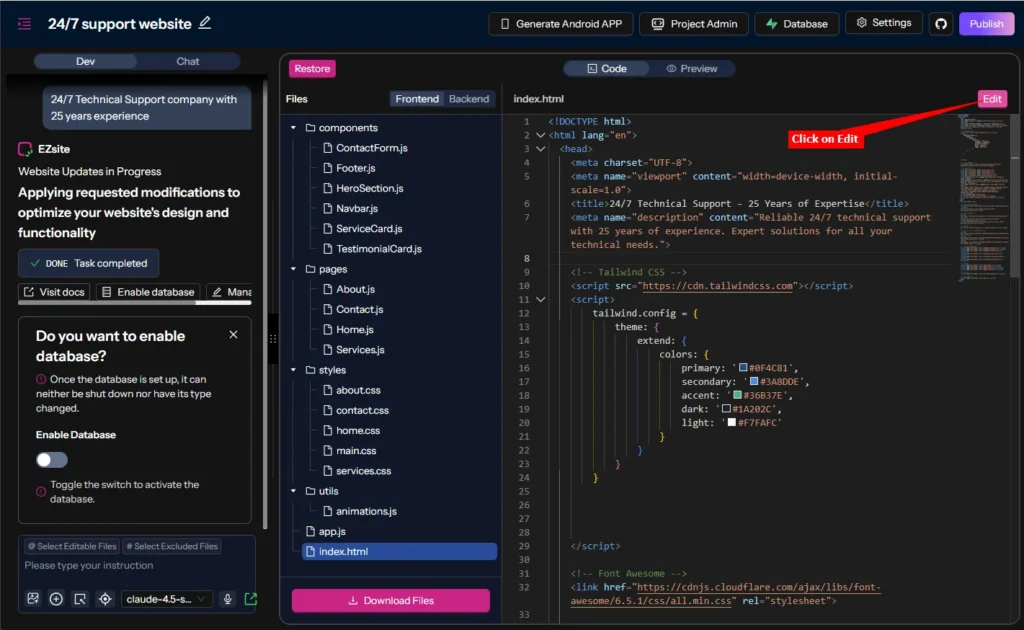
- Click on Edit to allow you to edit the file contents
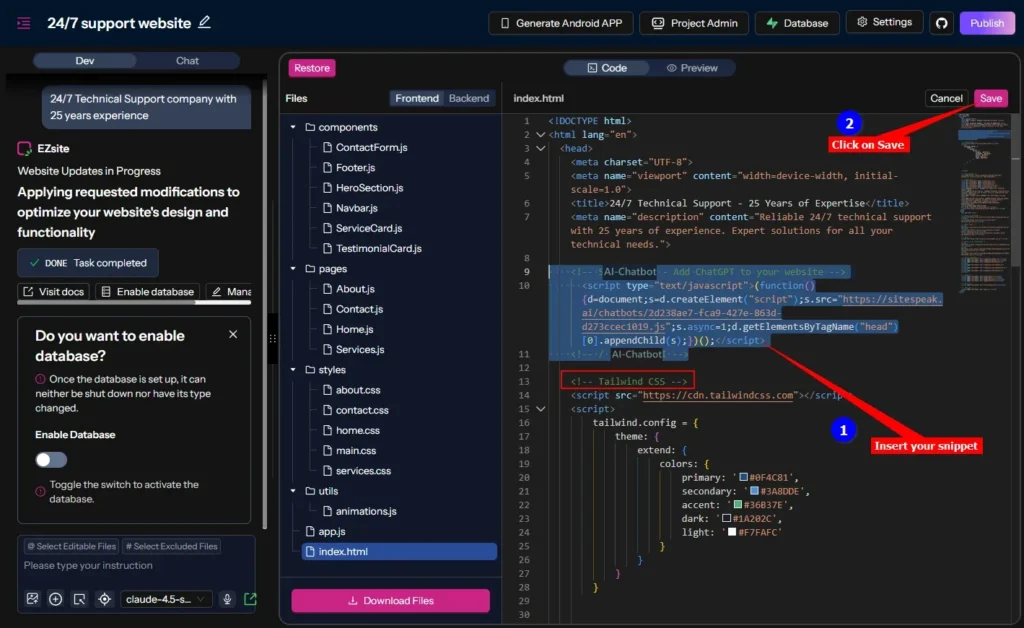
- Insert your support agent snippet in the
<head> element in the index.html file (here we have added it just before the <!-- Tailwind CSS --> remark). Click on Save to save your modified source code
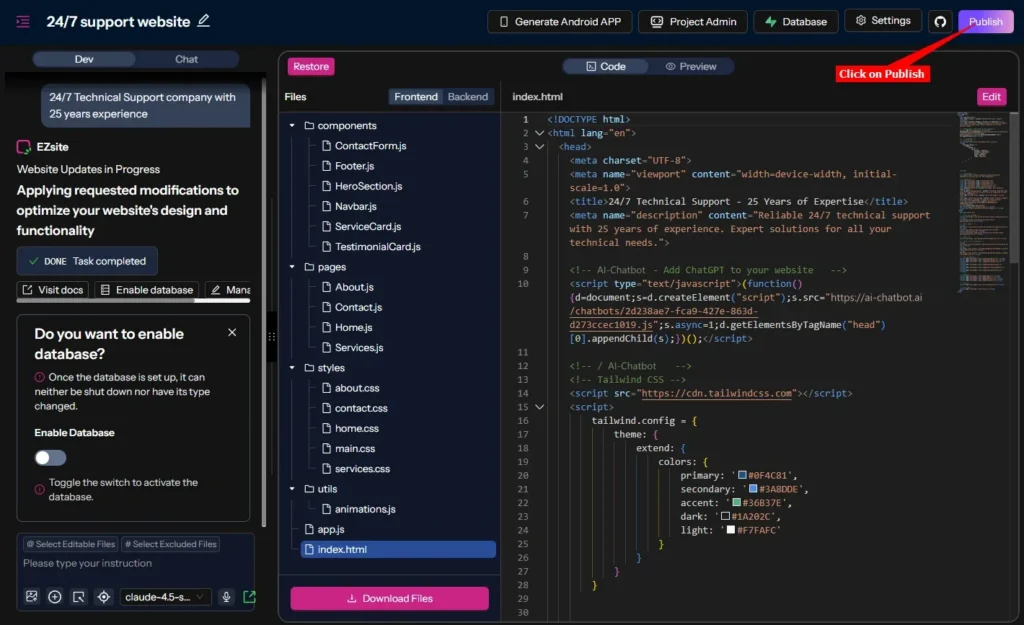
- To make your modifications available on your live website, click on Publish
B. Using the EZsite AI AI editor to add your snippet
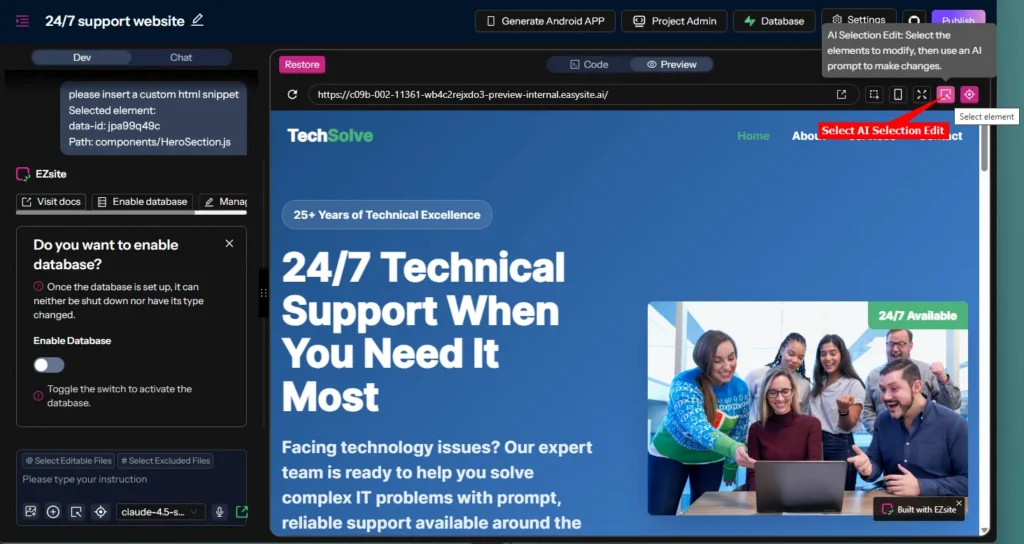
- Select the AI Selection Edit option
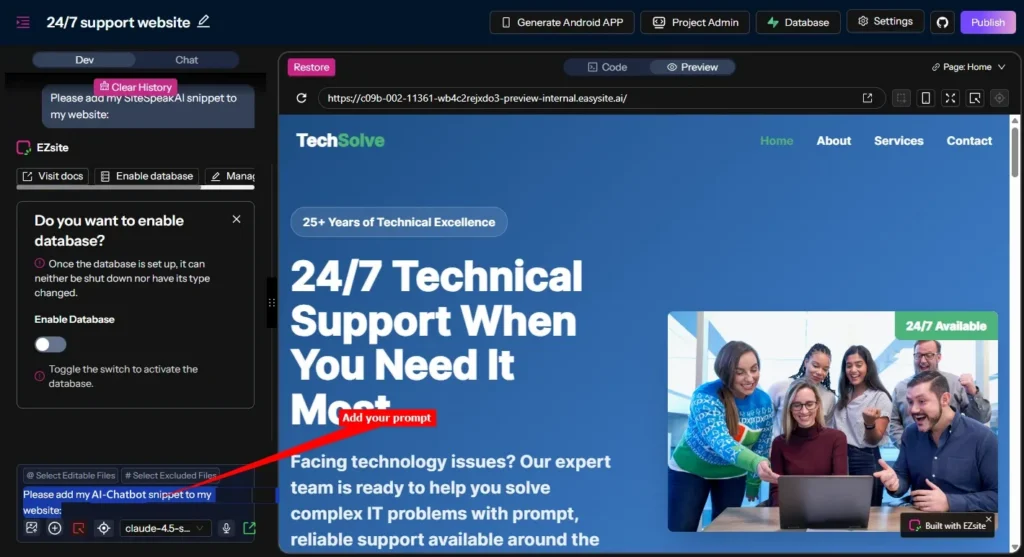
- Select an element and add your AI prompt in the AI Selection editor. Note that this will be done in 2 parts, the AI editor doesn’t allow creating a new line in the prompt (similar to Copilot)
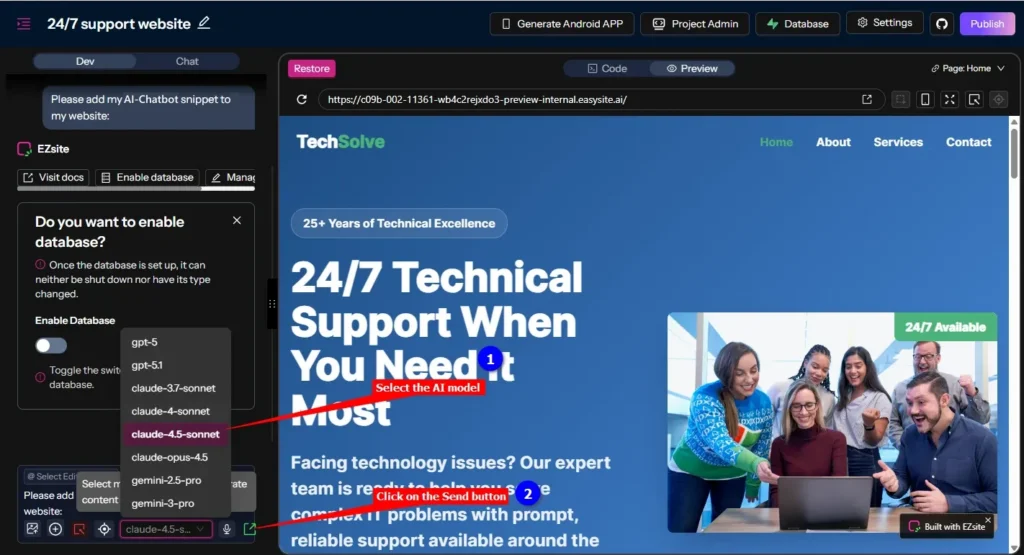
- Add the first part (where you request the AI to add your AI Chatbot snippet to your website) in the AI editor text box, select the AI model you prefer to use and then click on the Send button
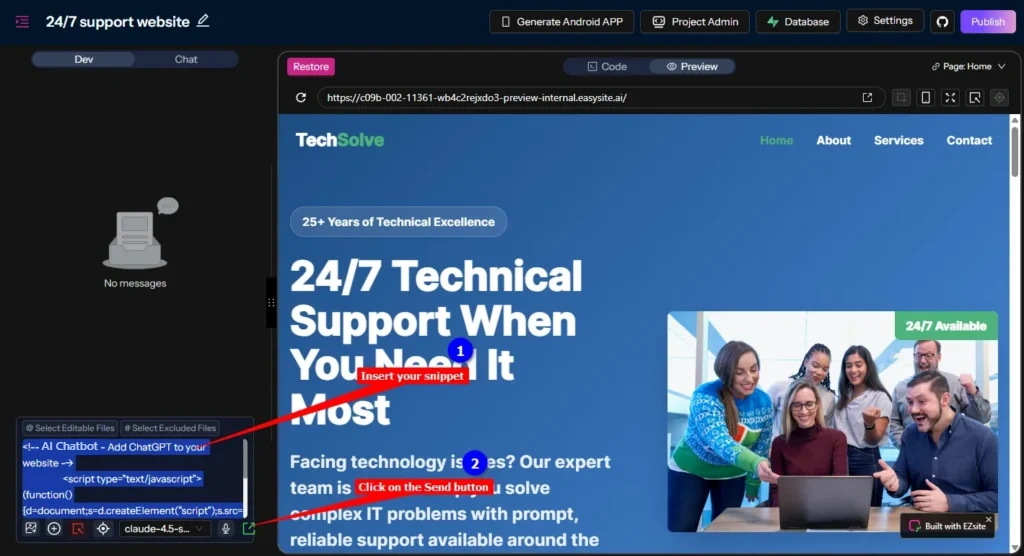
- The AI editor will then respond with a request to add your snippet. Insert the snippet in the AI editor text box and click again on the Send button
- To make your modification available on your live website, click on Publish
C. For all options
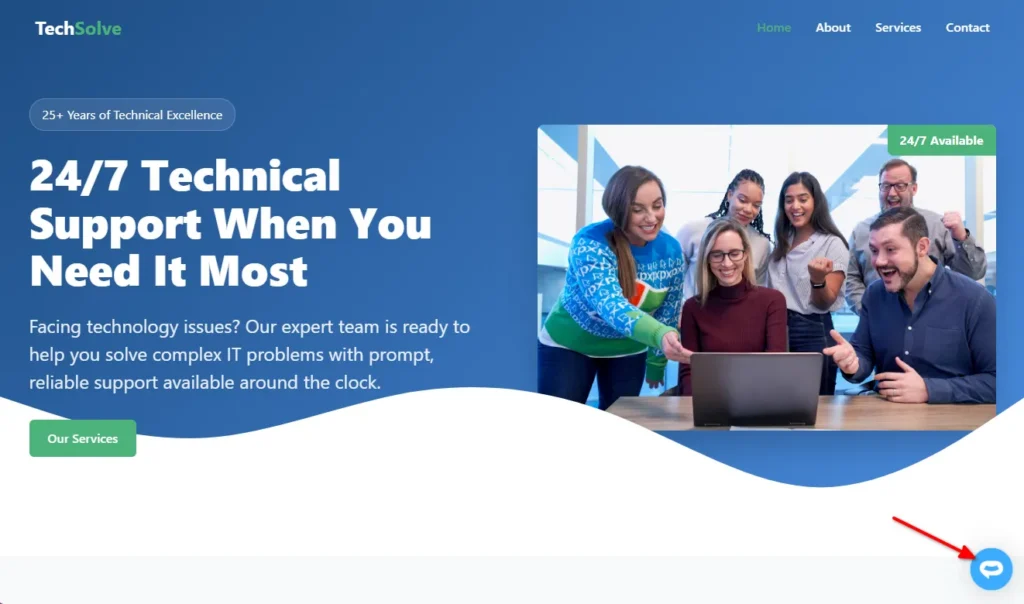
- Your AI support agent button will now be displayed on your EZsite AI website page
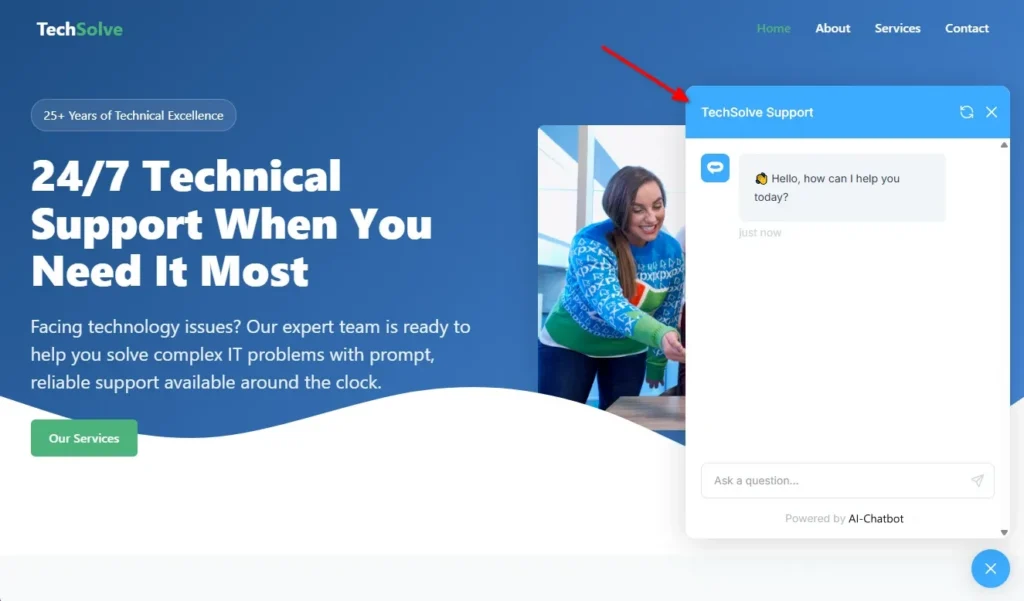
- If you click on the button it will display the AI support agent dialogue
Your AI support agent has now been added to your EZsite AI website and your visitors/customers can start interacting with it!
Join over 1000+ businesses, websites and startups automating their customer service and other tasks with a custom trained AI agent.