How to add an AI chatbot to Duda
You want to embed your custom trained AI support agent in your Duda website page. Here’s how to add an AI support agent to Duda with AI Chatbot.
Duda is a website builder designed for entrepreneurs and small businesses. It allows users to create and manage websites without coding, using AI, templates or from scratch.
Website URL: APage Studio
Add your AI support agent to your Duda website
In AI Chatbot
Select your chatbot from the dropdown menu at the top, click on the Install Agent section in the sidebar, then click on the Copy Code button to copy your code snippet.
In Duda
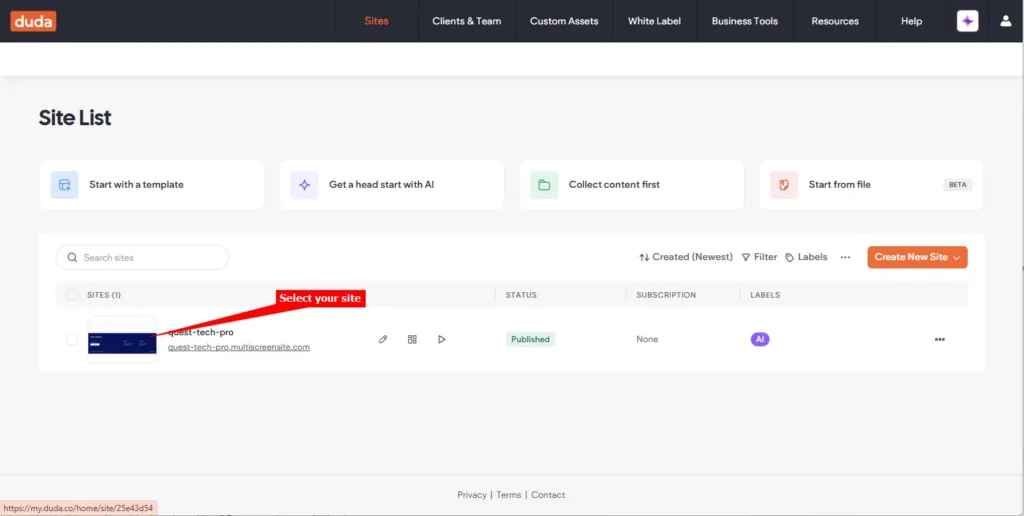
- Log into your Duda account and on your dashboard select your site under Sites
Note! Duda allows adding your snippet site wide as well as per page. Adding site wide is achieved by editing the Settings and per page is achieved by adding the Html widget to the page.
A. Site Wide
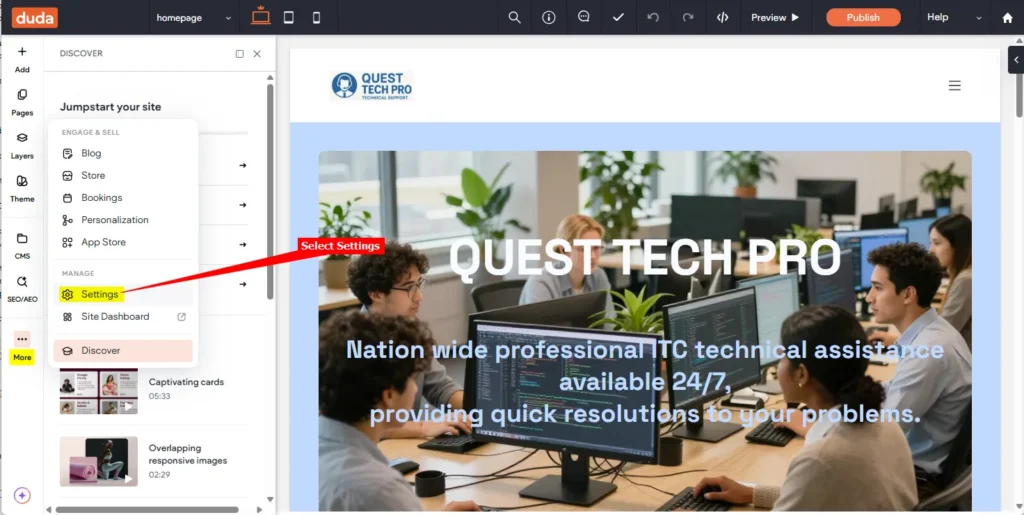
- Click on the More item on the left side toolbar and select Settings
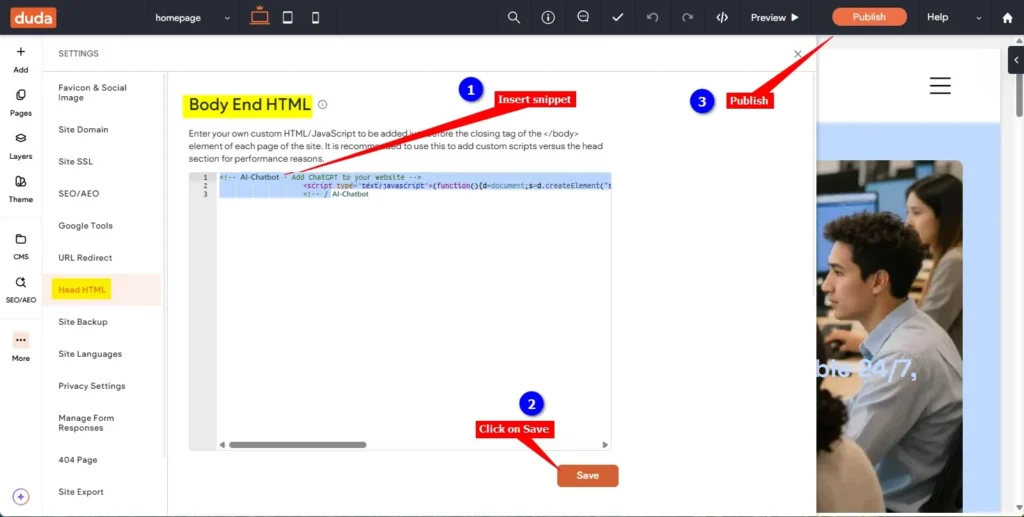
- Select Head HTML and insert your AI support agent snippet in the Body End HTML input box. Click on Save and then on Publish
B. Per page
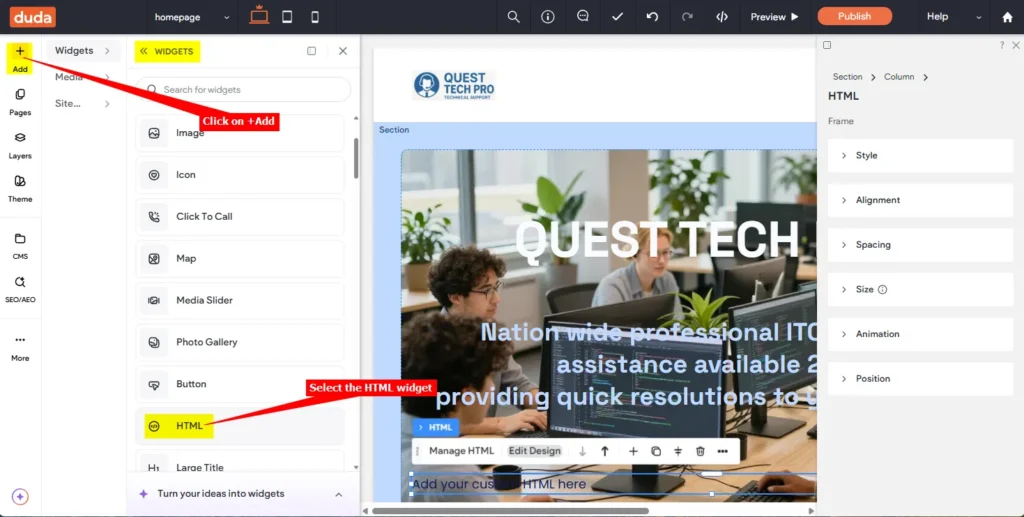
- Click on + Add to add a Widget, scroll down on the list of widgets and select HTML
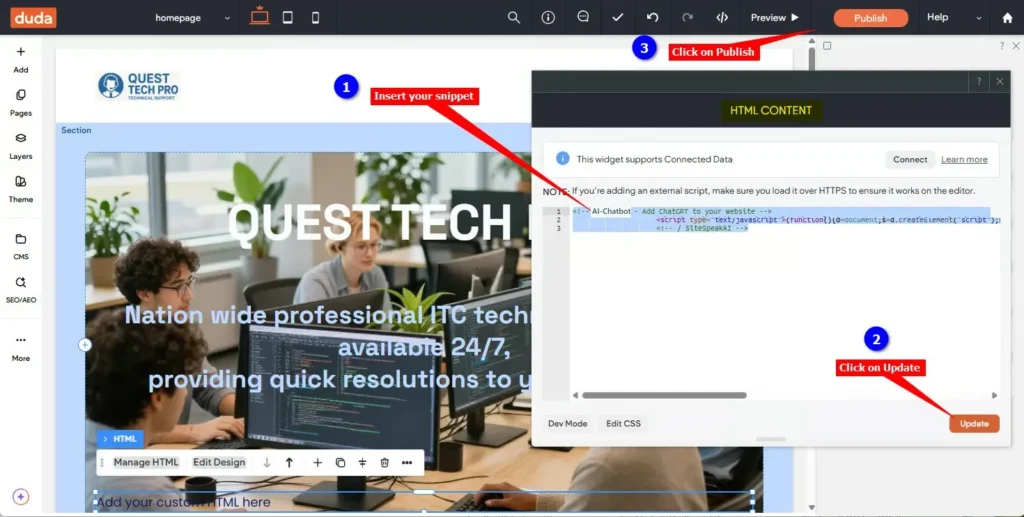
- Insert your AI support agent snippet in the HTML CONTENT input box, click on Update and then on Publish
C. For all options
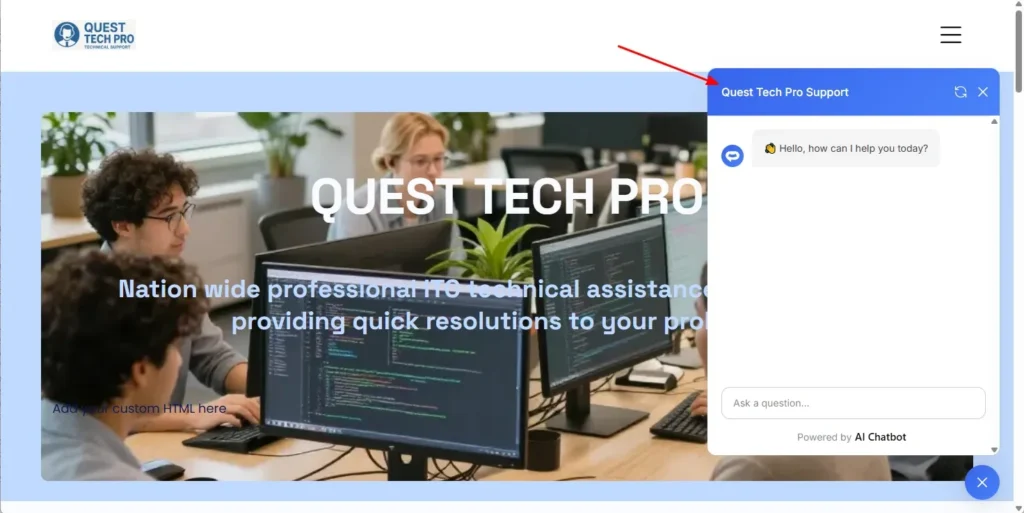
- Your AI support agent button will now be displayed on your live Duda website page
- If you click on the button it will display the AI support agent dialogue
Your AI support agent has now been added to your Duda website and your visitors/customers can start interacting with it!
Join over 1000+ businesses, websites and startups automating their customer service and other tasks with a custom trained AI agent.