How to add an AI chatbot to Designmodo
You want to embed your custom trained AI support agent in your Designmodo website page. Here’s how to add an AI support agent to Designmodo with AI Chatbot.
Designmodo consists of 3 Apps, i.e. Postcards, Slides and Startup
In this tutorial we will look at Slides as well as Startup
A. Add your AI support agent to your Designmodo website using the Slides App
In AI Chatbot
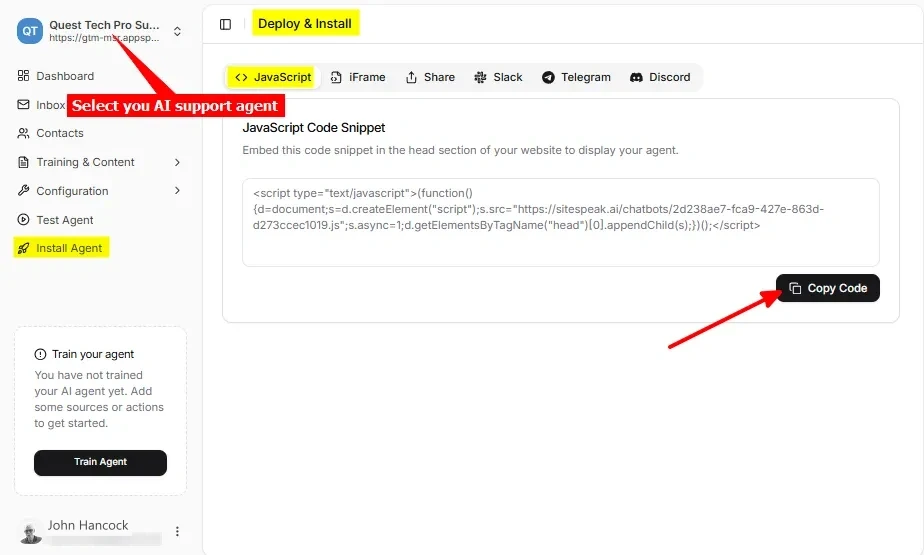
Select your chatbot from the dropdown menu at the top, click on the Install Agent section in the sidebar, then click on the Copy Code button to copy your code snippet.
In Designmodo
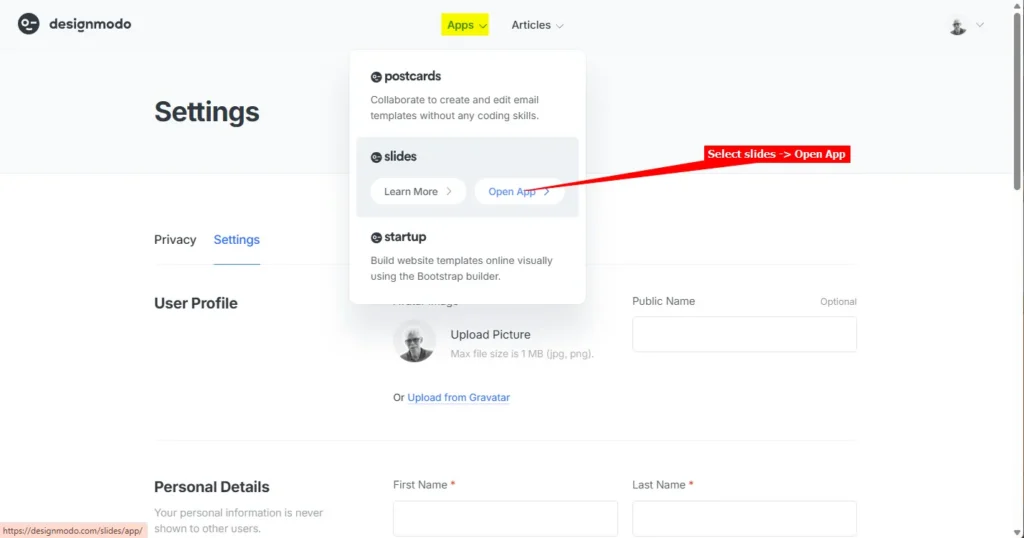
- Log into your Designmodo account and select slides -> Open App on the Apps dropdown
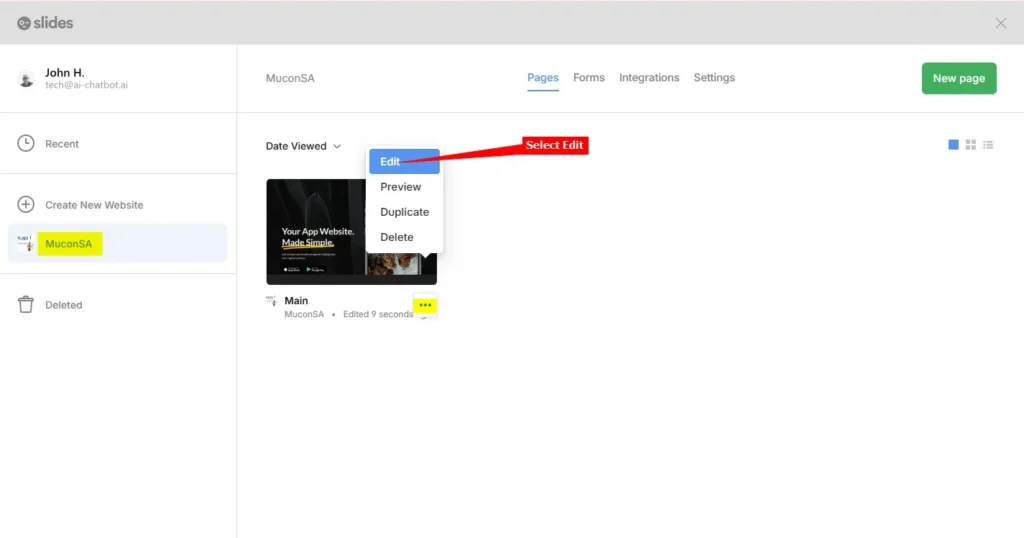
- For the website you want to add your AI support agent to, click on the hamburger menu and select Edit
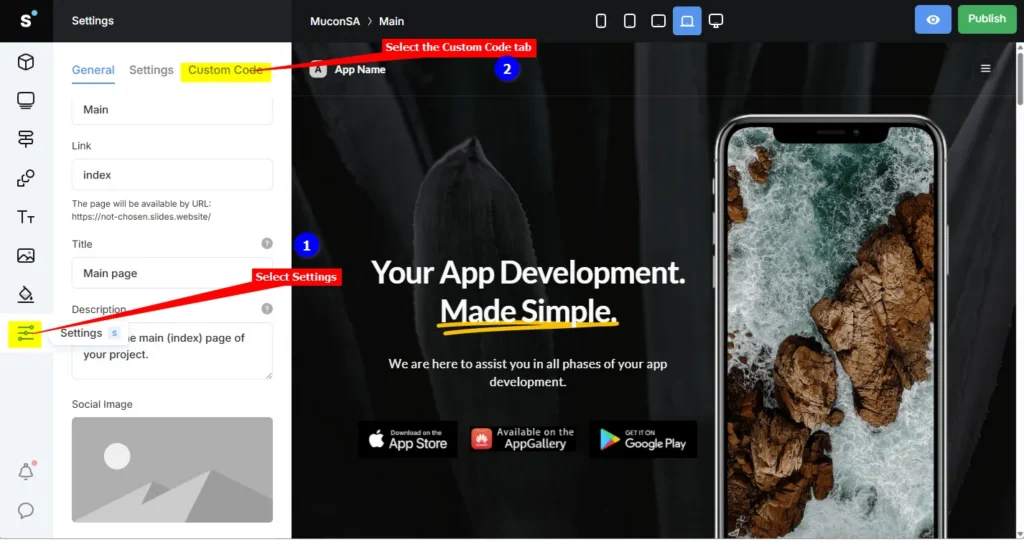
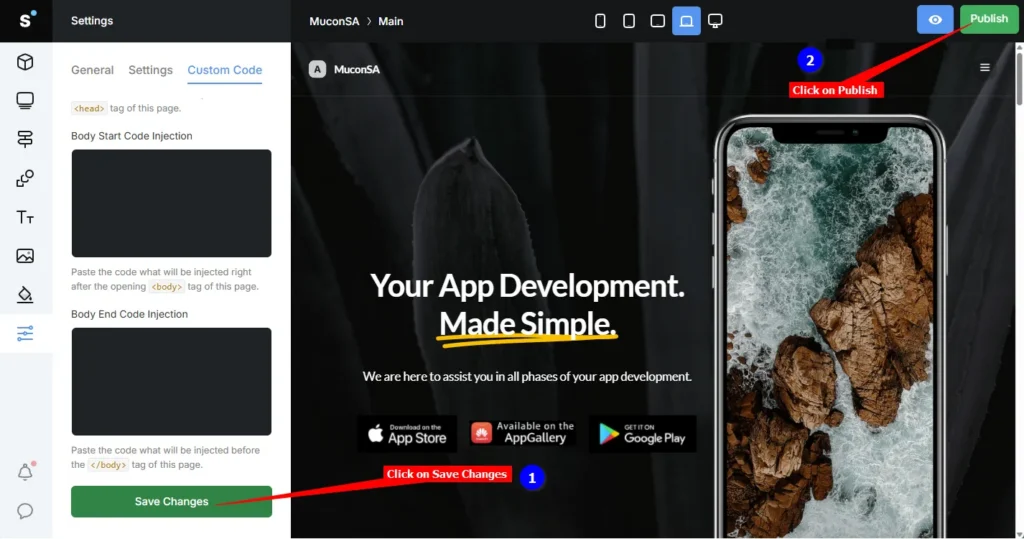
- Select Settings on the left sidebar and select the Custom Code tab
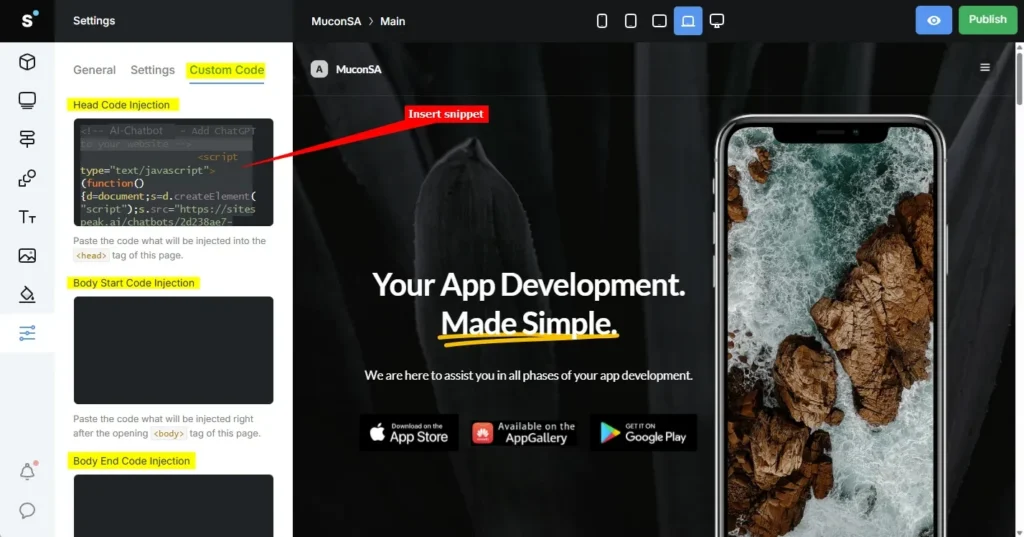
- Under Custom Code insert your AI support agent snippet in anyone of the available Injection areas, i.e. Head Code Injection, Body Start Code Injection or Body End Code Injection
- Click on Save Changes and Publish
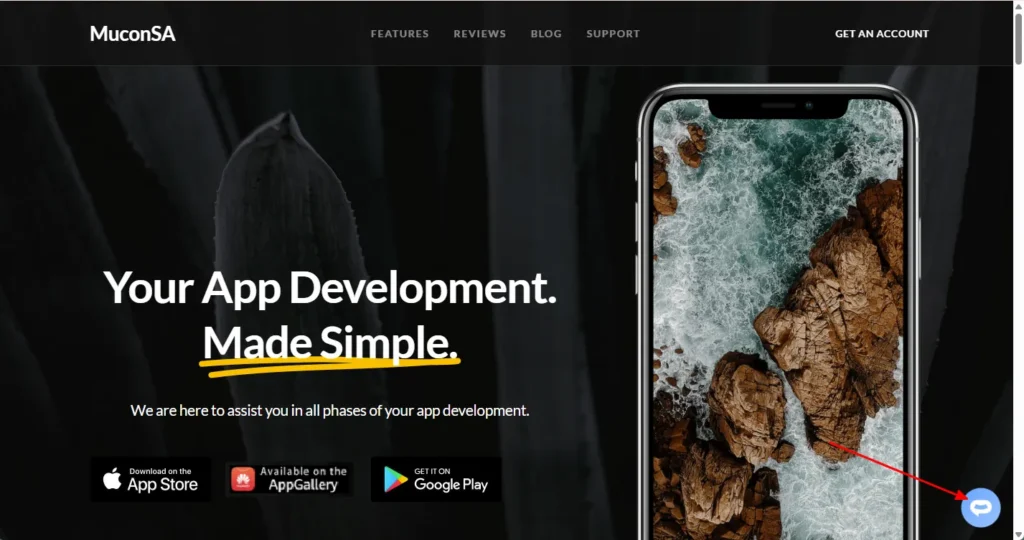
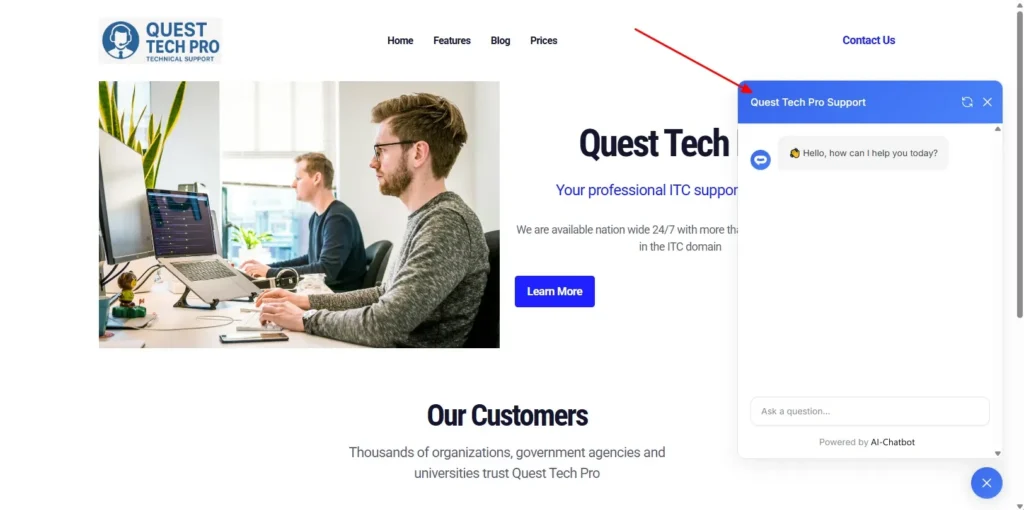
- Your AI support agent button will now be displayed on your Designmodo slides website page
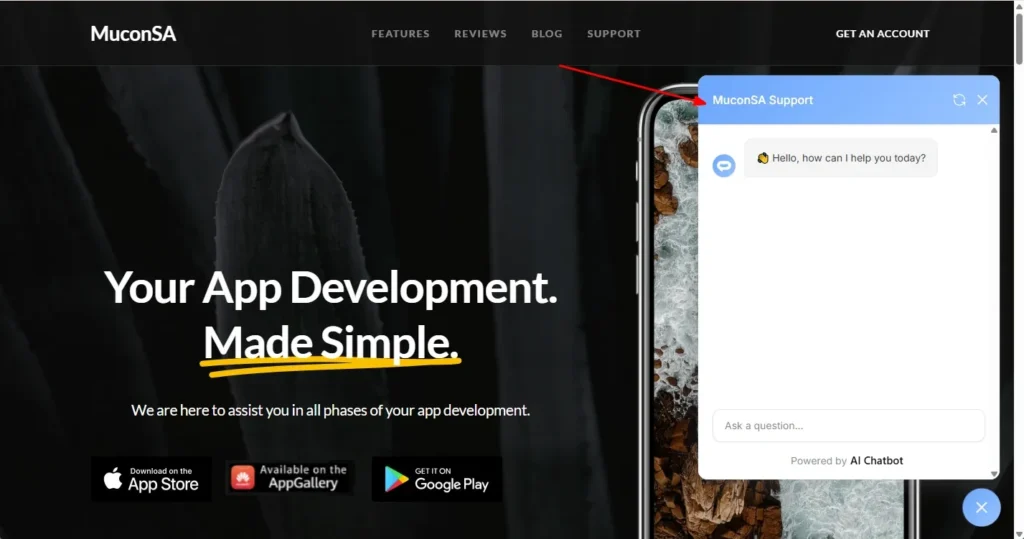
- If you click on the button it will display the AI support agent dialogue
Your AI support agent has now been added to your Designmodo slides website and your visitors/customers can start interacting with it!
B. Add your AI support agent to your Designmodo website using the Startup App
In AI Chatbot
Log into your AI Chatbot account and select your agent from the dropdown menu at the top, click on the Install Agent section in the sidebar, select the Javascript tab and then click on the Copy Code button to copy your agent code snippet.
In Designmodo
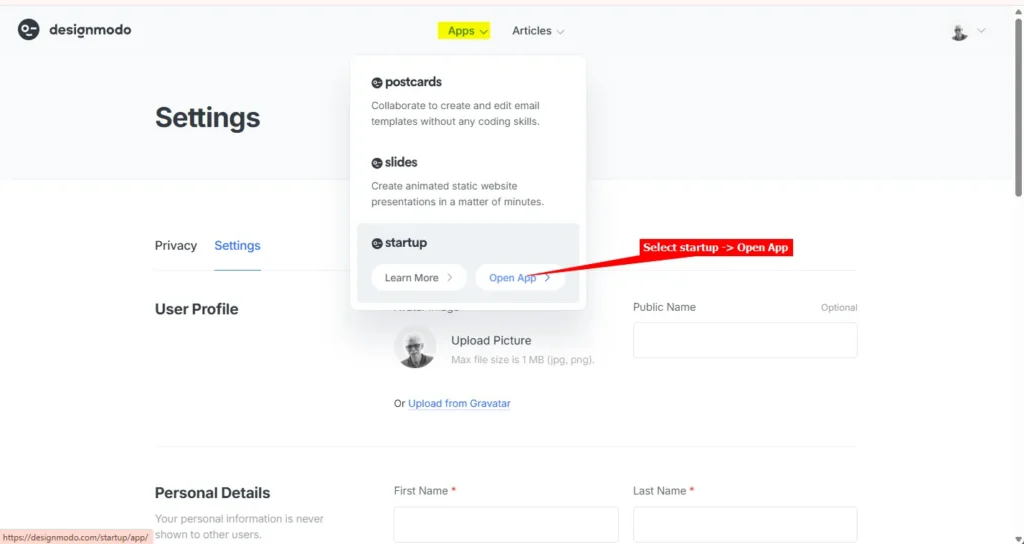
- Log into your Designmodo account and select startup -> Open App on the Apps dropdown
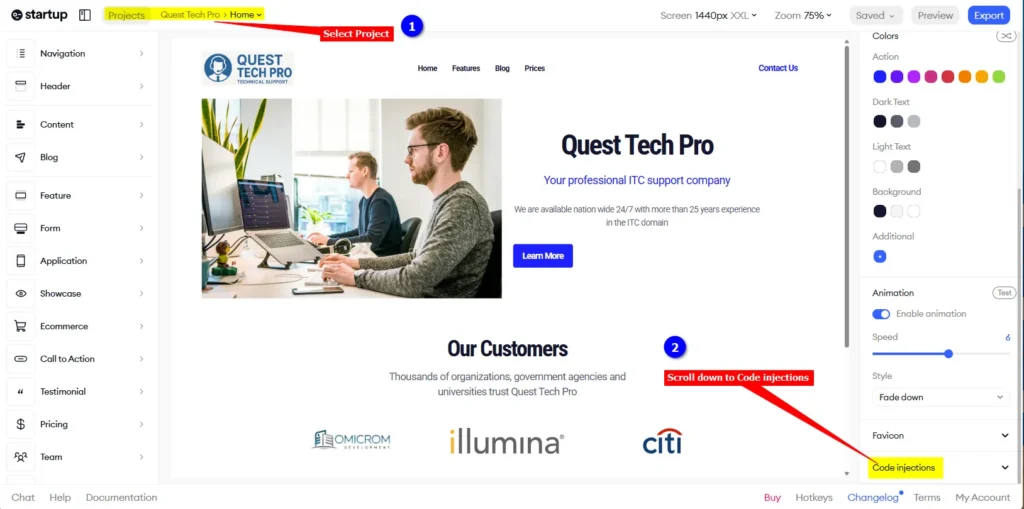
- Make sure your project is selected and on the right sidebar, scroll down to Code injections
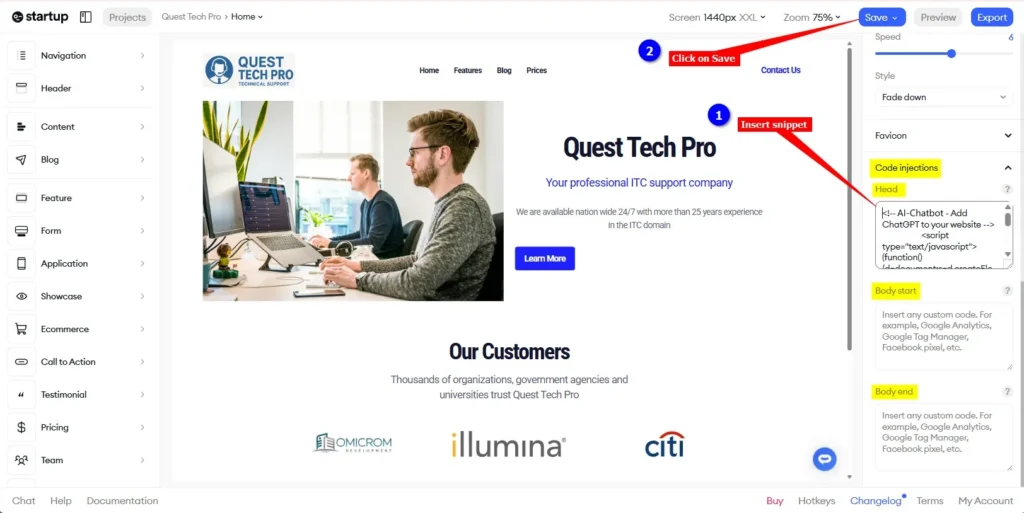
- Under Code injections insert your AI support agent snippet in anyone of the available Injection areas, i.e. Head, Body start or Body end and click on Save (it does an Autosave)
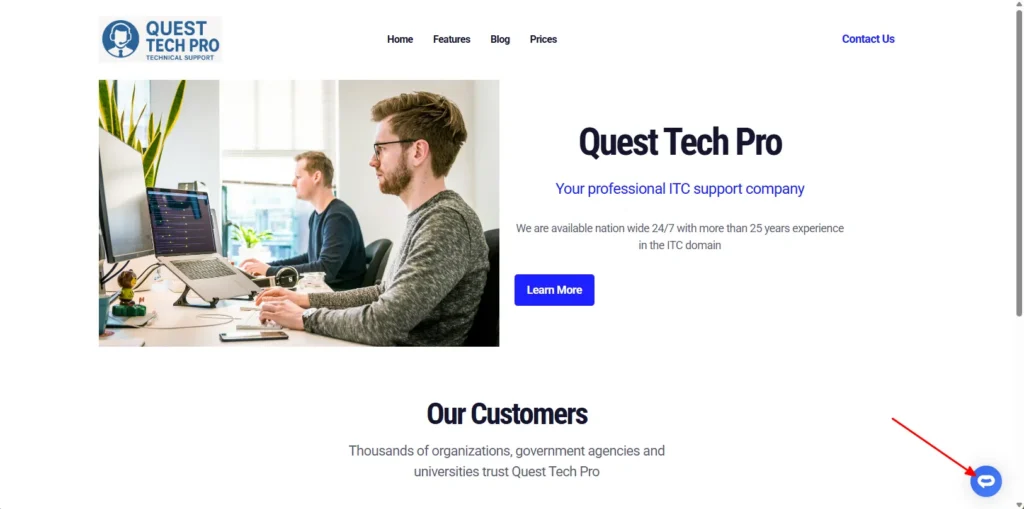
- Your AI support agent button will now be displayed on your Designmodo startup website page
- If you click on the button it will display the AI support agent dialogue
Your AI support agent has now been added to your Designmodo startup website and your visitors/customers can start interacting with it!
Join over 1000+ businesses, websites and startups automating their customer service and other tasks with a custom trained AI agent.