The Best LiveChat Alternative with Built-In AI

Looking for a LiveChat alternative? AI Chatbot bundles AI chat and live chat in one product from $29/month flat, no separate ChatBot subscription required.

Last updated: July 15, 2026

TL;DR

LiveChat’s Team plan is $41/agent/month billed annually, and their AI bot (ChatBot.com) is sold and billed as a separate subscription starting at $52/month. AI Chatbot bundles AI chat, live chat, a full inbox, and lead capture from $29/month flat, with no per-agent charges and no second subscription.

The best LiveChat alternatives, ranked

We compared the top LiveChat alternatives on price, live chat, human handoff, and AI model choice. Here is how they stack up.

1

AI Chatbot BEST OVERALL

Free plan, built-in live chat and human handoff, model choice across OpenAI, Anthropic, Google, and xAI, plus free sentiment analysis and the ability to connect your own API or database. From $29/mo.

2

Enterprise conversational-marketing chat, now part of Salesloft, on annual contracts only. From $2,500/mo.

3

Enterprise-only chat with recent multi-week outages and an uncertain roadmap post-acquisition. Custom pricing.

4

RAG chatbot with no free plan, a single model on its standard tier, and handoff routed to your own helpdesk. From $99/mo.

5

Website- and file-trained chatbot that gates human handoff and API behind premium tiers. Handoff from $100/mo.

Why people look for LiveChat alternatives

LiveChat is a mature live-chat product, but teams that want AI ask why the answers live in a different product with a different bill.

Two products, two bills

LiveChat handles human agents. ChatBot.com handles automation. They share a brand but are sold, configured, and billed separately. AI Chatbot is one product: AI chat, live chat, inbox, and lead capture on a single invoice.

Per-agent pricing grows with your team

A 5-agent LiveChat Team plan runs $205/month, before you add ChatBot.com. AI Chatbot is $29/month flat regardless of team size.

Flow-based bots require design work

ChatBot.com uses a visual flow editor: you design conversation paths, add decision nodes, and maintain the tree as your content changes. AI Chatbot trains on your content directly with no flow design required.

AI Chatbot vs LiveChat

Compare features and see why AI Chatbot is the better choice

FeaturesAI ChatbotLiveChat
Free Plan✓ Yes✖ No (14-day trial only)
PricingFrom $29/monthFrom $20-59/agent/month + ChatBot.com from $52/month
AI ModelsOpenAI, Anthropic, Google, xAIProprietary (ChatBot.com)
Chat Inbox✓ Yes, detailed✓ Yes
Live Chat✓ Yes✓ Yes
Escalate to Human✓ Yes✓ Yes
Analytics✓ Yes, detailed (Free)✓ Yes (From $41/agent/month)
Chat Insights✓ YesLimited
Sentiment Analysis✓ Yes (Free)✖ No
API Access✓ Yes✓ Yes
Attach Files to Messages✓ Yes✓ Yes
Auto Sync Training Sources✓ Yes✖ No
Speech Recognition & TTS✓ Yes✖ No
Team Collaboration✓ Yes (From $79/month)✓ Yes (Per-seat pricing)
Page Context Awareness✓ Yes✖ No
Priority Support✓ Yes (From $79/month)✓ Yes (Business plan or higher)

How to switch from LiveChat to AI Chatbot

A simple step-by-step guide to migrate without losing conversations.

1

Export your canned responses and knowledge base

Pull your LiveChat canned responses and any ChatBot.com knowledge base entries. Save the URLs for any help-center pages your bot referenced.

2

Create your AI Chatbot chatbot

Sign up for AI Chatbot, create a chatbot, and paste your website URL as the first training source. The crawler indexes every reachable page automatically.

3

Add supplementary sources

Upload PDFs, CSVs, or internal docs your ChatBot.com flow used to reference. Connect your order-lookup or account API if the chatbot should fetch live data.

4

Match your brand and tone

Customize the widget colors, avatar, and welcome message to match your LiveChat branding. Set the bot persona and fallback message for unknowns.

5

Swap the embed code on your site

Replace the LiveChat script with the single-line AI Chatbot embed. AI chat, live chat, and the inbox all activate from the one snippet.

6

Cancel LiveChat and ChatBot.com

Once your team is comfortable in the new inbox, cancel both subscriptions. Most teams see a 50-80% monthly saving.

One product, one bill, one setup

LiveChat and ChatBot.com share a brand but not a subscription. You sign up twice, configure twice, and pay twice. AI Chatbot gives you AI chat and live chat in a single product. One widget, one inbox, one invoice. Your AI answers what it can, your agents take over when it cannot, and your team sees every conversation in the same place.
Walter Goodman, online marketing manager, AI Chatbot customer

Walter Goodman

Online Marketing Manager

The platform is very intuitive to set up and use. I was able to train the chatbot directly from our site maps with ease. After creating a test page and sharing it with leadership, customer service, sales, and marketing, the reaction was unanimous, everyone was impressed!

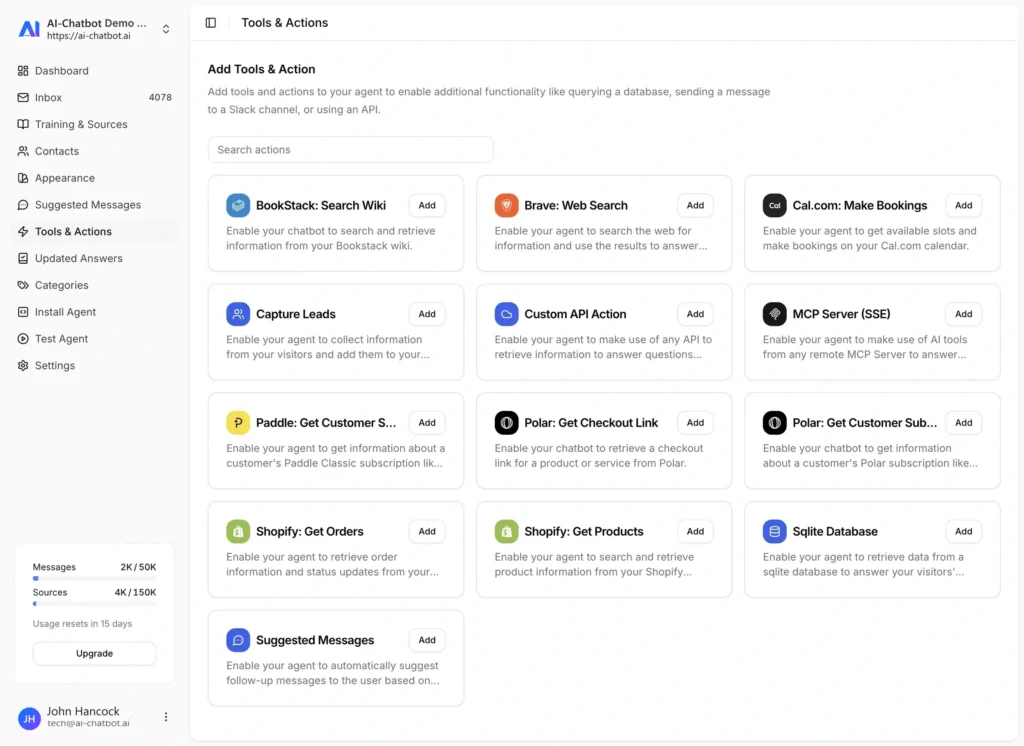
AI Chatbot Botpress alternative - features, tools and actions dashboard
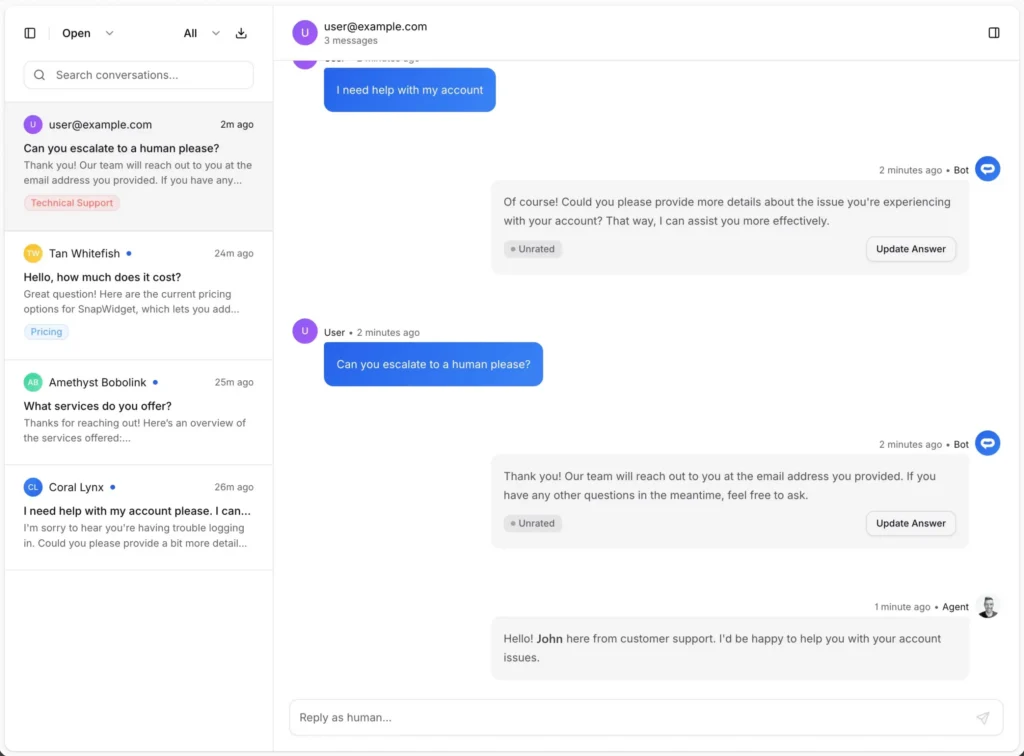
AI Chatbot Botpress alternative - live chat inbox with human handoff

Lead capture and escalation included, not upsold

LiveChat charges per agent for inbox access. ChatBot.com charges per chatbot for AI. AI Chatbot includes the full inbox, live chat, escalation, and lead capture on every paid plan at a flat monthly rate. Your visitors can leave their details when the AI cannot help, and your team gets notified instantly. Same workflow, dramatically lower cost.
Michael Evers, marketing specialist, AI Chatbot customer

Michael Evers

Marketing Specialist

I think AI Chatbot is a super easy and extremely powerful tool to start installing into your website.

Trained on your content, not on your flow diagrams

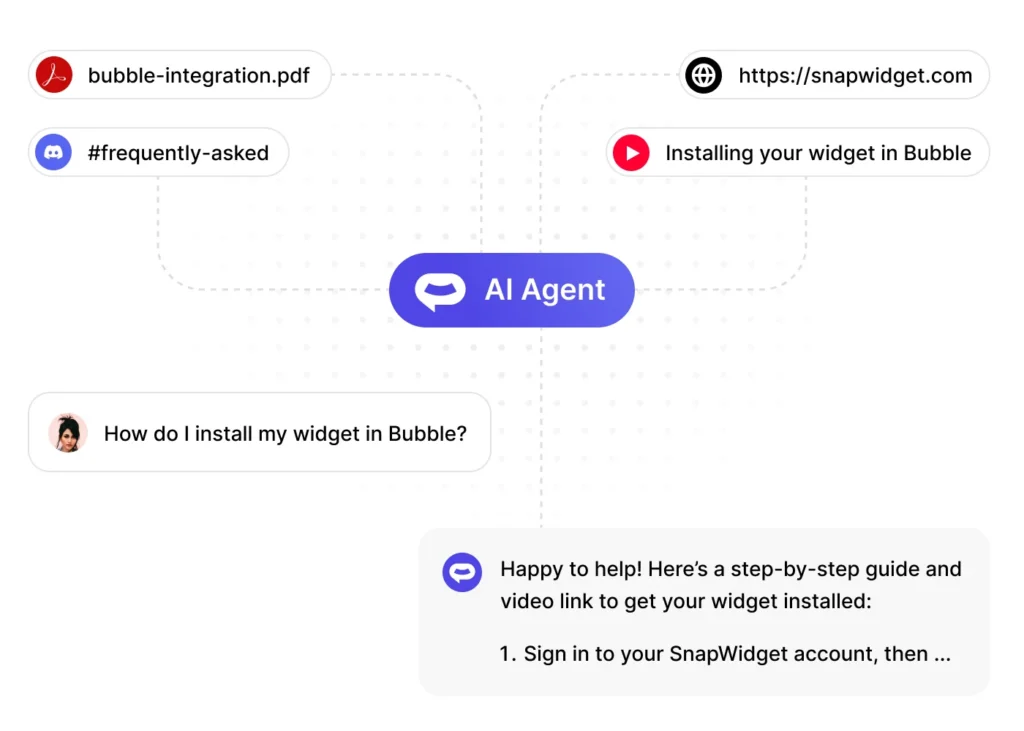
ChatBot.com uses a visual flow builder. Every path the conversation might take has to be designed, tested, and maintained by you. If you change a product page, you update the flow. AI Chatbot trains on your website, docs, PDFs, CSVs, and APIs directly, and auto-syncs sources on a schedule. Your chatbot keeps up with your content without you designing a single flow.
Donald Smith, co-founder, AI Chatbot customer

Donald Smith

Co-Founder

I stumbled across AI Chatbot AI while having a chat with my ChatGPT. I am absolutely gobsmacked at how good it is and how easy it has been to setup. Any concerns I had have disappeared and this certainly is the way forward. I will be using AI Chatbot AI on all my websites now.

AI Chatbot Botpress alternative - training sources for auto-sync

Frequently asked questions

Everything you need to know about AI Chatbot. Can’t find what you’re looking for? Start a free trial and see it in action.

What is the best alternative to LiveChat for AI support?
AI Chatbot is the best LiveChat alternative when you want AI and live chat in one product. It includes AI chat, live chat, a full inbox, and lead capture from $29/month flat, so you do not pay per agent and do not need a separate ChatBot.com subscription.
AI Chatbot starts at $29/month flat. LiveChat starts at $20/agent/month for Starter but jumps to $41/agent/month for Team, and adding ChatBot.com adds another $52+/month. A 5-agent team on LiveChat Team plus ChatBot easily tops $250/month.
Yes. LiveChat’s AI automation lives in a separate product (ChatBot.com) with its own pricing, its own builder, and its own billing. AI Chatbot bundles AI and live chat in the same product at the same price.
Yes. AI Chatbot includes a full chat inbox and real-time live chat. Visitors start with the AI and can be escalated to a human agent. Your team gets notified instantly and can jump in from the inbox.
Most teams switch in under an hour. Add your website URL and any knowledge base articles as training sources, customize the widget, replace the LiveChat embed with the AI Chatbot snippet, and cancel both the LiveChat and ChatBot.com subscriptions.

Why teams leave LiveChat for bundled AI

LiveChat has been a live-chat staple for over a decade. It is stable, widely integrated, and well-supported. The problem for AI-first teams is the business model: LiveChat handles human agents, and ChatBot.com handles automation, and the two are sold as separate products even though they share a brand.

The practical result is two subscriptions, two admin panels, two sets of analytics, and two renewal reminders. If you want AI answering simple questions and a human jumping in for the complex ones, you pay for both products and glue them together yourself.

The double-subscription problem

Pricing math makes the split painful. LiveChat Team is $41/agent/month billed annually. A five-agent team is $205/month. ChatBot.com Starter is around $52/month with usage limits that push most real-world teams to the $142/month tier. So a small team running both is paying close to $350/month before any integrations or add-ons.

AI Chatbot is $29/month flat, or $79/month on Pro with team collaboration and priority support. Same capability footprint, fraction of the cost, and nothing to stitch together.

Content-trained vs flow-based bots

The bigger difference is how the bot learns. ChatBot.com uses a visual flow editor. You design conversation paths, add decision nodes, write bot responses by hand, and maintain the tree. When your product changes, you update the flow.

AI Chatbot uses retrieval-augmented generation against your content. Point it at your website, knowledge base, PDFs, CSVs, or APIs. It reads the content, answers questions from it, and cites the source. When your product changes, you update the content; the bot auto-syncs on a schedule and stays current.

The difference shows up most clearly in time-to-maintain. A flow-based bot requires ongoing editor work. A content-trained bot requires ongoing content work you were doing anyway.


Connects with the tools you already use

From your website builder to your CRM, AI Chatbot fits right in.