
As amazing and helpful as your ChatGPT powered custom chatbot might be, sometimes your customers or visitors still need a human touch. That’s where escalating to human support comes in.
As amazing and helpful as your ChatGPT powered custom chatbot might be, sometimes your customers or visitors still need a human touch. That’s where escalating to human support comes in.
Giving your users the human touch
You’ve already trained your chatbot on your content, and you’ve finetuned it to give your customers the exact answer and information they are looking for using Echos. You’ve even added some custom Smart Prompts to guide your visitors. But some of your visitors are still asking for human support. No problem, you can simply enable escalations to let your visitors reach out to a human.
Enabling escalations
To enable escalations for your chatbot, head over to the Settings section, and enable the Escalation Prompt option.
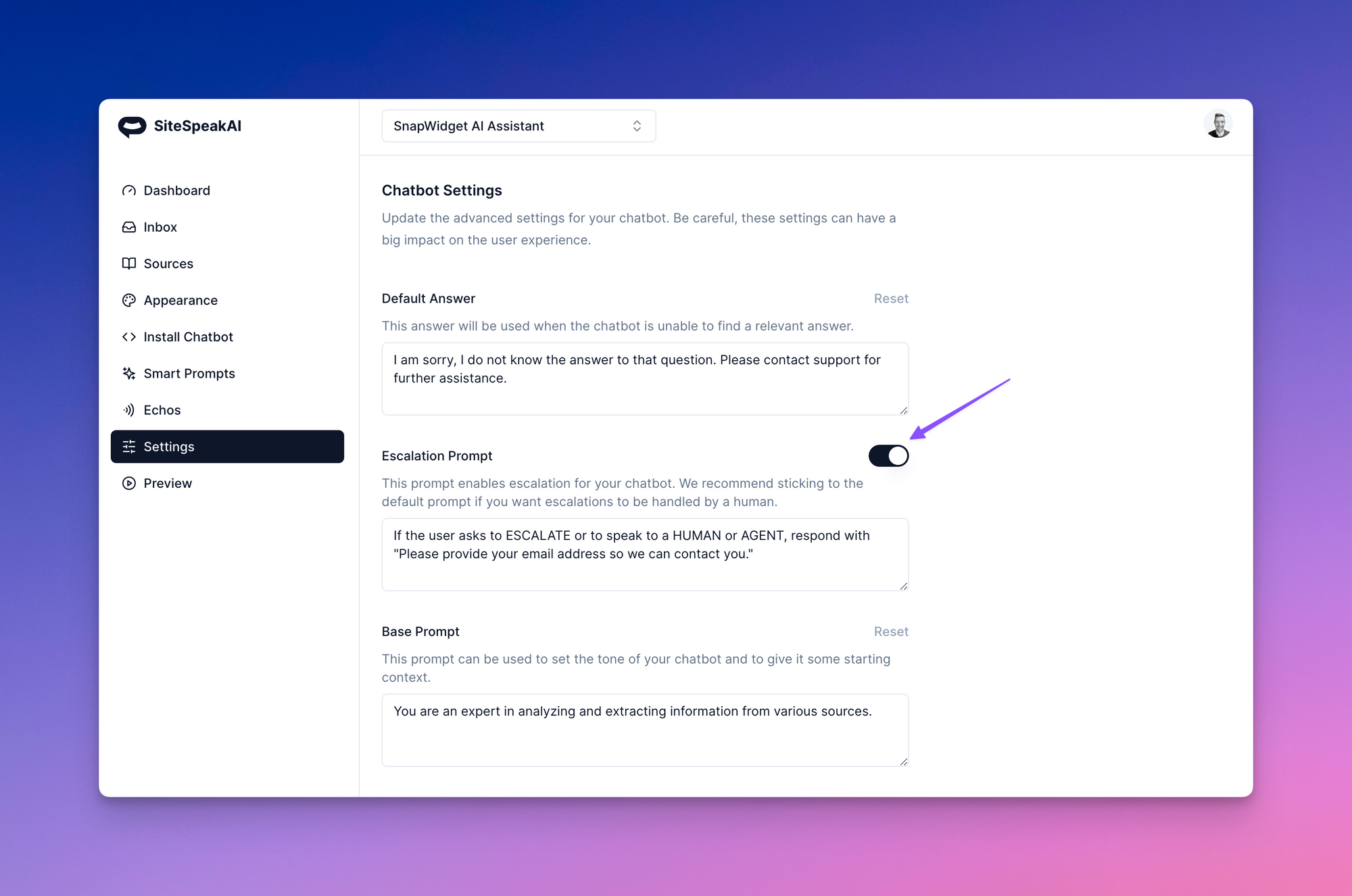
Click on the Update Chatbot button to save your settings.
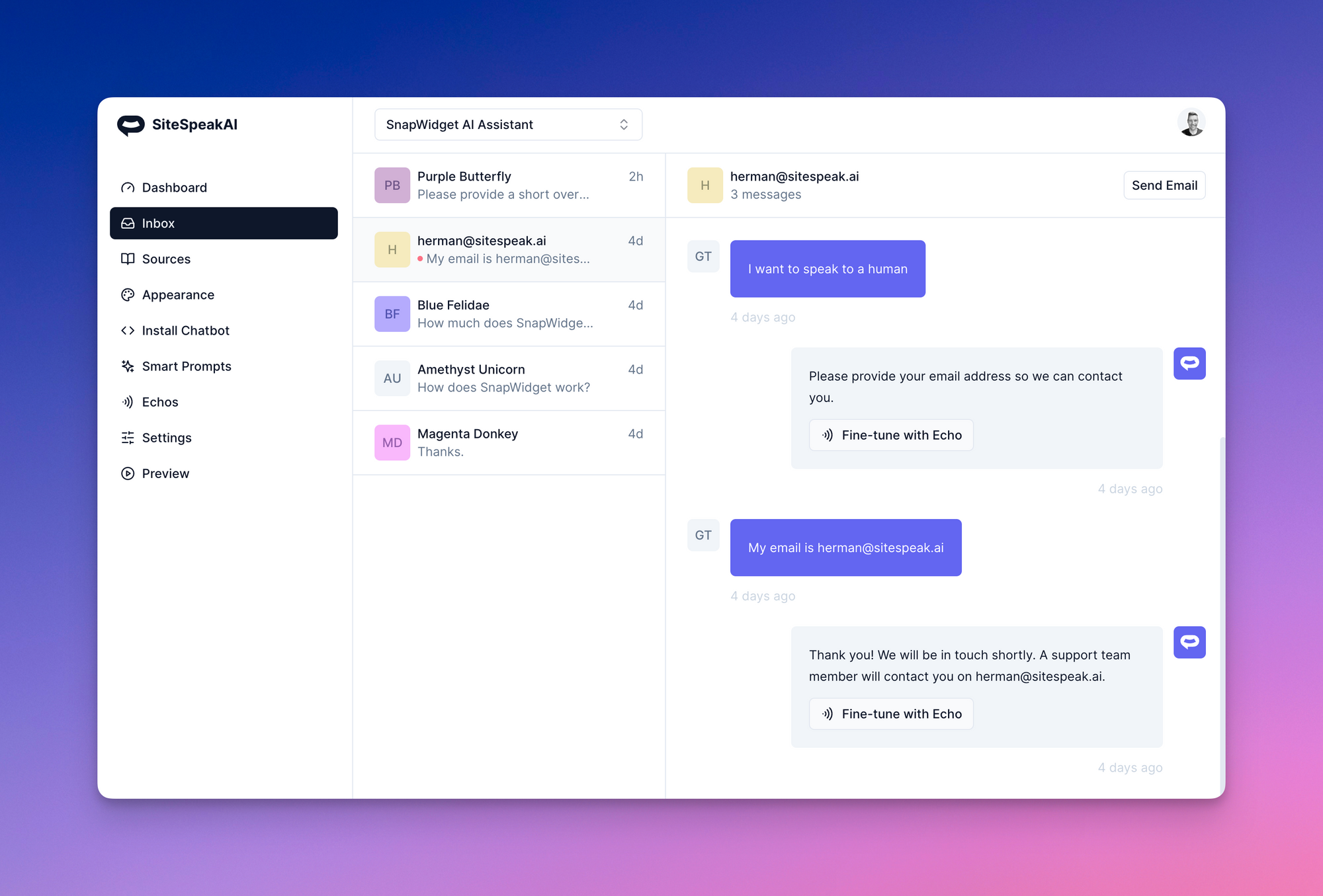
Your bot will now collect the visitors email address whenever they ask to speak to a human, an agent or to escalate a query. You will see this information in your inbox where you can send an email to the user to follow up. Direct replying coming soon!